
Paper log vs digital handoff
Paper vehicle sign-out sheets vs a digital checkout record.
A clipboard can work for a very small, predictable fleet. As more employees share trucks, cars, or vans, missing return entries and separate inspection sheets create extra coordination. Compare the procedures without assuming software eliminates physical key handoffs.
Illustrative workflow comparison, not a measured study of software performance or a guaranteed return on investment.
What the actual product records
A documented vehicle workflow, not automatic physical tracking.
This is an actual Crew Keys interface with fictional demonstration data. It illustrates the record available to a manager—not a representation of the alternative paper, spreadsheet or GPS software.
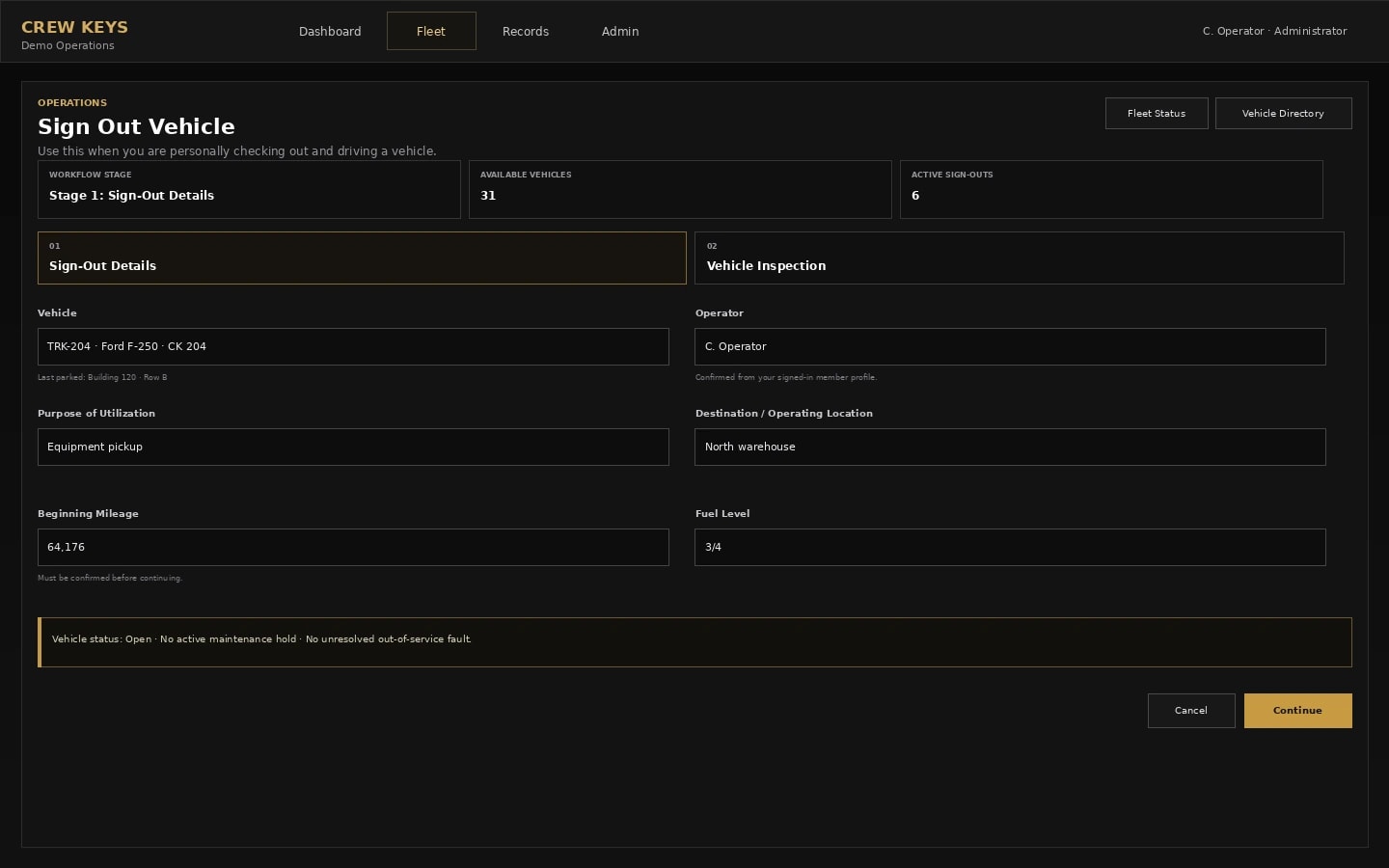
Side-by-side workflow comparison
Compare the information each method can actually give you.
These are workflow capabilities and limitations, not claims that every spreadsheet, GPS provider or paper process behaves identically.
| Question | Existing or alternative process | Crew Keys shared-vehicle record |
|---|---|---|
| Who has the vehicle? | Read the latest completed handwritten entry, then ask if a key changed hands without an entry. | See the person recorded at checkout, vehicle, time and current custody status. |
| Did it return? | Look for the time-in column, often on a different sheet or left blank. | Complete the matching return with reported mileage, fuel, location and notes. |
| Was a problem reported? | Collect a separate checklist or message and match it back to the right vehicle. | Keep submitted inspection concerns and faults associated with that vehicle. |
| What can it verify? | A signed line records what someone wrote, not independently where the keys went. | A digital record preserves operator-submitted information; it also does not independently verify physical possession. |
Model your own administrative time
Enter time today and time you think the alternative could require.
Unlike a fixed percentage claim, this model lets you set both values. It can show a possible increase in work as well as reduced administrative effort.
Editable scenario · Not a savings promise
What would a change in administrative time mean for your fleet?
Per completed vehicle checkout and return. The starting figures are examples, not Crew Keys customer results. Replace them with your own estimates.
Calculated as (current minutes − estimated alternative minutes) × tasks per week × 52 weeks ÷ 60. If alternative time is higher, the result represents additional effort, not savings.
Important: Count only administrative time that actually changes. Physical key exchange and required safety checks may still take the same time. This model excludes software subscriptions, training, setup, errors, taxes and any verified financial ROI. A labor-time equivalent is not money you automatically save or recover.
Choosing the right tool
When paper is still enough
Paper remains useful for an occasional loan, a backup during an outage, or a location with limited device access. Use the free sign-out template when software would add more work than it removes.
Useful next steps
Straight answers
Questions about this comparison.
Does digital vehicle checkout automatically know who physically holds a key?
No. Crew Keys records the person identified in the submitted checkout and return. It does not detect keys or verify physical possession.
Can we keep a printable vehicle sign-out sheet?
Yes. Crew Keys provides a separate free printable PDF and Excel sign-out sheet for a paper workflow or backup.
Does digitizing vehicle sign-outs remove inspections?
No. Keep physical vehicle and safety checks required by your policy. Configurable digital inspection records can document what an operator reported.
From comparison to a real workflow
Check how shared-vehicle accountability would work for your team.
Explore a fictional demo before creating an organization. Actual results depend on how staff use the workflows and what inspections and handoff rules you require.