
Motor pool management software
Motor pool management software for shared-fleet accountability.
Crew Keys is a web-based motor pool checkout system for organizations that need vehicle accountability without a large telematics platform. Manage motor pool vehicle checkout and return, availability, inspections, preventive maintenance, faults, mileage, repair documentation, drivers, and searchable fleet records from one workspace.
Current product UI
See service posture and operational availability in the same motor-pool workflow.
Maintenance holds, miles until service, status, notes, and repair context stay visible to administrators while affected vehicles remain out of normal checkout.
Current Crew Keys UI · fictional demonstration data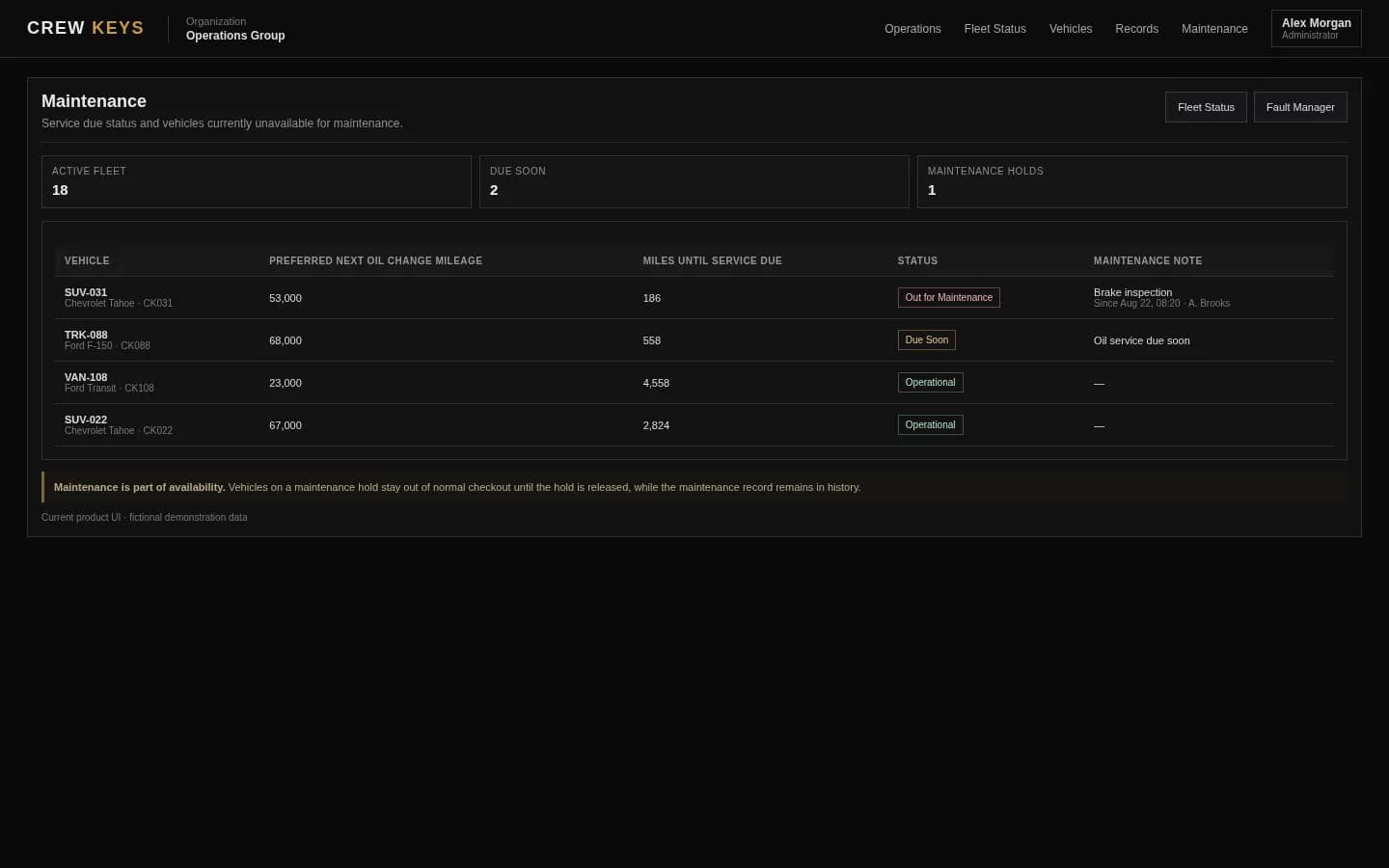
What it solves
Motor pool vehicle checkout and accountability without enterprise fleet-management bloat.
Current motor pool availability
See which vehicles are open, checked out, pending workflow, or in maintenance before dispatching or assigning them.
Vehicle checkout plus inspection
Keep operator and trip details connected to fleet inspection and preventive maintenance results rather than running separate paper processes.
Proven in a real government fleet
A 35-vehicle government fleet with 119 eligible operators moved fully digital by day two and processed more than 2,000 Crew Keys checkouts in a little over two months.
Fleet Availability
See what can leave now and why other vehicles cannot.
Available
7
Ready now
Out
3
Checked out
Maintenance
2
Out of service
| Tag | Make Model | Status | Who | Location |
|---|---|---|---|---|
| TRK-204 | Ford F-250 | Out | J. Carter | North Yard |
| VAN-117 | Ford Transit | Pending | M. Lewis | Inspection in progress |
| SUV-031 | Chevrolet Tahoe | Maintenance | — | Brake inspection |
Example only · fictional vehicles and operators
Workflow
A simple motor pool workflow from availability to return.
- 01
Check fleet availability
Start from the current status of every pooled vehicle and its maintenance posture.
- 02
Assign and inspect
Record the operator and checkout details, then complete the organization vehicle inspection checklist.
- 03
Operate and report
Keep faults and operational notes connected to the vehicle while it is out.
- 04
Return, maintain, and audit
Close the checkout, update availability, route issues into maintenance, and retain motor pool records for later review.
Maintenance Posture
Keep out-of-service vehicles and repair history visible to administrators.
| Vehicle | Status | Reason | Started | Mileage | Repair State |
|---|---|---|---|---|---|
| SUV-031 | Out of Service | Brake inspection | Aug 12 | 52,814 | Awaiting repair |
| TRK-088 | Operational | Oil service | Aug 05 | 67,442 | Completed |
Example only · fictional maintenance data
Connected product views
See the motor-pool workflow beyond maintenance.
Current posture, vehicle condition, and issue follow-through belong in the same operational system.
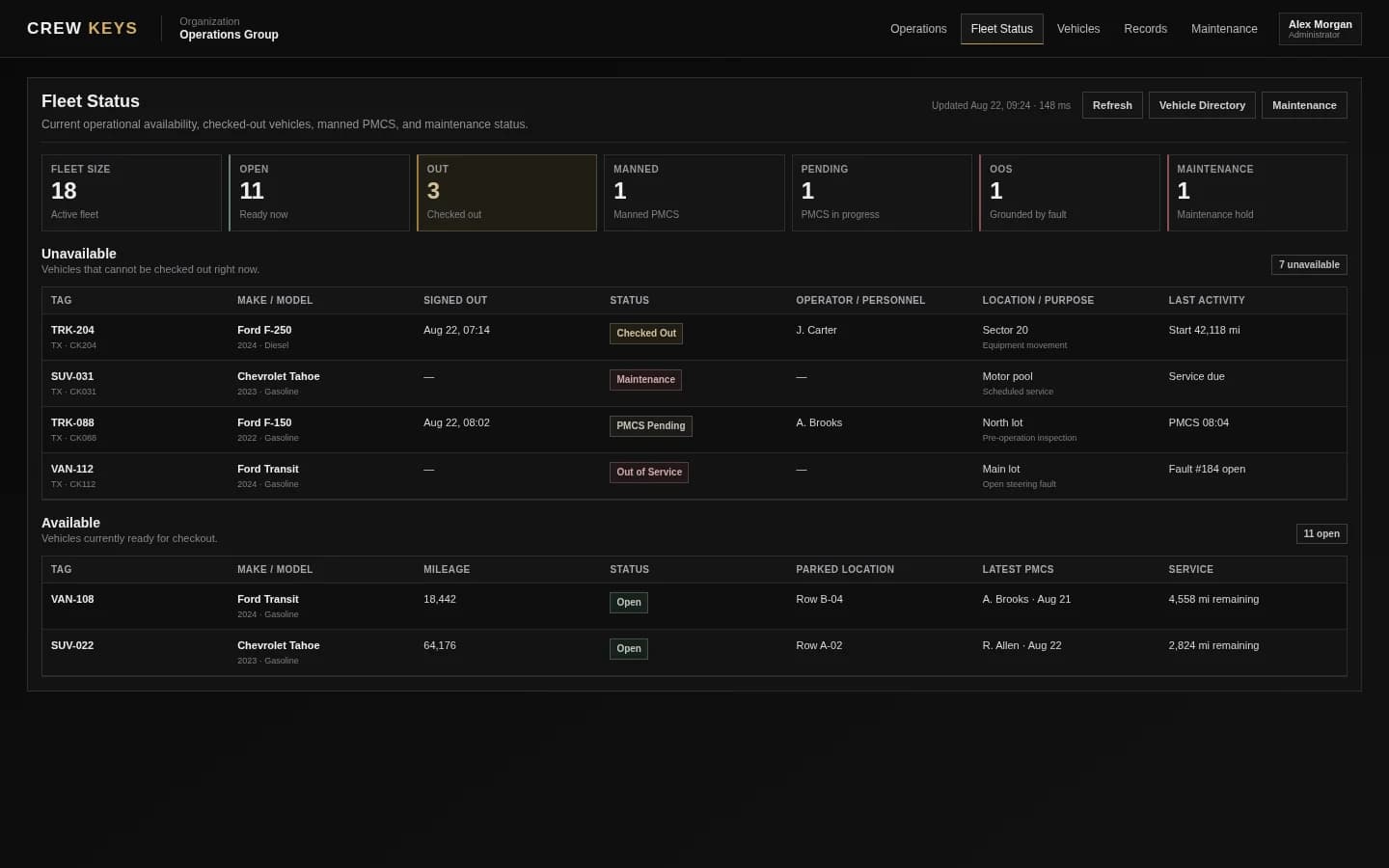
Start from the current posture before assigning a vehicle.
See fleet availability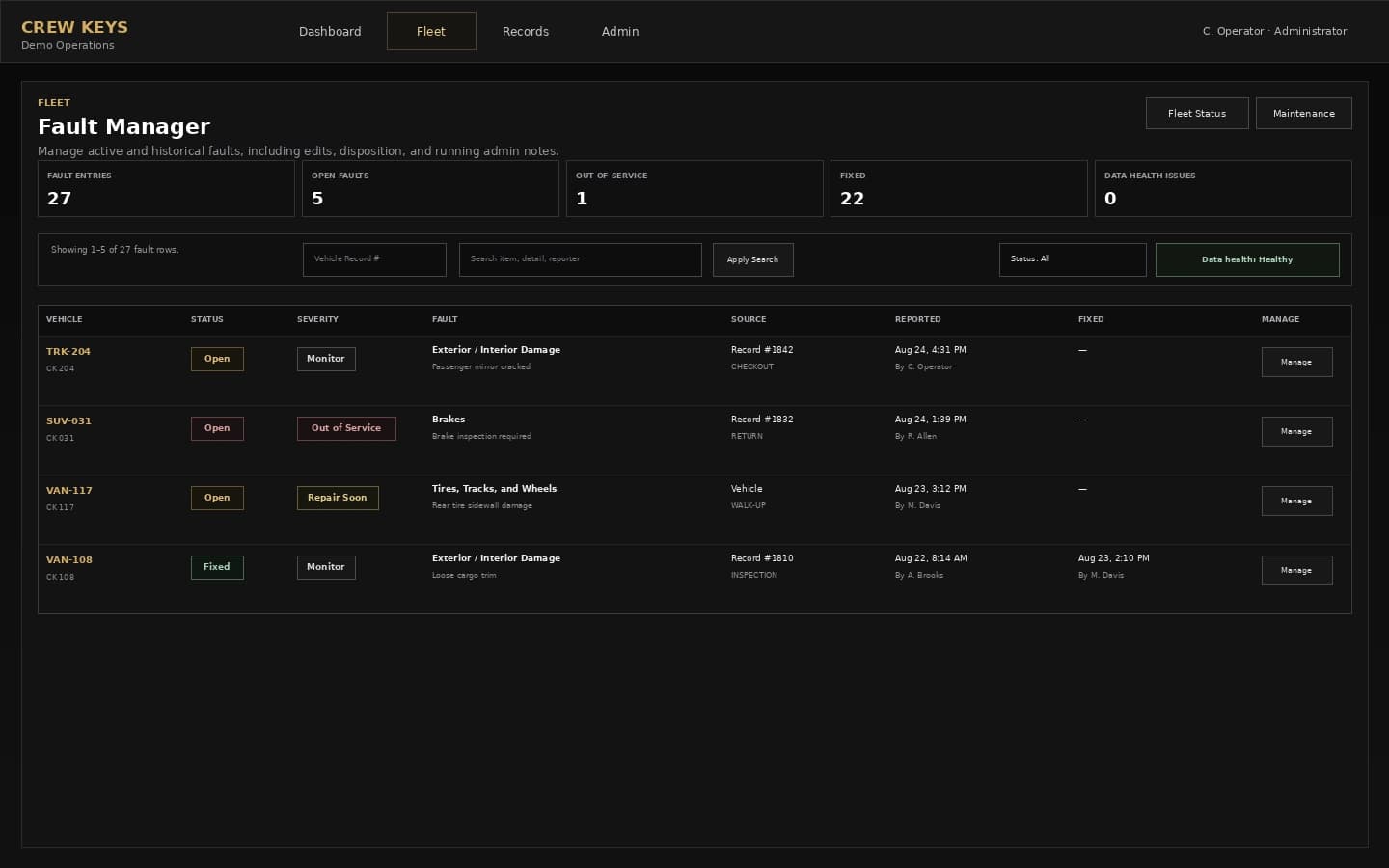
Keep condition problems visible until they are resolved.
See fault trackingCurrent Crew Keys UI · fictional demonstration data
Who it fits
Motor pool software for smaller shared-vehicle operations.
Small motor pools and unit-level vehicle operations that need straightforward web-based motor pool management software.
Organizations coordinating pooled cars, trucks, vans, or specialty vehicles across many drivers.
Teams that need checkout, inspection, maintenance, and vehicle accountability without deploying a large telematics platform.
Vehicle Log
Window: Aug 1, 2026 - Aug 13, 2026
Total Records: 3
TRK-204 — Ford F-250
| Date | Beg Time | Beg Miles | End Time | End Miles | Purpose | Operator | Faults |
|---|---|---|---|---|---|---|---|
| 08/13/26 | 09:03 | 64,118 | 13:47 | 64,176 | Site visit | R. Allen | None |
| 08/11/26 | 07:28 | 64,022 | 12:10 | 64,096 | Equipment run | J. Carter | None |
Example only · fictional vehicle log data
Questions
Motor pool management software questions.
What is a motor pool vehicle checkout system?
A motor pool vehicle checkout system records who takes each shared vehicle, when it leaves, trip or destination details, starting mileage, inspection status, and the return that closes custody. Crew Keys connects that checkout record to current availability, faults, maintenance, and searchable vehicle history.
What is motor pool management software?
Motor pool management software helps an organization coordinate shared vehicles across multiple drivers, including availability, checkout and return, inspections, faults, mileage, maintenance, access, and historical records.
Can Crew Keys replace a motor pool vehicle checkout log?
Yes. Crew Keys can replace a paper motor pool vehicle log with a live checkout and return record tied to the operator, mileage, inspections, faults, maintenance state, and vehicle history. Printable records remain available when a manual record is still required.
What motor pool functions does Crew Keys cover?
Crew Keys covers vehicle availability, checkout and return, vehicle inspection records, preventive maintenance, faults, mileage, repair documentation, maintenance status, member access, and printable fleet vehicle logs.
Is Crew Keys a GPS tracking platform?
No. Crew Keys focuses on motor pool accountability, vehicle inspections, records, and maintenance visibility rather than live telematics or route tracking.
Can administrators review faults and mileage across the motor pool?
Yes. The application includes fault-management, mileage-audit, maintenance, records, and vehicle-history workflows for administrative review.
Related workflows
Connect daily dispatch with inspections, faults, maintenance, and real deployment proof.
See how 35 shared vehicles, 119 eligible operators, and more than 2,000 digital checkouts replaced the previous paper-heavy workflow.
Explore Real government fleet case study Fleet vehicle availabilitySee current vehicle state before dispatch or checkout.
See fleet availability Fleet maintenance trackingConnect service status, faults, mileage, and return-to-service history.
See maintenance tracking Preventive maintenance inspectionsUse civilian-friendly inspection language while retaining PMCS support for military fleets.
Explore preventive inspections Vehicle checkout softwareDigitize vehicle sign-out and return.
See vehicle checkout Vehicle checklist appKeep fleet inspection findings and faults attached to vehicle history.
See vehicle inspections Shared vehicle managementCoordinate pooled vehicles across many operators.
Explore shared fleets Inspection and fault workflow guideSee how reported inspection issues carry into maintenance, repair documentation, and resolution.
Follow inspection to repairFounder-assisted setup
Want Crew Keys set up for your fleet?
Tell me roughly how many vehicles you manage and how you check them out today. I’ll help you import the fleet, configure the first workflow, and get your trial operating without making you figure out the setup alone.
One shared fleet record
Put motor pool accountability in one shared system.
Replace key logs, paper inspections, disconnected spreadsheets, and scattered vehicle records with one operational motor pool workspace.
Create organization