
Different fleet problems, different tools
GPS fleet tracking vs vehicle checkout accountability.
GPS telematics and vehicle checkout records answer different questions. GPS can help with location, routes and automatic travel information. Crew Keys focuses on who is recorded as taking and returning a shared vehicle, what was reported about condition and what is available next.
Illustrative workflow comparison, not a measured study of software performance or a guaranteed return on investment.
What the actual product records
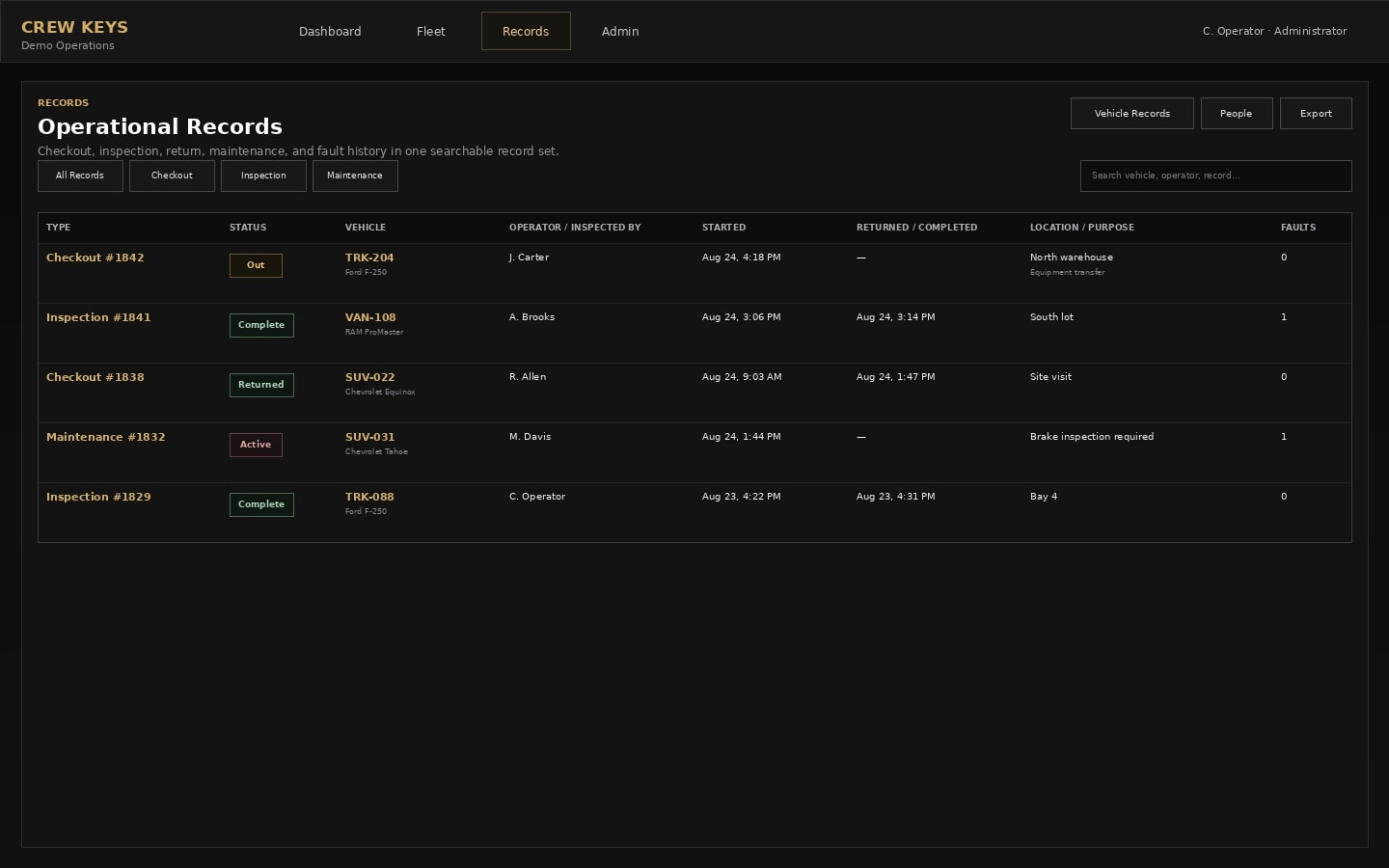
A documented vehicle workflow, not automatic physical tracking.
This is an actual Crew Keys interface with fictional demonstration data. It illustrates the record available to a manager—not a representation of the alternative paper, spreadsheet or GPS software.
Side-by-side workflow comparison
Compare the information each method can actually give you.
These are workflow capabilities and limitations, not claims that every spreadsheet, GPS provider or paper process behaves identically.
| Question | Existing or alternative process | Crew Keys shared-vehicle record |
|---|---|---|
| Where is the vehicle right now? | GPS hardware or a supported tracking application can provide location and route data. | Crew Keys does not show live GPS location; it records submitted last parked location and custody information. |
| Who is responsible for the handoff? | GPS position alone does not establish who formally took or returned custody. | A recorded checkout and return identifies the submitted operator and handoff times. |
| What condition was reported? | Some telematics can provide automatic diagnostic signals, depending on hardware and integration. | Crew Keys captures user-reported inspections, faults and maintenance follow-up, not vehicle diagnostic telemetry. |
| Do we need both? | Useful when location, routing, utilization or diagnostic telemetry is required. | Useful when employees share vehicles and accountability, booking and return records are the main concern. They can be complementary. |
Model your own administrative time
Enter time today and time you think the alternative could require.
Unlike a fixed percentage claim, this model lets you set both values. It can show a possible increase in work as well as reduced administrative effort.
Editable scenario · Not a savings promise
What would a change in administrative time mean for your fleet?
Per manual vehicle-status or custody follow-up. The starting figures are examples, not Crew Keys customer results. Replace them with your own estimates.
Calculated as (current minutes − estimated alternative minutes) × tasks per week × 52 weeks ÷ 60. If alternative time is higher, the result represents additional effort, not savings.
Important: This calculator models time on manual custody follow-up only. It does not compare tracking hardware fees, subscription prices, installation, driving time, GPS benefits or automatic telemetry. This model excludes software subscriptions, training, setup, errors, taxes and any verified financial ROI. A labor-time equivalent is not money you automatically save or recover.
Choosing the right tool
When GPS is the better tool
Choose a GPS or telematics platform if you must see current vehicle coordinates, reconstruct routes, monitor driver behavior or receive automatic engine diagnostics. Crew Keys does none of those; it is designed for a documented shared-vehicle workflow.
Useful next steps
Straight answers
Questions about this comparison.
Does Crew Keys track vehicle location in real time?
No. Crew Keys is not a telematics product. It stores information submitted during reservations, checkout, inspections and return, including any reported parked location.
Can GPS tracking replace a vehicle sign-out process?
GPS position can indicate where a vehicle is, but it does not by itself record the employee who formally accepted responsibility or completed a return checklist.
Could a fleet use GPS software and Crew Keys together?
Yes, organizations can use separate tools for different needs. Crew Keys does not currently provide a built-in telematics integration.
From comparison to a real workflow
Check how shared-vehicle accountability would work for your team.
Explore a fictional demo before creating an organization. Actual results depend on how staff use the workflows and what inspections and handoff rules you require.