
Vehicle return & check-in
Vehicle return software that closes the custody record before the keys go back.
Crew Keys gives operators a consistent vehicle check-in workflow for ending mileage, fuel, parked location, return notes, and newly reported issues. The return updates fleet availability while preserving the completed checkout as searchable vehicle history.
Current product UI
See the actual information that closes the vehicle handoff.
The return screen keeps current sign-out context visible while the operator records ending mileage, fuel, parked location, notes, and any problems discovered during use.
Current Crew Keys UI · fictional demonstration data
Mobile workflow
Vehicle return can be closed from the parking spot, not back at a desk.
Ending mileage, fuel, parked location, notes, and existing fault context fit the mobile workflow so the record can be completed while the information is still in front of the operator.
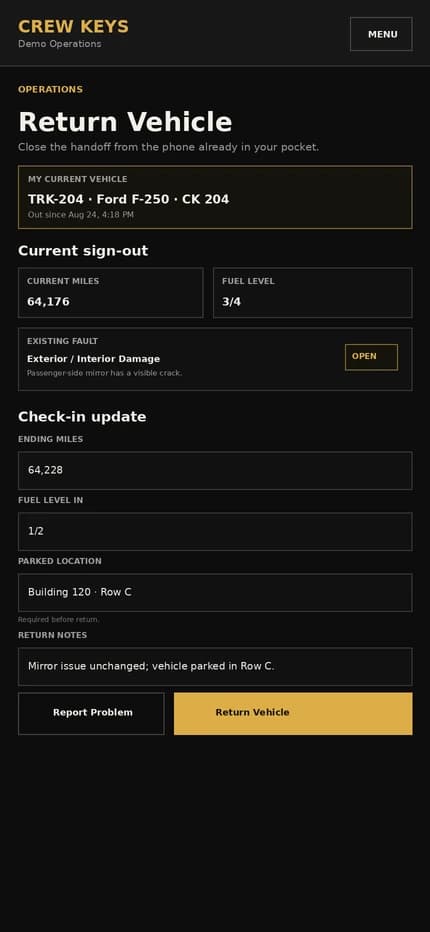
Current responsive Crew Keys UI · fictional demonstration data
What it solves
Turn “keys returned” into a complete vehicle check-in.
Ending mileage captured
Close the mileage gap between checkout and return instead of relying on a later odometer update.
Parked location retained
Record where the vehicle was left so the next operator does not have to search for it.
Return issues stay visible
Problems found at check-in can remain tied to the vehicle and feed fault or maintenance decisions.
Completed Return
Ending mileage, fuel, parking location, notes, and faults close the record.
| Vehicle | Returned | End Miles | Fuel | Parked | Faults | Notes |
|---|---|---|---|---|---|---|
| SUV-022 Chevrolet Tahoe | Aug 13, 13:47 | 64,176 | 3/4 | Row B · Space 4 | 0 | No new issues |
Example only · fictional return data
Workflow
How Crew Keys closes a vehicle checkout.
- 01
Open the active checkout
The operator returns to the record that already contains the vehicle, responsibility, and checkout details.
- 02
Enter return details
Record ending mileage, fuel level, parked location, and return notes.
- 03
Report new issues
Document problems discovered during use or at return so they do not vanish when custody ends.
- 04
Make the vehicle available again
Once the return is complete and no blocking state remains, Fleet Status can show the vehicle as available.
Operational Records
Checkout, inspections, returns, mileage, faults, and preventive maintenance stay attached to history.
| Type | Status | Vehicle | Operator / Inspected By | Started | Returned | Faults |
|---|---|---|---|---|---|---|
| Checkout | Out | TRK-204 | J. Carter | Aug 13, 18:42 | — | 0 |
| Inspection | Complete | VAN-108 | A. Brooks | Aug 13, 15:18 | Aug 13, 15:26 | 1 |
| Checkout | Returned | SUV-022 | R. Allen | Aug 13, 09:03 | Aug 13, 13:47 | 0 |
Example only · fictional records and operators
Connected product views
See what the completed return changes.
Closing the handoff updates the live fleet and leaves behind a permanent trip record for later review.
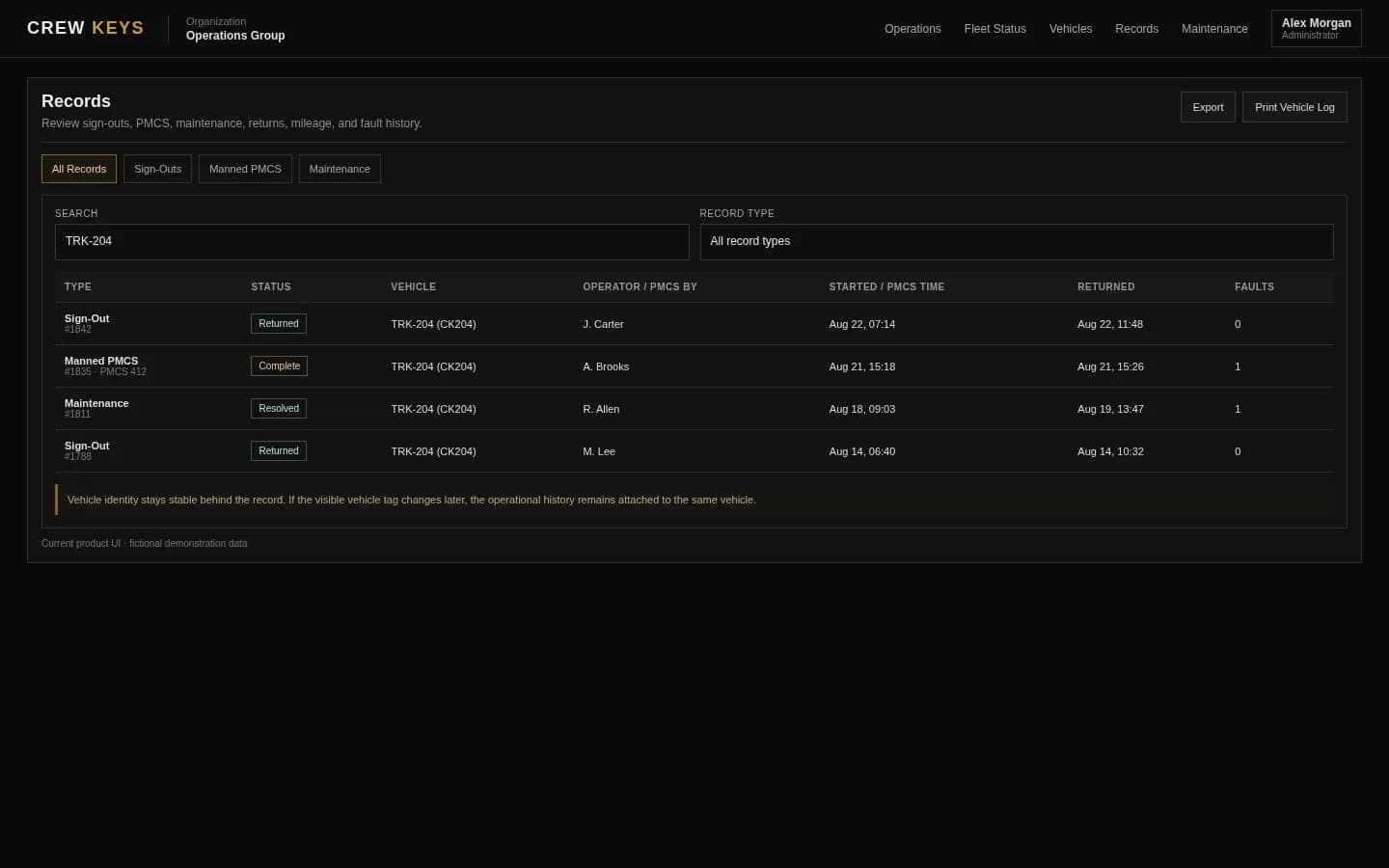
The closed trip remains searchable after the keys are back.
See operational records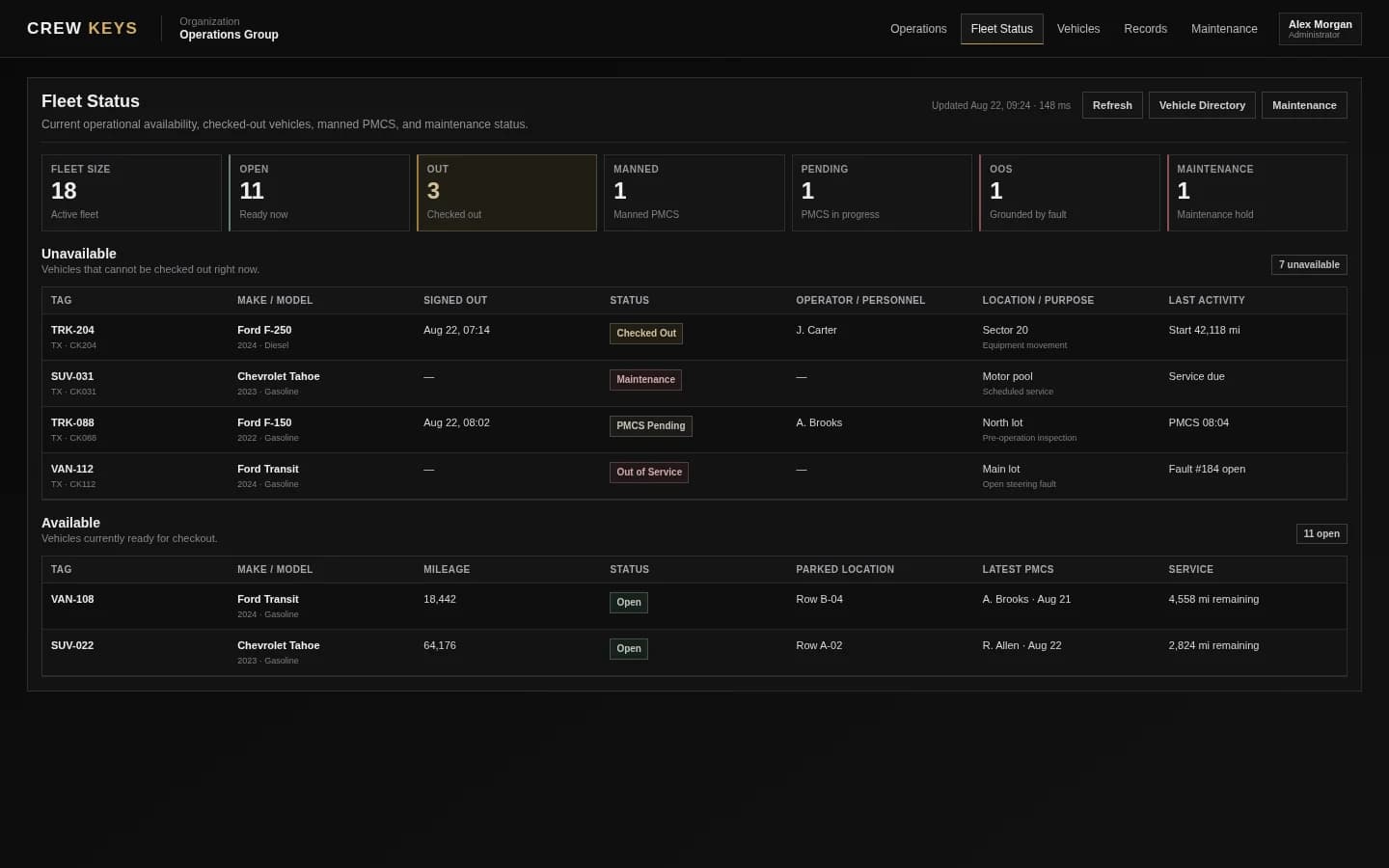
A completed return feeds the current availability picture.
See fleet availabilityCurrent Crew Keys UI · fictional demonstration data
Who it fits
For fleets where a return needs to update the next operator.
Shared fleets where employees return vehicles to a common parking area or key point.
Organizations that need ending mileage and condition history for accountability, utilization, or maintenance follow-up.
Teams replacing informal key returns that leave no reliable record of where the vehicle was parked or what changed during use.
Questions
Vehicle return and check-in questions.
What should a vehicle check-in record include?
A useful return record commonly includes ending mileage, fuel, parked location, return time, notes, and any problems found during use or at return.
Does vehicle check-in update availability?
Yes. Crew Keys uses the completed return as part of the operational state transition back toward availability, subject to maintenance, fault, or other blocking conditions.
Can drivers report a problem when returning a vehicle?
Yes. Return workflows can capture new vehicle issues so they remain visible beyond the closed checkout.
Is the completed checkout still searchable after return?
Yes. The checkout and return remain part of the vehicle and operational records rather than being erased when the keys are turned in.
Related workflows
Keep exploring Crew Keys.
Start the custody record that the return closes.
See vehicle checkout Vehicle fault trackingKeep return findings visible until they are resolved.
See fault tracking Fleet vehicle availabilityUpdate the live status when custody ends.
See fleet availability Digital vehicle sign-out sheetReplace manual out/in columns with an operational record.
See the digital recordFounder-assisted setup
Want Crew Keys set up for your fleet?
Tell me roughly how many vehicles you manage and how you check them out today. I’ll help you import the fleet, configure the first workflow, and get your trial operating without making you figure out the setup alone.
One shared fleet record
Close every vehicle handoff with the information the fleet needs next.
Capture return mileage, fuel, parked location, condition issues, and notes before the vehicle goes back into the available pool.
Create organization