
Shared vehicle accountability guide
Vehicle custody is more than knowing where a vehicle is.
For a shared fleet, the operational question is not simply where a vehicle exists on a map. Managers need to know who accepted responsibility for it, what condition it was in at handoff, whether it can be used now, and what changed before custody ended. A useful custody record connects those moments instead of scattering them across a key board, inspection form, text thread, and spreadsheet.
Crew Keys example
Custody should remain reconstructable after the vehicle is returned.
The current status changes as the vehicle moves through checkout and return, while the historical record remains available for later review.
Current Crew Keys UI · fictional demonstration data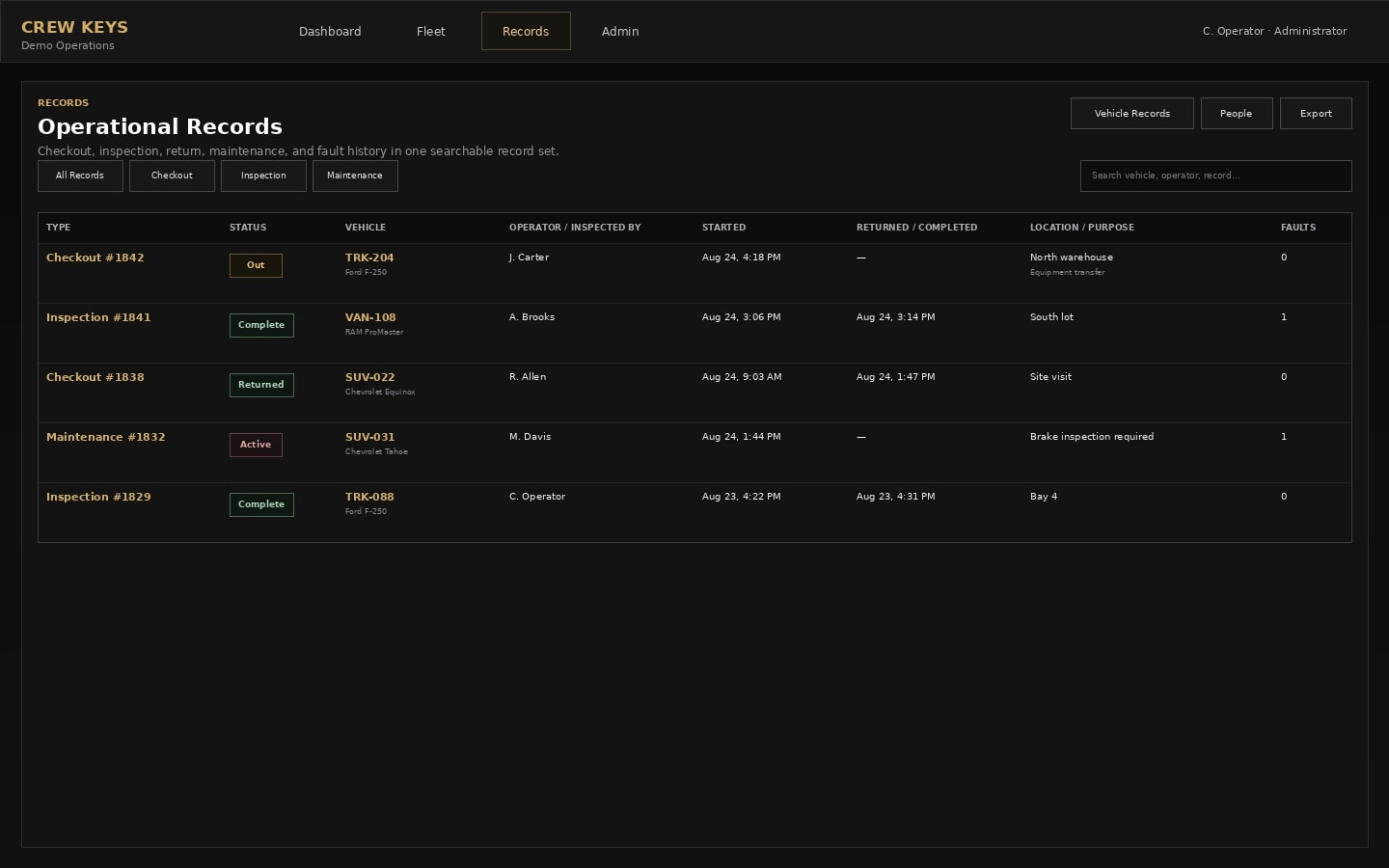
Start with the definition
A custody record answers who was responsible during a specific period.
Location and custody can overlap, but they are not the same thing. GPS can tell an organization that a vehicle is at a job site. It does not necessarily establish who accepted the vehicle, what mileage or fuel was recorded at handoff, whether an inspection was completed, or what condition was reported when the vehicle came back.
For pooled vehicles, custody becomes especially important because several employees may use the same asset over a short period. The record needs a clear beginning and end so the next user is not relying on memory to determine what happened before them.
Minimum useful record
Capture enough context to reconstruct the handoff later.
The exact fields vary by operation, but a custody record usually becomes more useful when it preserves identity, time, operational context, and condition together rather than treating them as separate forms.
Vehicle: a stable vehicle ID, tag, VIN, or other identifier that does not depend on a handwritten description.
Person: the operator or employee accepting custody, not merely whoever happened to write on the sheet.
Start context: time, mileage, purpose or destination, fuel where relevant, and any required inspection state.
Condition: known faults or observations that existed before or during the use period.
Return context: ending mileage, parked location, fuel, return time, notes, and newly reported issues.
The accountability chain
Current status and historical custody solve different problems.
The live board answers what can happen next. The custody history explains what already happened and who was responsible during each handoff.
- 01
Available
The fleet can see that the vehicle is eligible for the next handoff.
- 02
Accepted
An operator is linked to the vehicle and the custody period begins.
- 03
Condition recorded
Inspection findings and known faults travel with the operational record instead of living in a separate inbox.
- 04
Returned
Mileage, fuel, location, notes, and new findings close the individual custody period.
- 05
Status recalculated
The vehicle may become available again or remain unavailable because of inspection, fault, or maintenance state.
- 06
History retained
The old custody period stays reviewable even after a new operator later uses the same vehicle.
Why paper breaks down
A sign-out row can tell you who left with the key and still fail to tell you whether the vehicle is usable now.
A completed row is historical evidence. A live fleet state is an operational decision. If a returned vehicle has an unresolved fault, is awaiting an inspection, or was sent to maintenance, simply writing a return time does not make it available. This is why mature shared-fleet workflows separate the custody event from the vehicle’s continuing condition and availability.
A practical test
If someone asks about Vehicle 27 six months later, can the record answer the question without reconstructing it manually?
A reliable record should make ordinary operational questions boring to answer. You should be able to identify the operator for a past use period, see the mileage and return context, determine whether a fault was reported, and follow that issue forward without searching separate binders or message threads.
Who had it?
Identify the individual custody period instead of relying on who remembers taking the key.
What changed?
Compare handoff and return context, including mileage and condition findings.
What happened next?
Keep unresolved faults and maintenance decisions connected after the individual trip record closes.
Two common accountability gaps
Physical key handoffs and disputed damage both need a recorded starting point.
If an employee hands the keys straight to the next person without closing the first checkout, the custody and mileage record can become ambiguous. Have the first operator finish the return, document its condition, and let the next eligible operator begin a distinct checkout. The software records those actions; it does not physically stop an informal handoff.
Who actually had the keys?
Compare recorded checkout and return times with individual operators, instead of treating the reservation holder as the driver. See vehicle custody software in action →
Was the damage already there?
Record observed vehicle condition before departure and new findings at return. Inspection history helps investigate the sequence but does not automatically prove fault. See vehicle inspections →
Which odometer belongs to this trip?
Confirm the vehicle identifier before entry and preserve both reported readings against that checkout. Review usage history →
Custody versus tracking
Use the right tool for the question you are asking.
Location tracking is useful when the primary question is where the vehicle is moving or has traveled.
Custody tracking is useful when the primary question is who accepted responsibility, whether the vehicle was ready to use, and what happened during the handoff.
Some fleets need both. Others primarily need a dependable checkout, condition, return, and history workflow without installing telematics hardware.
Continue reading
Related Crew Keys workflows and resources.
See how the individual handoff starts a custody record.
See vehicle checkout Vehicle return and check-inClose custody with mileage, fuel, location, notes, and new findings.
See vehicle return Digital vehicle sign-out sheetCompare a persistent vehicle record with a traditional sign-out log.
See the digital recordFrom template to workflow
Make the handoff useful after the key changes hands.
Crew Keys connects live availability, individual custody, inspections, faults, returns, and retained vehicle history in one shared-fleet workflow.