
Company vehicle pools
Company vehicle pool management for employees who share the same fleet.
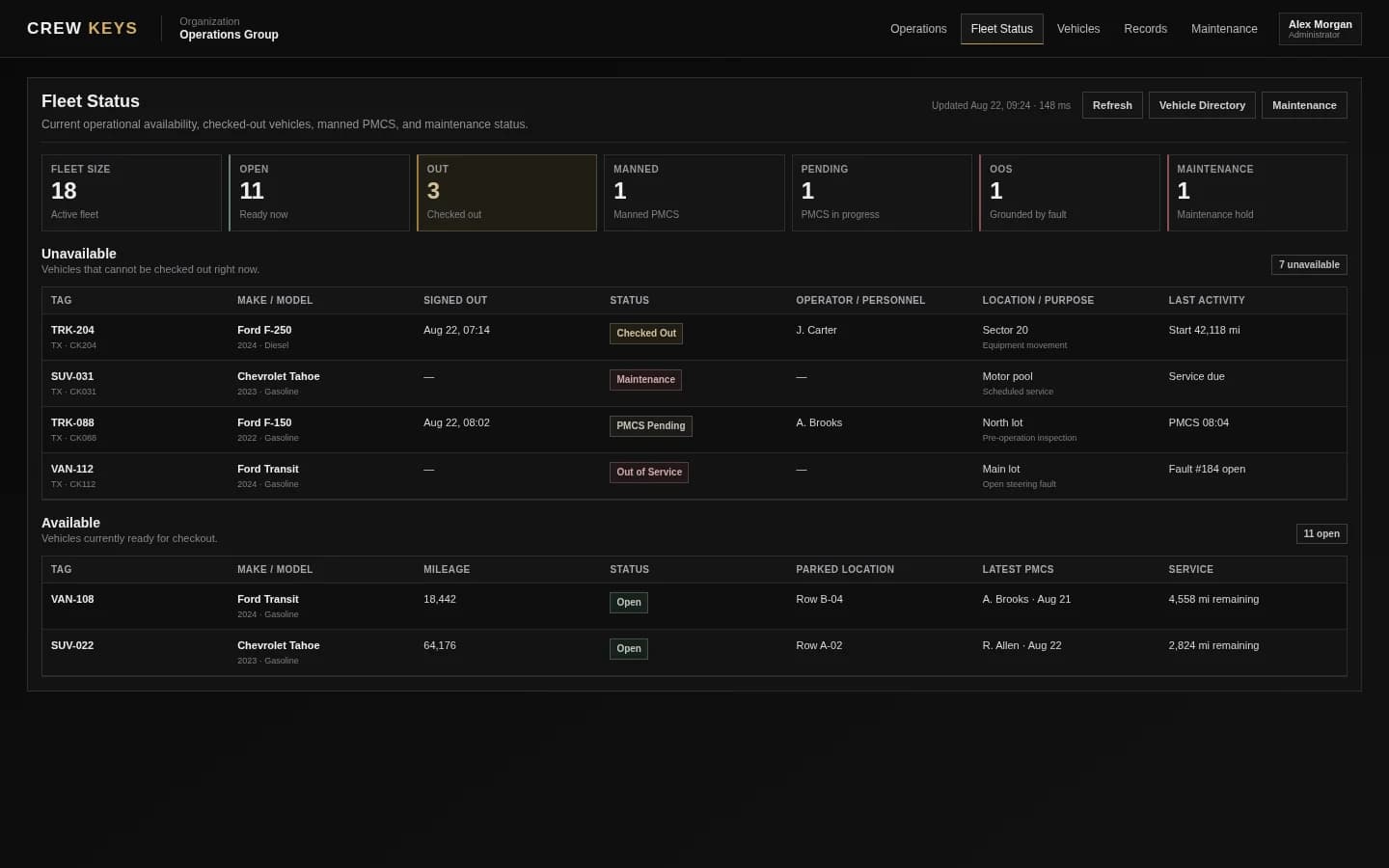
Crew Keys gives companies one live accountability record for pooled vehicles used by many employees. Drivers can see what is available, check out the vehicle they actually take, complete the required inspection, report issues, and close the return so the next person is not working from an outdated sign-out sheet.
A shared-fleet problem, not a routing problem
When 65 drivers share 35 vehicles, the hard part is knowing who has what right now.
A shared company fleet can work without GPS tracking or a full transportation platform. What it cannot work without is a reliable handoff: the correct vehicle, the responsible employee, current availability, condition, and a completed return.
Example operating model
One fleet can serve different groups without becoming several separate spreadsheets.
A company may have dozens of employees sharing a smaller vehicle pool while still protecting vehicles for specific operating needs. Crew Keys keeps the same vehicle record across those uses instead of separating status from custody.
Cars, trucks, vans, or other shared units in one organization.
One current fleet inventoryEmployees who may need a vehicle without having one permanently assigned.
Accountability follows the person taking custodyShift, leadership, general-use, reserve, or other practical priorities.
Different purposes, one fleet recordA common place to see what can leave and what is already committed.
Less checking keys, texts, and paper logsThe numbers are an example of the kind of shared-fleet ratio Crew Keys is designed around: more eligible drivers than vehicles, with the same vehicles moving between people and purposes.
Where manual processes fail
The vehicle may be physically present while the record is already wrong.
Shared fleets fail in small handoff mistakes. Each one creates uncertainty for the next driver or the person responsible for the fleet.
The wrong vehicle is taken
An employee grabs a nearby key or chooses a different unit than expected, but the paper or spreadsheet entry does not match reality.
Custody starts inaccurateThe return never gets closed
The key comes back, but the vehicle still appears out because nobody completed the return record.
Availability becomes staleA vehicle is assumed available
Someone sees a key or an empty row and treats the vehicle as ready even though it is held for inspection, service, or another use.
The next assignment breaksA problem gets separated from the vehicle
A fault is mentioned in a text or verbally but never becomes part of the vehicle record.
The issue has to be rediscoveredHow Crew Keys fits
Keep the employee workflow narrow and make each handoff update the fleet.
The goal is not to make every driver a fleet manager. Crew Keys gives the employee only the steps needed to keep the shared pool accurate.
- 01
Check current availability
The employee or dispatcher starts from vehicles the system currently considers available rather than a static list.
- 02
Take responsibility for one vehicle
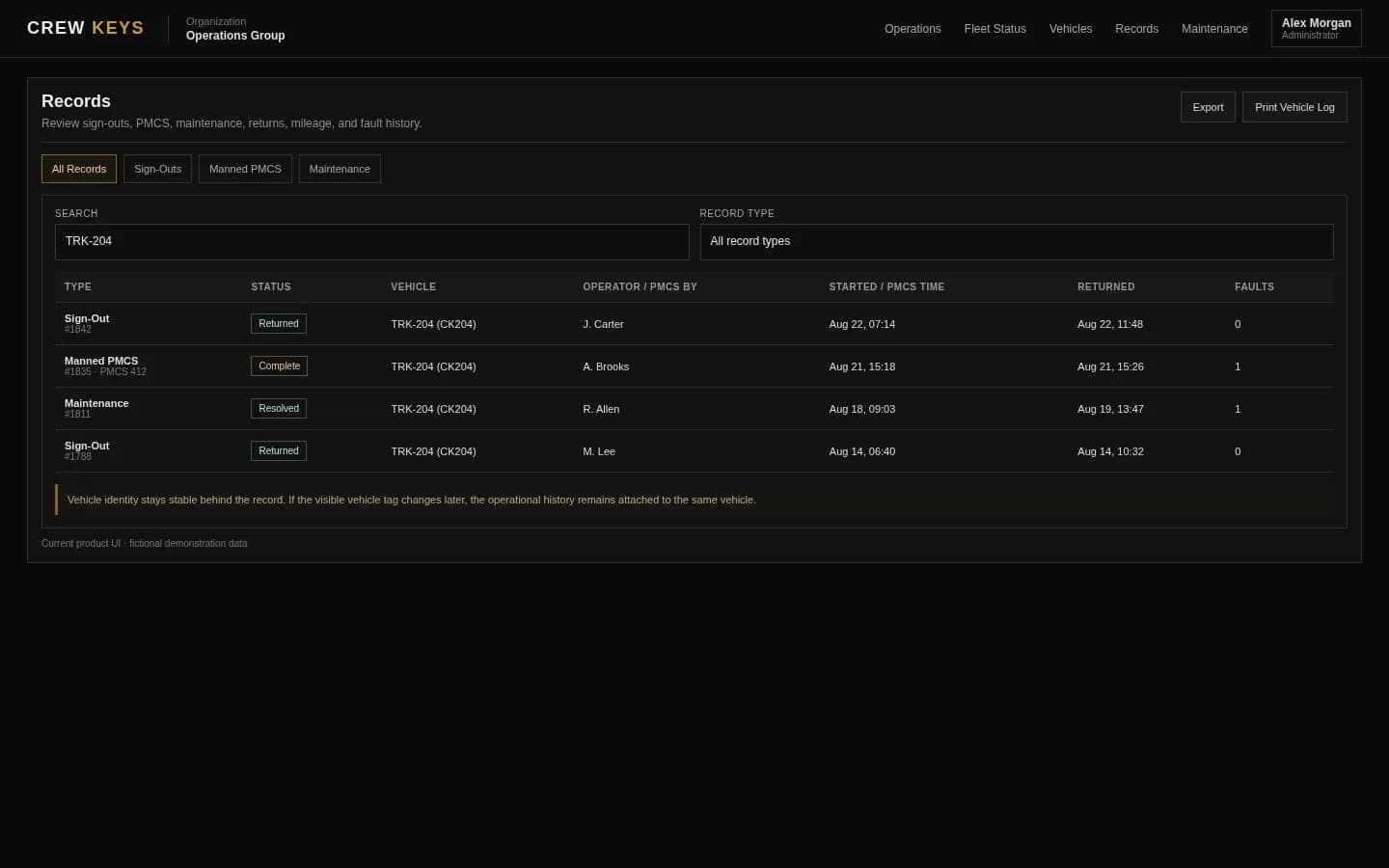
Checkout records the employee, vehicle, purpose, mileage, and other required details in the same transaction.
- 03
Complete the condition check
Required inspection findings stay connected to the vehicle instead of living in a separate form.
- 04
Close the return
Ending mileage, fuel, parked location, notes, and new issues finish custody and update what the next employee sees.
Manage exceptions, not every compliant trip
The fleet manager should spend time on exceptions, not reconstructing normal trips.
Once routine checkouts and returns update the live record themselves, management can focus on the cases that actually need attention.
Questions
Questions about this shared-fleet model.
What is company vehicle pool management software?
It is software for coordinating vehicles shared across employees rather than permanently assigned to one driver. Crew Keys focuses on availability, checkout, custody, inspections, faults, return, and history.
Does every employee need a permanently assigned vehicle?
No. Crew Keys is designed specifically for pooled and shared vehicles that move between many eligible drivers.
Does Crew Keys require GPS trackers in every vehicle?
No. The core Crew Keys accountability workflow is browser-based and does not require telematics hardware.
Can managers see who currently has a company vehicle?
Yes. Current checkout and fleet status records connect the vehicle to the responsible operator while it is in use.
Related Crew Keys pages
Go deeper on the workflow behind the use case.
See the complete pooled-fleet workflow from availability through history.
Explore shared fleets Employee vehicle checkoutSee the handoff that creates the custody record.
See vehicle checkout Fleet vehicle availabilitySee how the live fleet state helps employees choose the right vehicle.
See fleet availability Shift-based fleet managementSee how shared vehicles can support different pools and shift requirements.
Explore shift-based fleetsShared vehicle accountability
Give employees a simple checkout. Give the company a trustworthy vehicle record.
Crew Keys is built for the gap between a key rack and a full enterprise fleet platform: shared vehicles, many drivers, and one current accountability record.