
Shift-based shared fleets
Keep enough vehicles ready for the next shift without losing accountability for the rest.
Shift-based operations often need to protect a working pool of vehicles while other units support leadership, general use, reserve needs, maintenance, or temporary requirements. Crew Keys gives the organization one current view of what is available, what is already out, and what condition each returned vehicle is actually in.
Availability has an operational purpose
“Available” is only useful when the right vehicles are available for the work that is about to start.
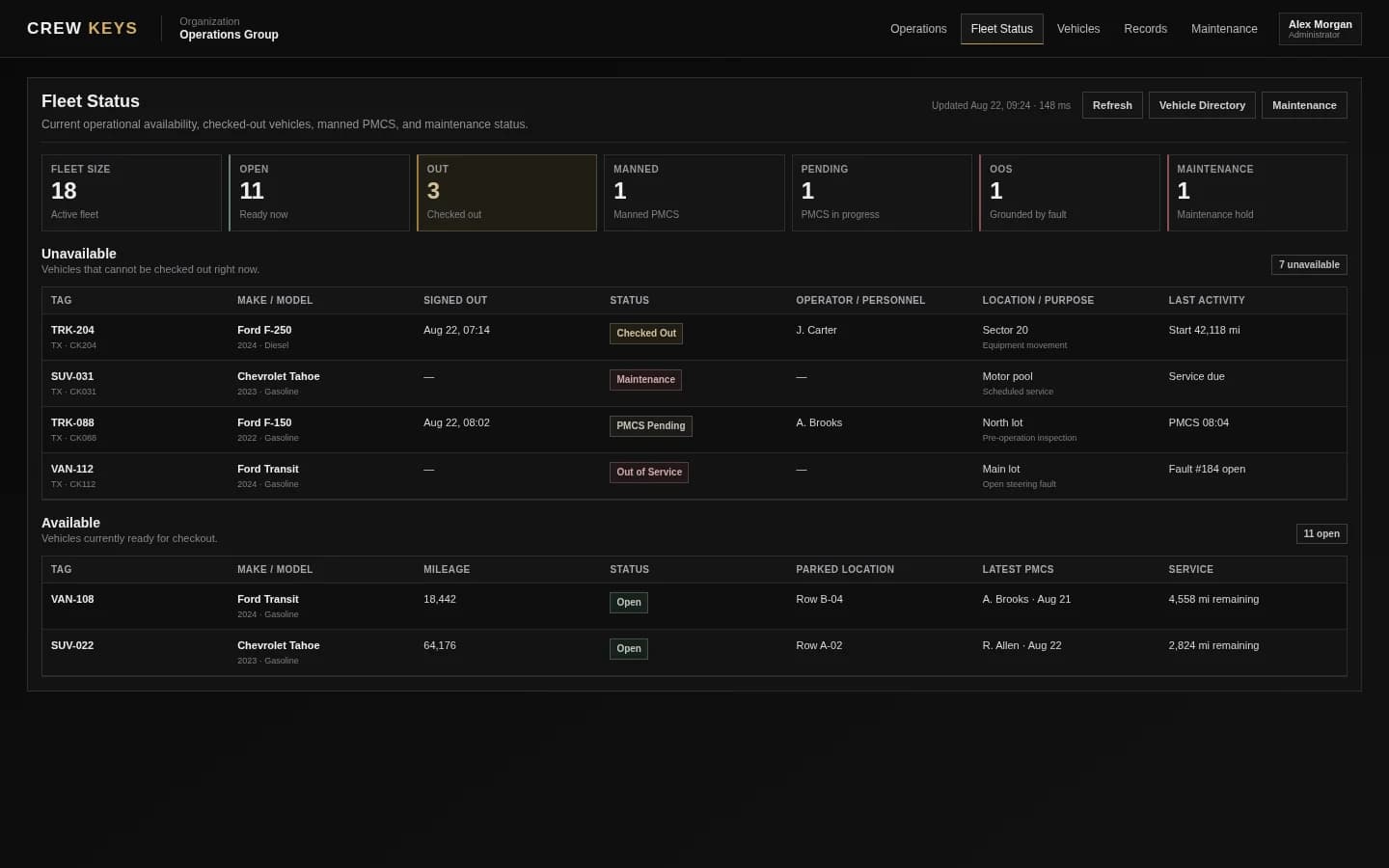
A fleet can have keys on the board and still be short for the next shift. Crew Keys separates current vehicle state from assumptions so the person coordinating the fleet can see what is actually usable before the handoff begins.
A pooled-fleet example
The same 35-vehicle fleet can support several priorities at once.
The exact categories differ by organization, but the operating idea is common: some vehicles need to remain available for a shift, some are intended for leadership or specific roles, and others are general-purpose. The status board should reflect the operational use, not just the physical key count.
Vehicles protected so the working shift can start with enough usable units.
Operational priority poolVehicles commonly used by a defined group rather than the full driver population.
Purpose- or role-specific useVehicles available for normal employee needs, errands, temporary work, or other shared use.
Broad shared accessThe larger fleet still includes every active unit and its current condition.
One organization-wide recordCrew Keys does not need to turn every pool into a separate system. The important part is preserving the vehicle identity, custody, readiness, and history as it moves between uses.
Where manual processes fail
Shift turnover exposes every stale record from the previous shift.
A vehicle that was not properly returned, a fault that was never recorded, or a unit taken from the wrong pool becomes someone else’s problem at the next handoff.
A reserve vehicle disappears into general use
Someone takes a vehicle that was expected to remain available for the incoming shift.
Coverage is reduced before work startsA checked-out vehicle looks available
The key or parking space does not match the digital or paper record.
The coordinator assigns a unit that is not truly readyThe vehicle returns with an unresolved issue
The key is back, but a fault or required inspection means the vehicle should not immediately re-enter service.
Physical return is mistaken for readinessThe next shift inherits the cleanup
Missing entries and verbal handoffs force the next dispatcher or manager to reconstruct what happened.
Accountability becomes a turnover taskHow Crew Keys fits
Make readiness part of the normal checkout and return cycle.
Instead of performing a separate fleet reconciliation every shift, Crew Keys lets the normal driver workflow keep the current picture updated.
- 01
Review the pool before release
See which vehicles are currently available, checked out, pending inspection, out of service, or in maintenance.
- 02
Match the employee to the correct vehicle
Record the actual unit taken so the live fleet state reflects the handoff rather than the planned assignment.
- 03
Keep condition with the vehicle
Inspection findings and faults stay attached to the unit when it changes drivers or shifts.
- 04
Return into the correct state
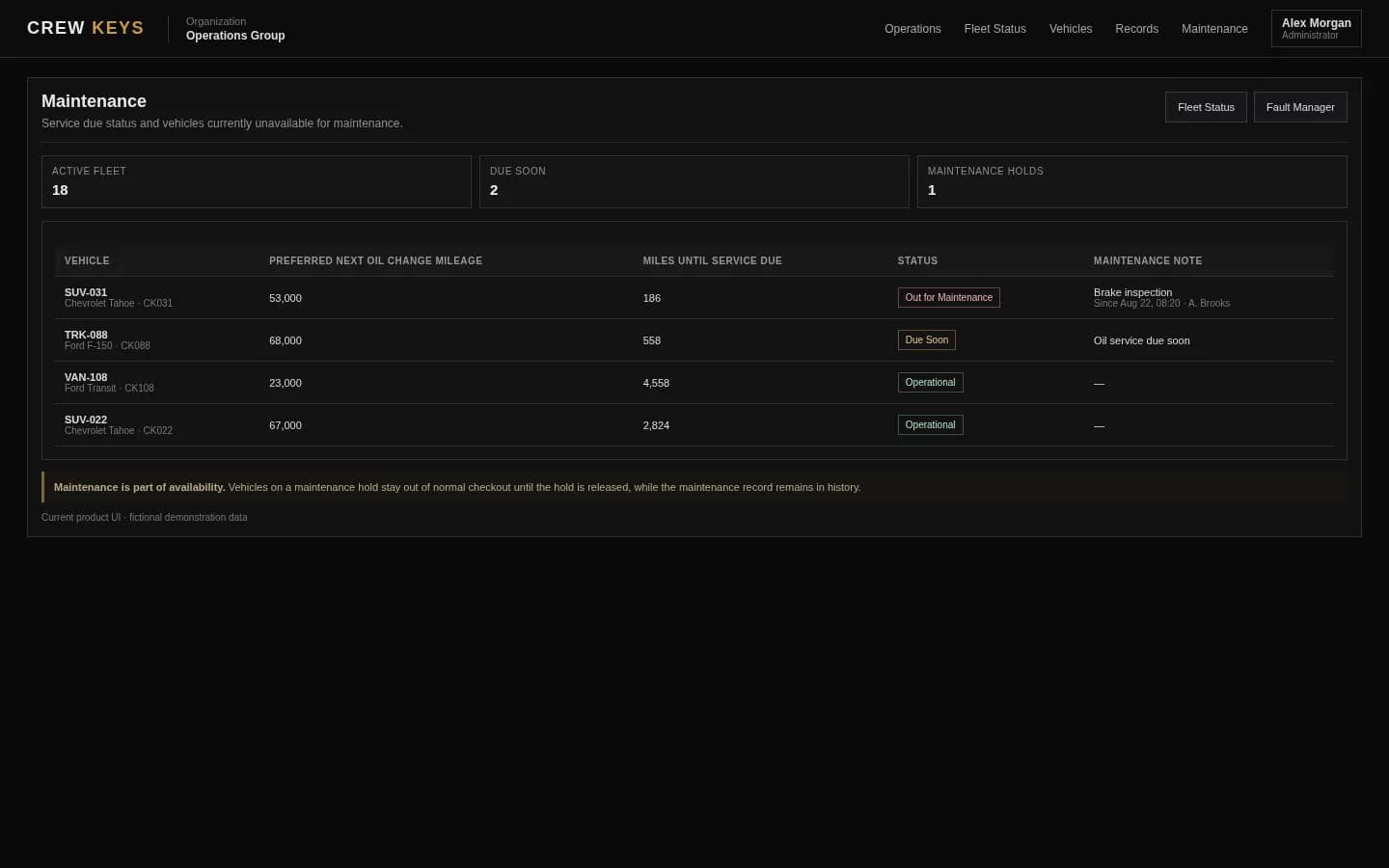
A completed return updates custody, but unresolved inspection or maintenance conditions can remain visible instead of being hidden by the key coming back.
Manage exceptions, not every compliant trip
Start the next shift from a status board instead of a key count.
The coordinator can see the fleet posture and work only the mismatches: units still out, unavailable vehicles, missing returns, and faults that need action.
Questions
Questions about this shared-fleet model.
Can Crew Keys be used for vehicles shared between multiple shifts?
Yes. Crew Keys keeps current custody, return, condition, and availability tied to the vehicle as different employees use it across the day.
Can the same fleet support different operating uses?
Yes. Crew Keys keeps the underlying vehicle identity, custody, condition, availability, and history together even when an organization informally reserves some vehicles for a shift, leadership, general use, or other priorities.
Does a returned key automatically mean the vehicle is ready?
Not necessarily. Crew Keys keeps inspections, faults, maintenance, and operational availability connected so physical return does not have to erase an unresolved condition.
Can the next shift see what happened previously?
Yes. Completed checkout, return, inspection, fault, and maintenance activity remains part of the searchable vehicle and operational history.
Related Crew Keys pages
Go deeper on the workflow behind the use case.
See the live state that supports shift readiness.
See fleet availability Vehicle returnSee how custody is closed before the next shift uses the vehicle.
See vehicle return Vehicle fault trackingKeep unresolved vehicle problems visible across handoffs.
See fault tracking Dispatcher-managed fleetsSee how a dispatcher can coordinate the same workflow without being the only source of truth.
Explore dispatcher-managed fleetsShared vehicle accountability
Make shift turnover a fleet status check—not a reconstruction project.
Keep custody, condition, return, faults, maintenance, and readiness current while the vehicles move between drivers and operating priorities.