
Shared vehicle management
Shared vehicle management without enterprise fleet-management bloat.
Crew Keys provides shared company vehicle tracking without requiring GPS or telematics hardware. For organizations where many employees use the same vehicles, the daily questions are simple: what is available, who has what, what condition is it in, and what needs attention?
Current product UI
Make the current fleet posture visible before anyone asks for the keys.
Available, checked-out, inspection, fault, and maintenance states are presented together so employees and administrators are working from the same availability picture.
Current Crew Keys UI · fictional demonstration data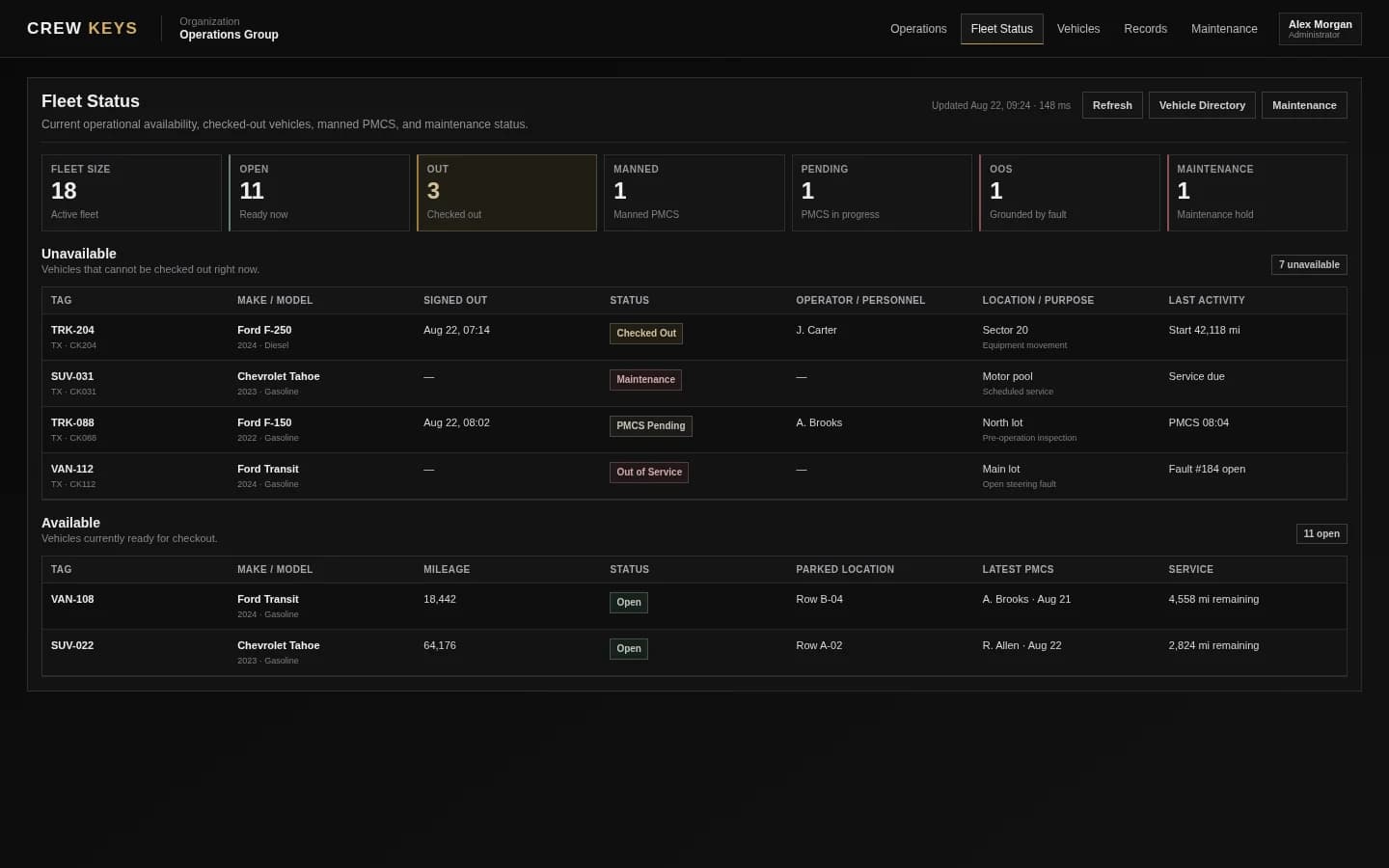
What it solves
Answer the four questions every pooled fleet asks all day.
Live fleet availability
Separate available, checked-out, pending-inspection, and maintenance vehicles so operators can see the current posture.
Operator accountability
Keep the person, vehicle, checkout details, inspection, and return activity connected instead of relying on a key rack.
Persistent fleet history
Preserve mileage, faults, maintenance state, and operational records even as different people use the same vehicle.
Fleet Availability
See what can leave now and why other vehicles cannot.
Available
7
Ready now
Out
3
Checked out
Maintenance
2
Out of service
| Tag | Make Model | Status | Who | Location |
|---|---|---|---|---|
| TRK-204 | Ford F-250 | Out | J. Carter | North Yard |
| VAN-117 | Ford Transit | Pending | M. Lewis | Inspection in progress |
| SUV-031 | Chevrolet Tahoe | Maintenance | — | Brake inspection |
Example only · fictional vehicles and operators
Workflow
Keep availability, custody, condition, and history synchronized.
- 01
Maintain the shared fleet
Admins manage vehicle identity, status, maintenance posture, and operational availability.
- 02
Let authorized drivers operate
Drivers use the shared workflow for employee vehicle checkout, inspections, availability, and returns without needing full admin access.
- 03
Surface exceptions
Faults, maintenance states, overdue service information, and unusual mileage remain visible to administrators.
- 04
Review the history
Use records and exports to answer who used a vehicle, when, why, and what happened during the trip.
Operational Records
Checkout, inspections, returns, mileage, faults, and preventive maintenance stay attached to history.
| Type | Status | Vehicle | Operator / Inspected By | Started | Returned | Faults |
|---|---|---|---|---|---|---|
| Checkout | Out | TRK-204 | J. Carter | Aug 13, 18:42 | — | 0 |
| Inspection | Complete | VAN-108 | A. Brooks | Aug 13, 15:18 | Aug 13, 15:26 | 1 |
| Checkout | Returned | SUV-022 | R. Allen | Aug 13, 09:03 | Aug 13, 13:47 | 0 |
Example only · fictional records and operators
Connected product views
See the daily system from handoff to history.
The shared-fleet view is only useful when member actions and historical records feed the same system.
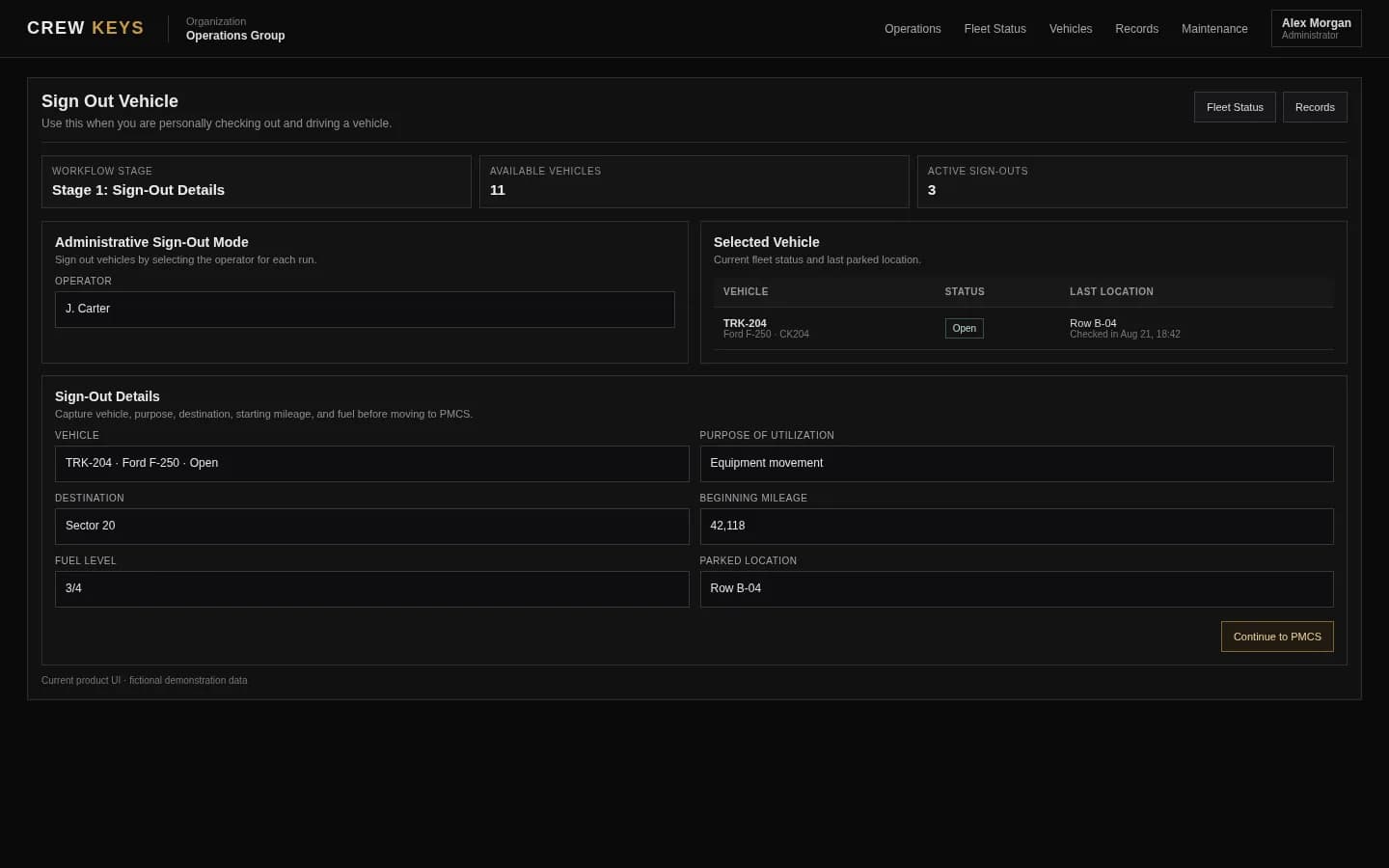
Members record responsibility and trip context when the vehicle leaves.
See vehicle checkout
Give members the fleet access their job requires without giving everyone the same controls.
Review security and access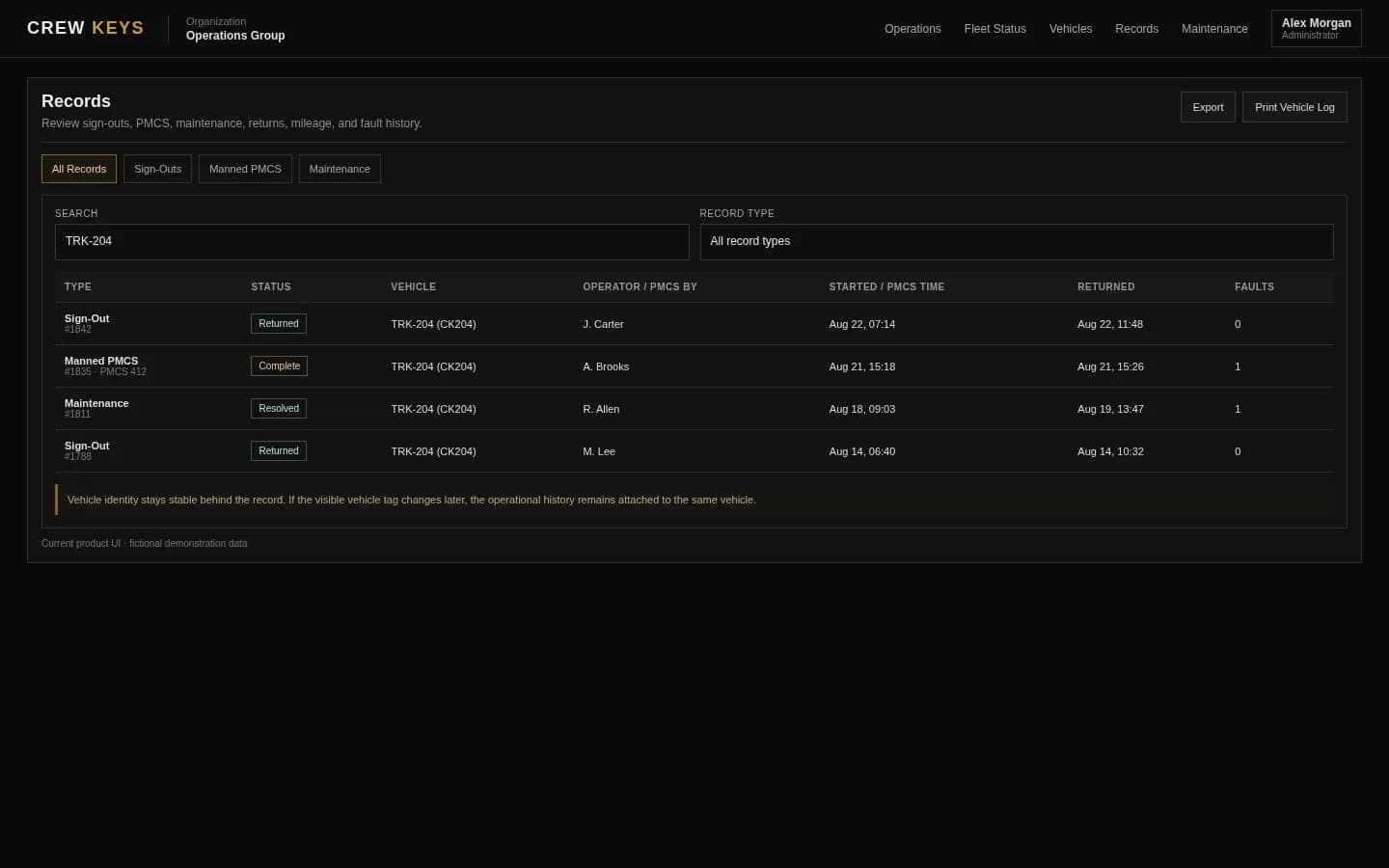
Managers retain a usable history without reconstructing paper handoffs.
See the digital recordCurrent Crew Keys UI · fictional demonstration data
Who it fits
Built for common-use vehicles rather than one-driver-one-vehicle fleets.
Departments with a common pool of vehicles rather than one permanent vehicle per driver.
Nonprofits, public-service teams, facilities groups, camps, churches, and other organizations coordinating shared transportation.
Operations that care more about accountability, inspection, and availability than route optimization or telematics.
Maintenance Posture
Keep out-of-service vehicles and repair history visible to administrators.
| Vehicle | Status | Reason | Started | Mileage | Repair State |
|---|---|---|---|---|---|
| SUV-031 | Out of Service | Brake inspection | Aug 12 | 52,814 | Awaiting repair |
| TRK-088 | Operational | Oil service | Aug 05 | 67,442 | Completed |
Example only · fictional maintenance data
Questions
Shared vehicle management questions.
Can I manage a shared fleet without GPS tracking?
Yes. Crew Keys is designed for fleet accountability without GPS or telematics hardware. Availability comes from checkout, return, inspection, fault, and maintenance workflows rather than a live location feed.
What is shared vehicle management software?
It is software for coordinating a common pool of vehicles across multiple drivers, including availability, checkout, returns, inspections, faults, maintenance, and usage history.
Can Crew Keys track vehicles that are temporarily unavailable?
Yes. Vehicles can be separated from normal availability when they are checked out, pending required workflow, or placed in maintenance.
Can an organization keep historical records after a vehicle leaves service?
Crew Keys is designed to decommission vehicles while preserving operational history rather than treating deletion as the normal end-of-life workflow.
Related workflows
Explore the workflows behind the fleet-status screen.
See which pooled vehicles are actually available right now.
See fleet availability Vehicle checkout softwareDigitize the sign-out and return process.
See vehicle checkout Vehicle inspection appTie inspections and faults to vehicle history.
See vehicle inspections Motor pool managementCoordinate a pooled fleet from one operational workspace.
Explore motor pool operations Company vehicle poolsSee how many employees can share a smaller fleet without losing custody and availability.
Explore company vehicle pools Shift-based fleetsSee how availability supports multiple operating priorities across shifts.
Explore shift-based fleets Dispatcher-managed fleetsSee how a key desk can verify handoffs without becoming the only source of truth.
Explore dispatcher-managed fleets Inspection-to-fault guideSee how an inspection finding remains visible until repair and resolution.
Follow inspection to repairFounder-assisted setup
Want Crew Keys set up for your fleet?
Tell me roughly how many vehicles you manage and how you check them out today. I’ll help you import the fleet, configure the first workflow, and get your trial operating without making you figure out the setup alone.
One shared fleet record
Give everyone one current answer for what is available and why.
Replace key-rack assumptions with live checkout, vehicle inspections, preventive maintenance, faults, maintenance, mileage, and return state across the shared fleet.
Create organization