
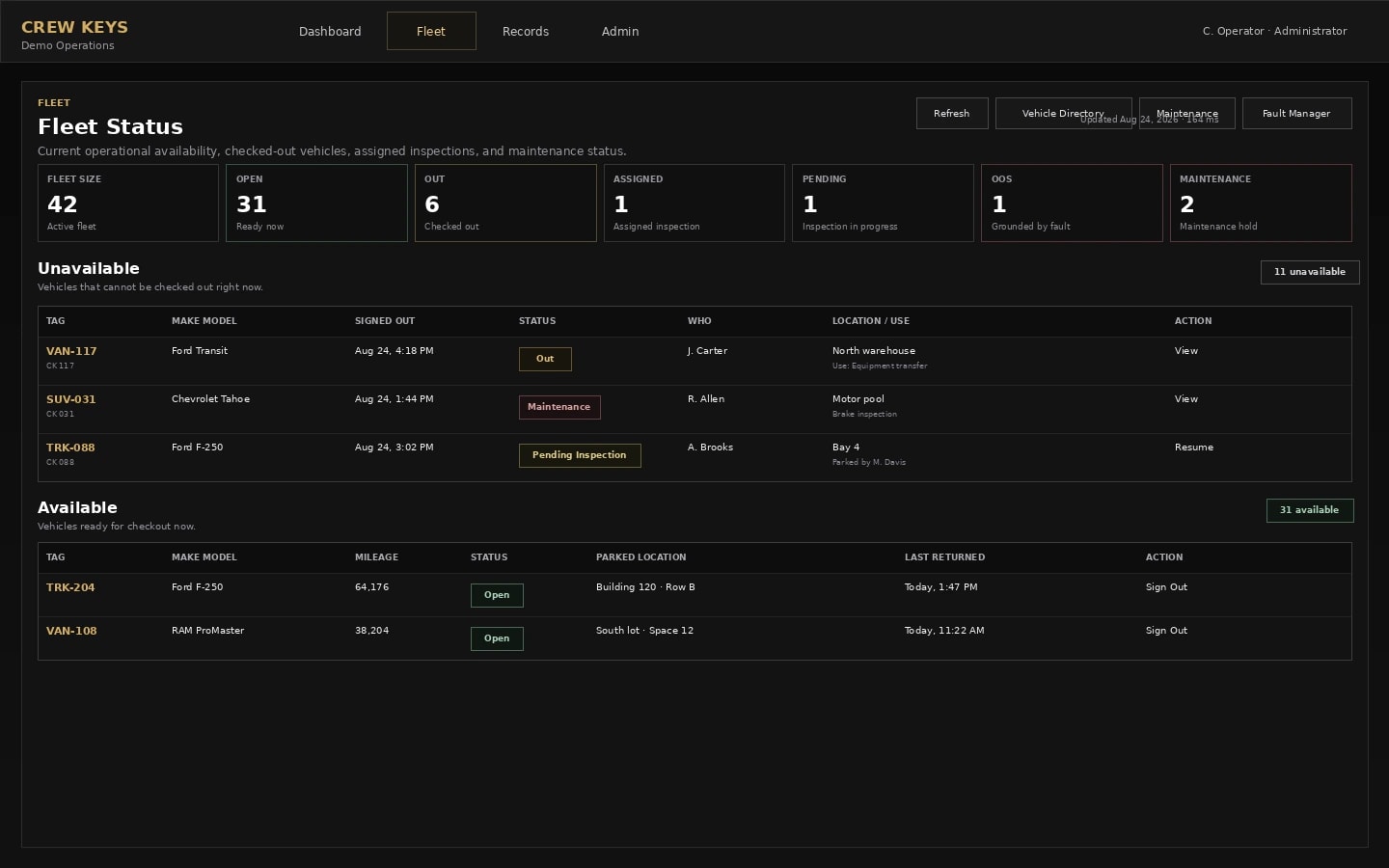
Fleet availability
Problem: Nobody knows which vehicle is ready without calling the desk.
Solution: See current availability, checkouts and readiness together.
See how it worksShared vehicles · Clear accountability
Crew Keys helps your team reserve, check out, inspect and return shared company vehicles. See who is recorded as using each vehicle, review reported problems, and check availability for the next employee—without GPS hardware or live GPS tracking.
Drivers open Crew Keys in a phone browser, or scan a vehicle QR code to go directly to that vehicle. Normal access and identity checks still apply.
Current Crew Keys workspace
What Crew Keys actually solves
Real Crew Keys screens, not stock dashboard mockups. Explore the feature that matters to your organization.
Problem: Nobody knows which vehicle is ready without calling the desk.
Solution: See current availability, checkouts and readiness together.
See how it works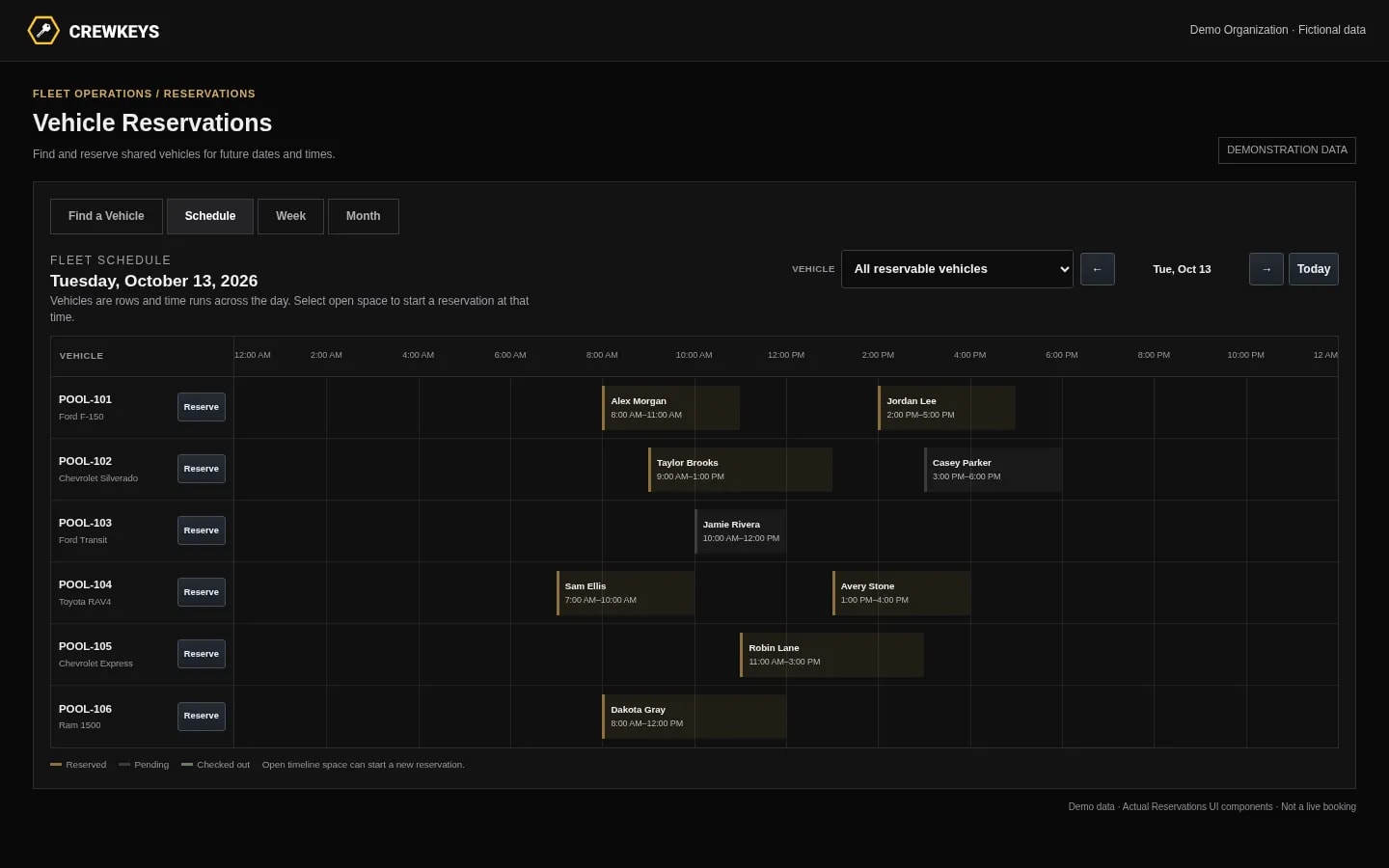
Problem: Two employees plan to use the same vehicle.
Solution: Schedule shared vehicles and keep bookings separate from actual custody.
See how it works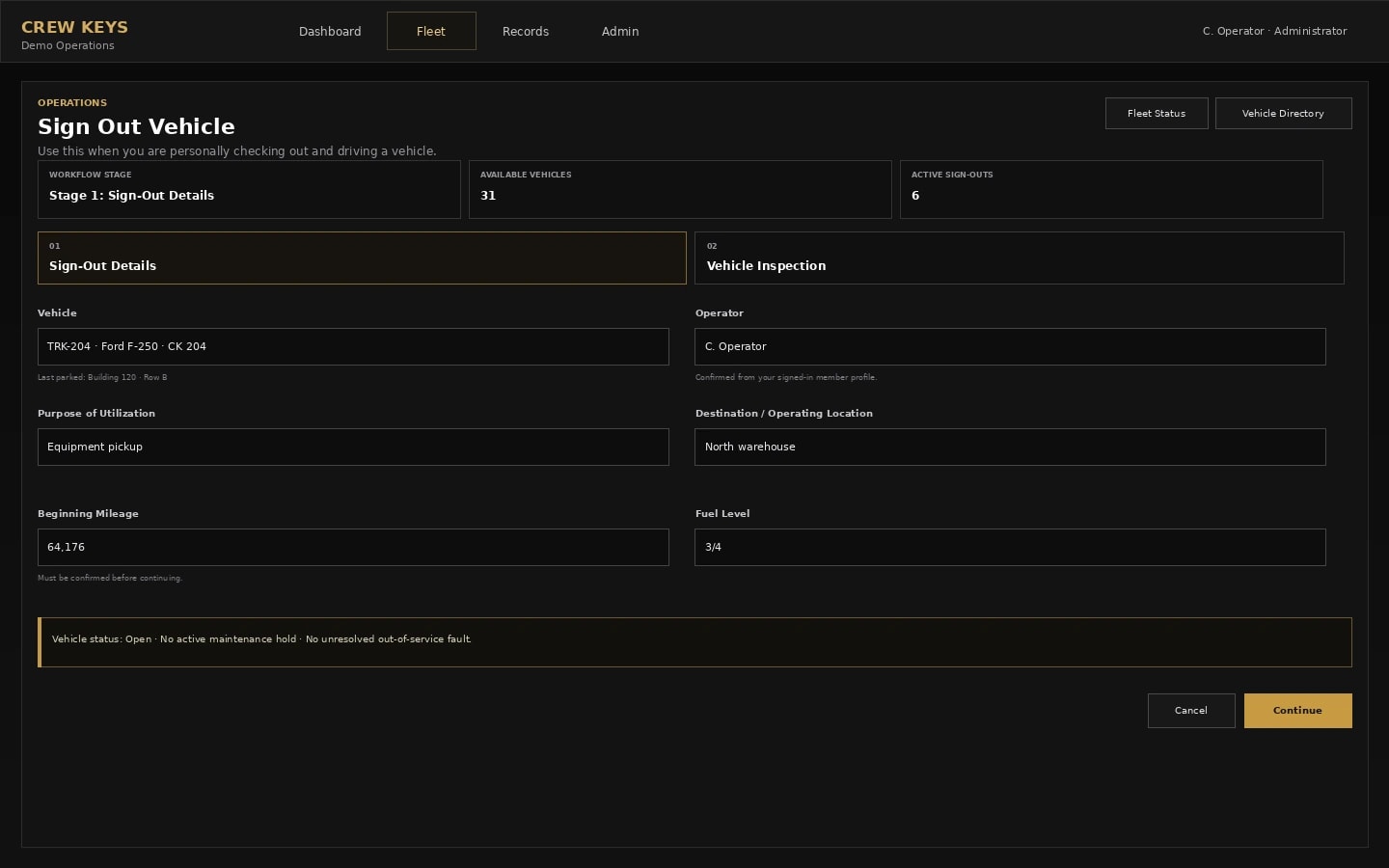
Problem: A reservation or missing sign-out does not identify who took the keys.
Solution: Record who actually checks out a vehicle and the reported trip details.
See how it works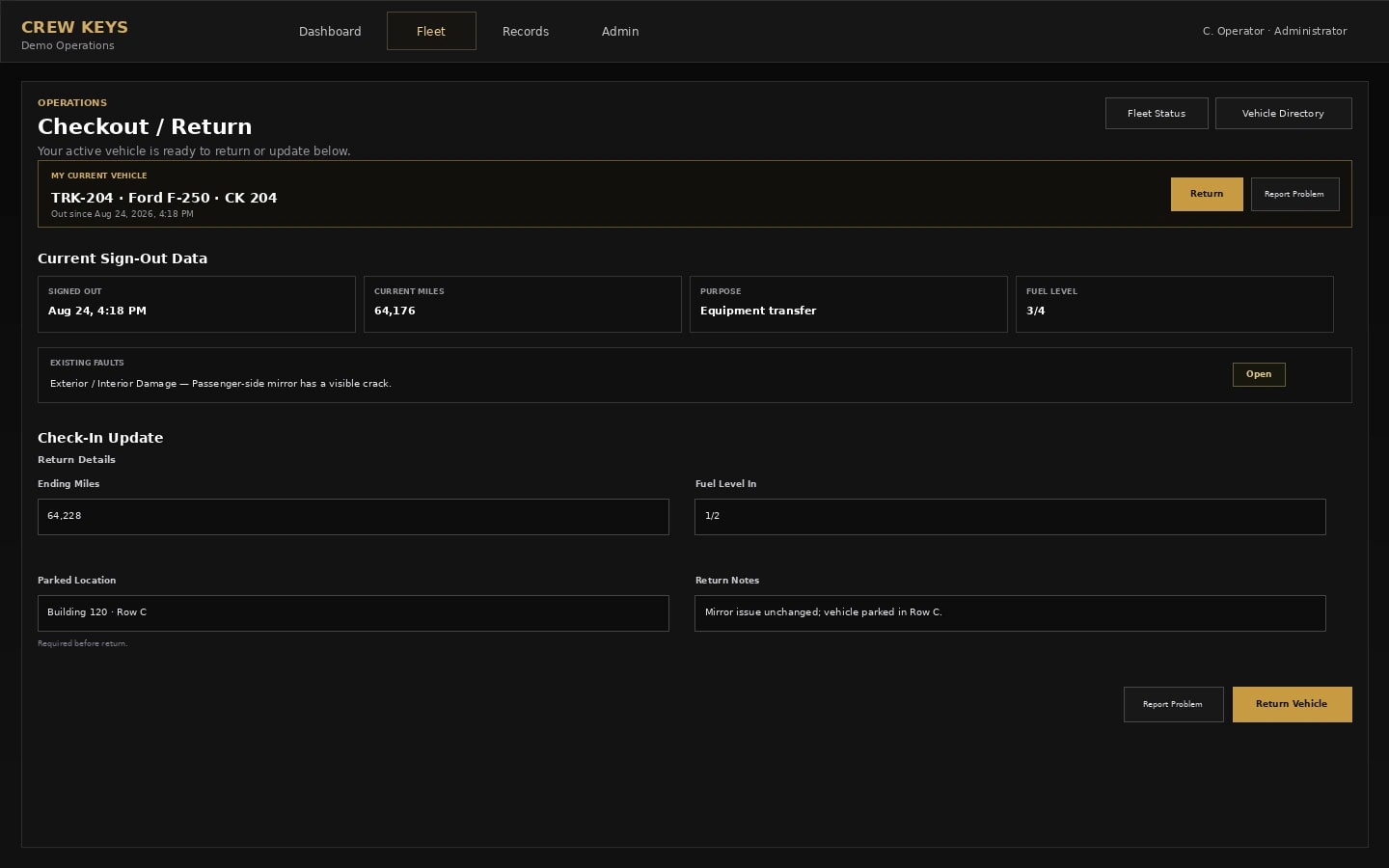
Problem: The keys come back without mileage, fuel or parking information.
Solution: Close custody with recorded return details and searchable history.
See how it works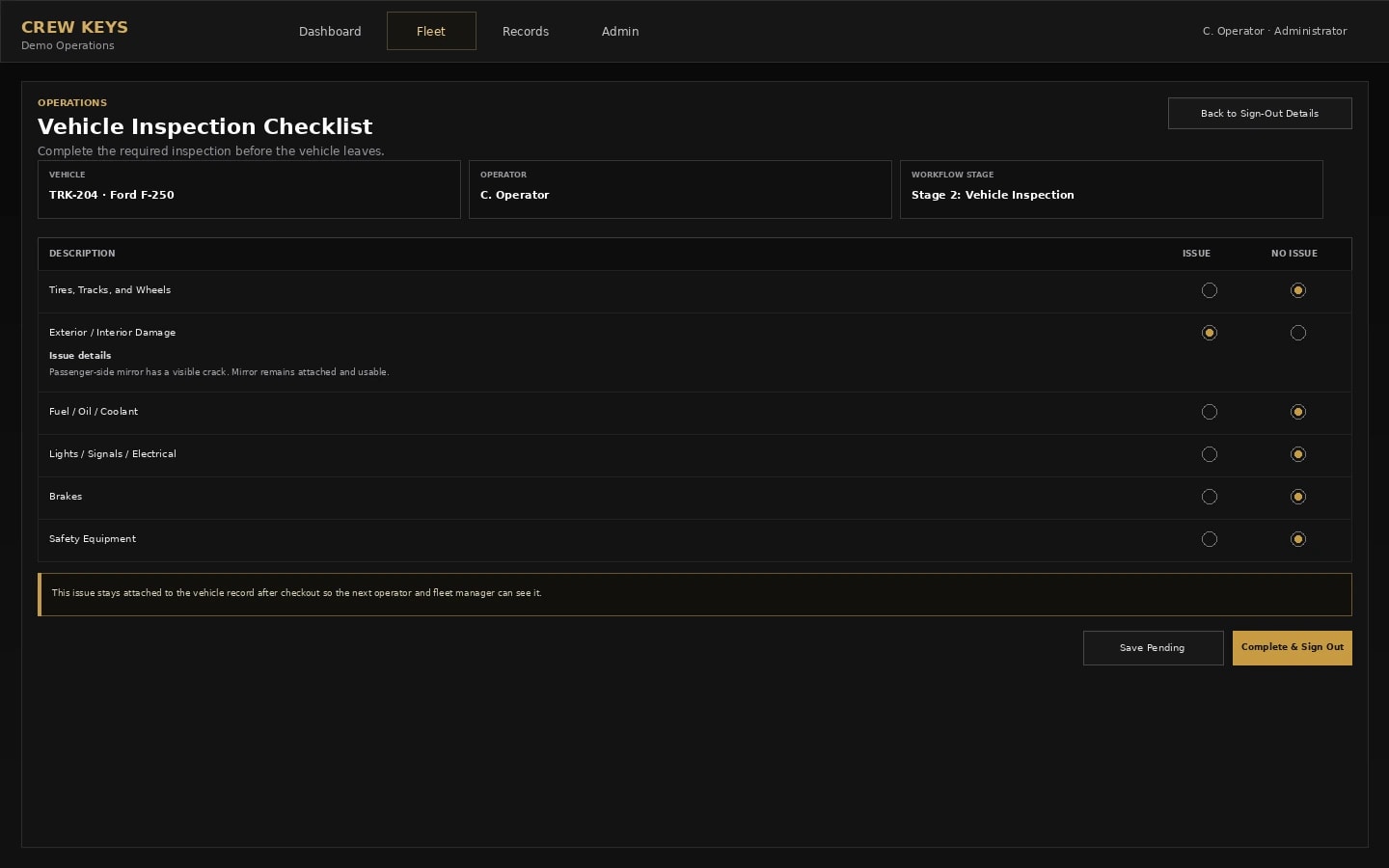
Problem: Condition checks live on paper or never reach the fleet record.
Solution: Use configurable inspection checks and retain reported findings.
See how it works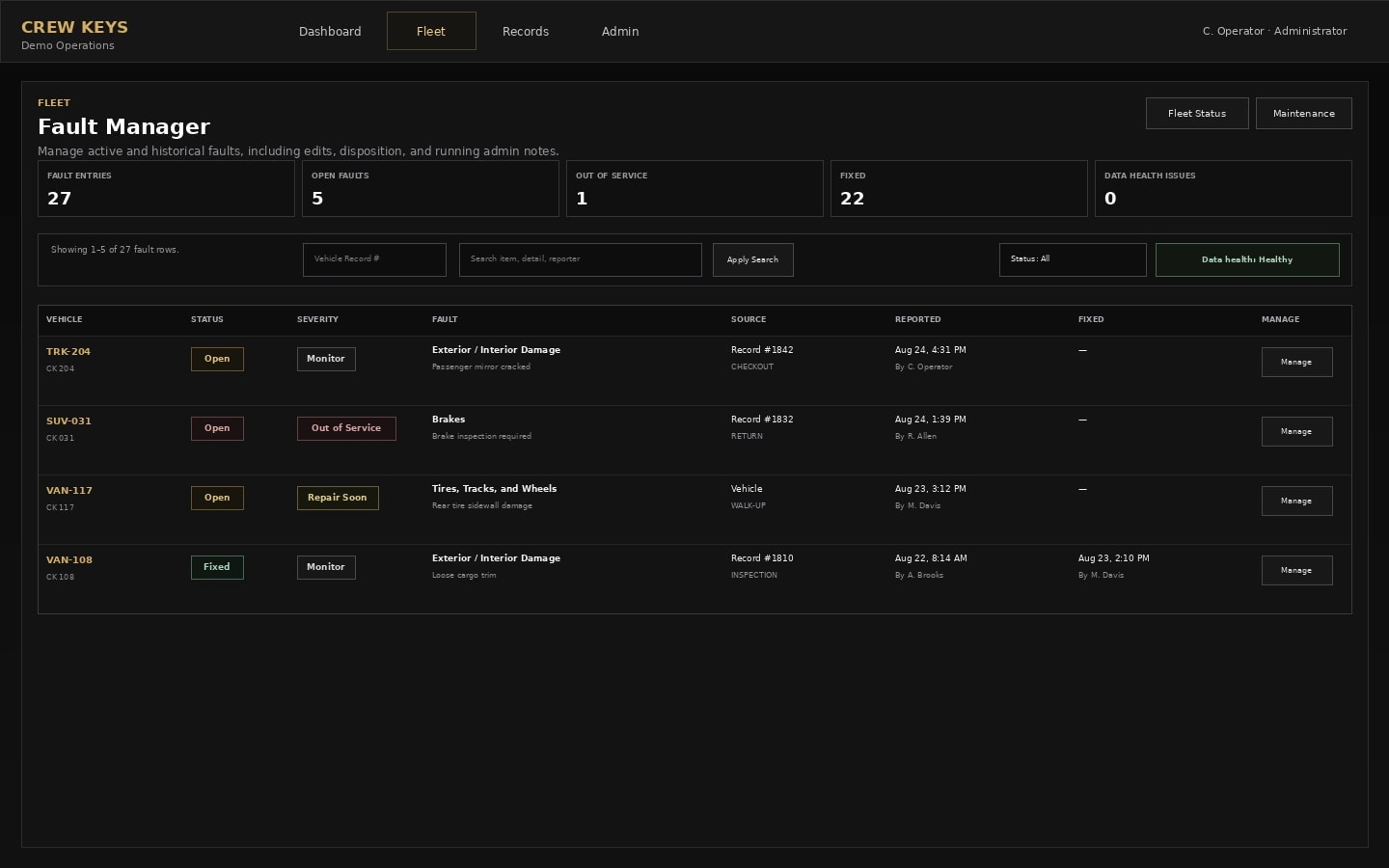
Problem: A vehicle problem is mentioned in a text and then forgotten.
Solution: Track reported issues through follow-up and resolution.
See how it worksCurrent Crew Keys product interfaces · Fictional sample data in screenshots
Why teams use it
Small business fleet management shouldn't require calling drivers or comparing forms. The same goes for a department motor pool. Crew Keys connects actual vehicle checkout and custody, fleet readiness and vehicle usage history—while keeping future reservations separate from real handoffs.
See the employee recorded as having checked out each shared vehicle, not just who reserved it.
Recorded custodyExplore recorded custodyCheck availability alongside recorded inspection, fault and maintenance status before making the next handoff.
Operational readinessExplore operational readinessReview recorded mileage, return details and reported problems without piecing together paper logs and messages.
Searchable vehicle historyExplore searchable vehicle historyFounder-assisted setup
Tell me roughly how many vehicles you manage and how you check them out today. I’ll help you import the fleet, configure the first workflow, and get your trial operating without making you figure out the setup alone.
Simple, transparent pricing
Put a number on the manual work
Estimate the labor tied to sign-outs, returns, status chasing, physical verification, fault handoffs, and record reconciliation using your own workflow and hourly rate.
How Crew Keys is used
These are the product moments that connect the system. The detailed rules and fields remain on the dedicated workflow pages.
01 · Make the fleet visible
Crew Keys gives the organization one operational picture before anyone starts asking around, checking a key board, or opening a separate spreadsheet.
02 · Make the handoff visible
The vehicle selection, required trip details, and inspection happen in one guided flow. The point is not another form—it is a repeatable handoff that changes the operational record.
03 · Close custody cleanly
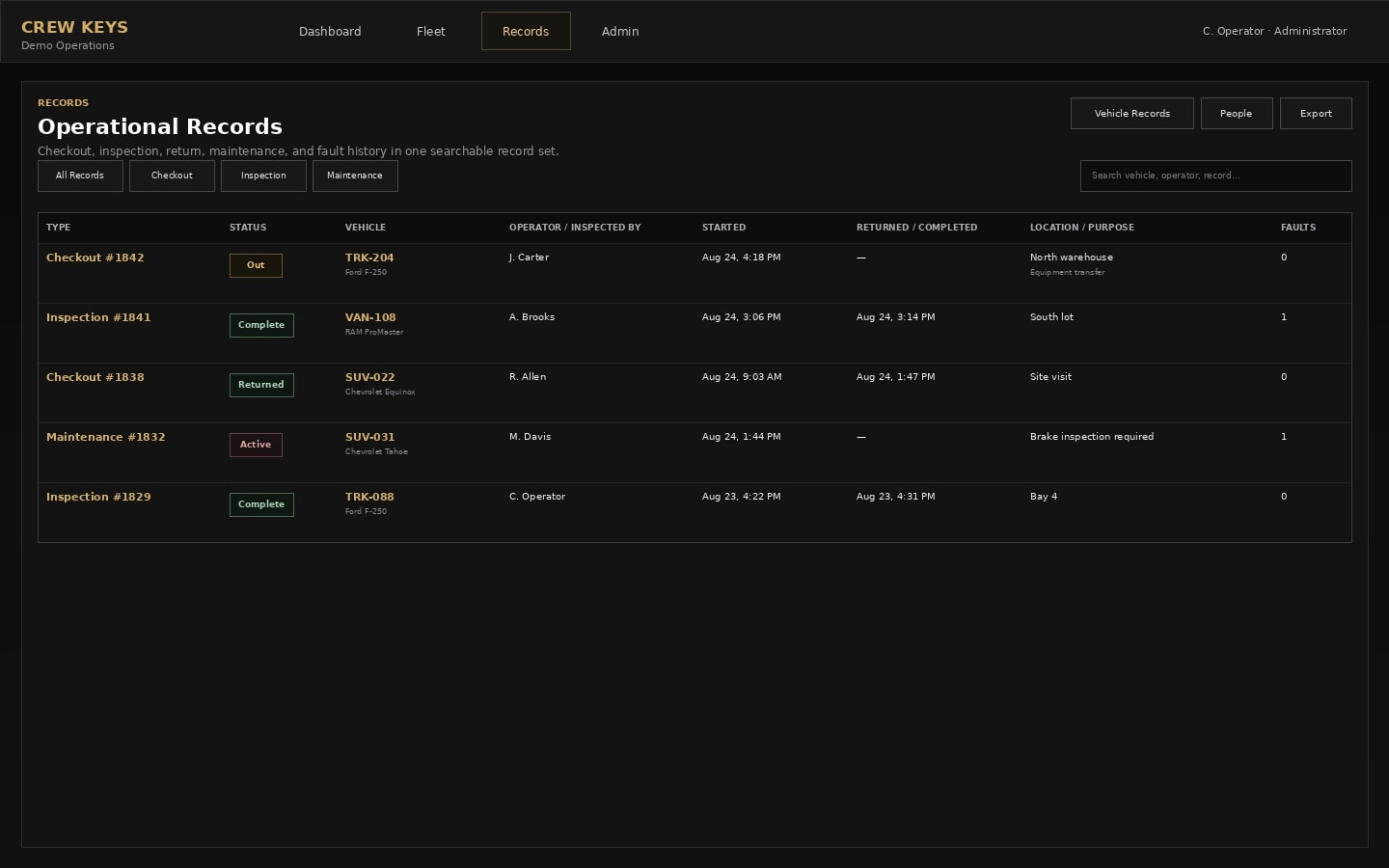
The person returning the vehicle closes the current custody record with the information the next operator and manager need. The completed activity then remains searchable instead of disappearing from the live board.
04 · Work the exceptions
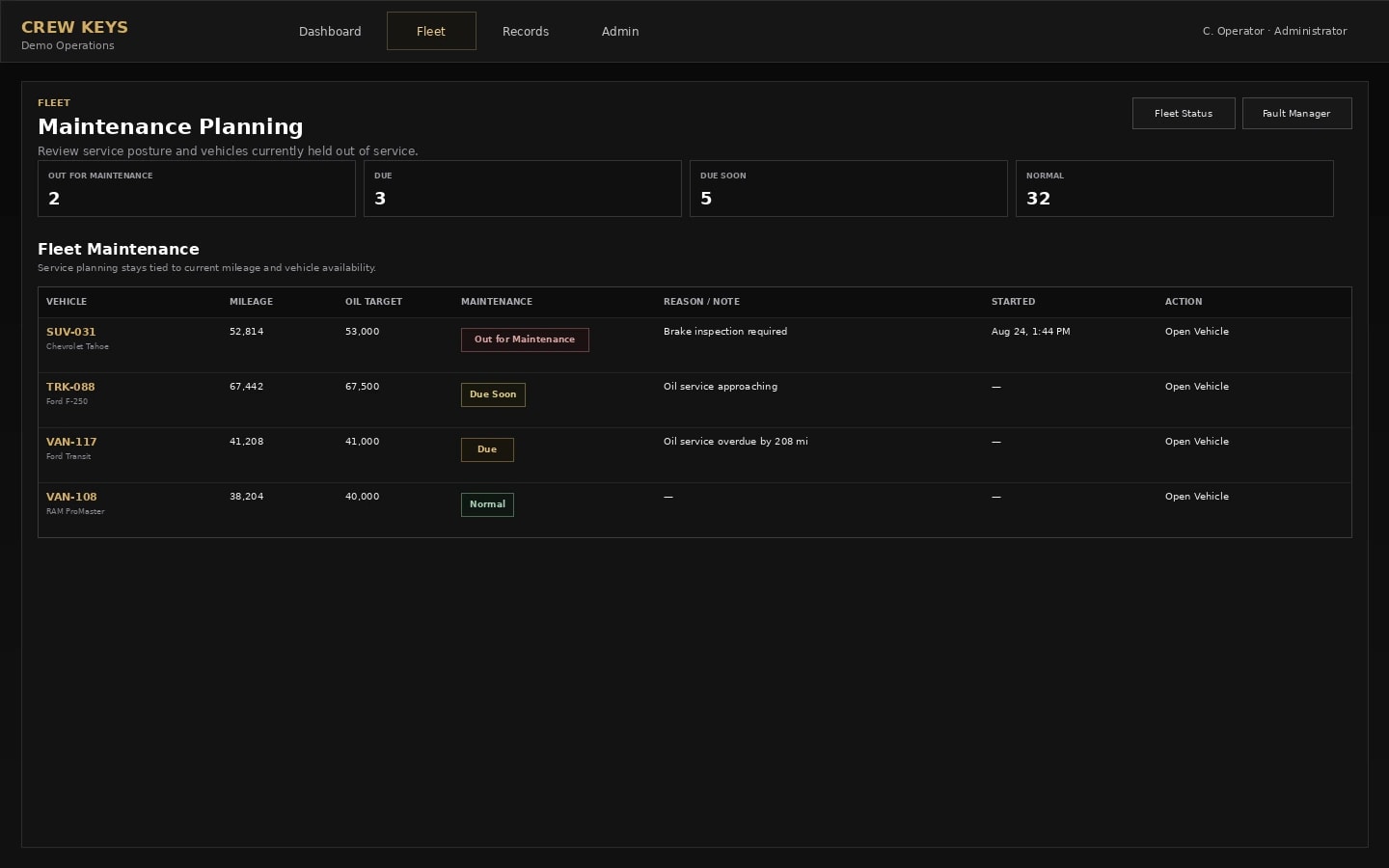
Faults and maintenance are not side notes to the checkout. They stay connected to vehicle readiness so the organization can see what needs attention and why a vehicle should or should not be available.
Built for the member in the field
Members do not need to find a workstation to keep the fleet current. Crew Keys works in a phone browser, with no app download. Members can open it directly or use a vehicle QR code, then complete the appropriate identity checks, inspect, check out, report a problem, and return a vehicle.
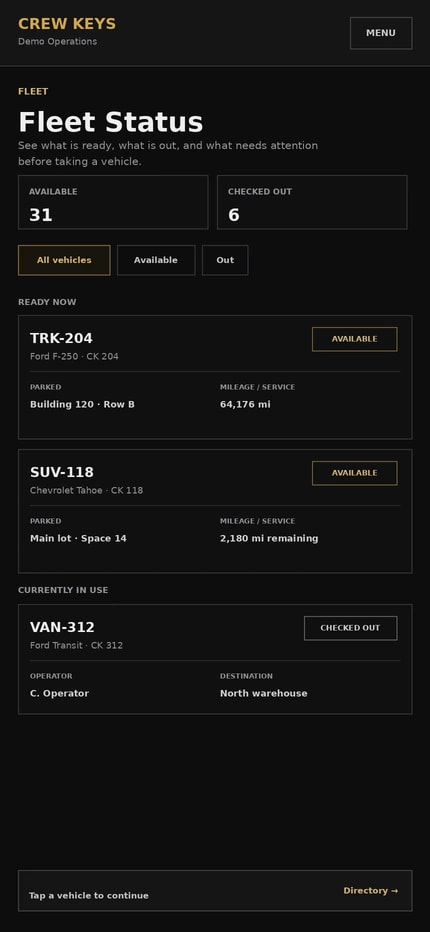
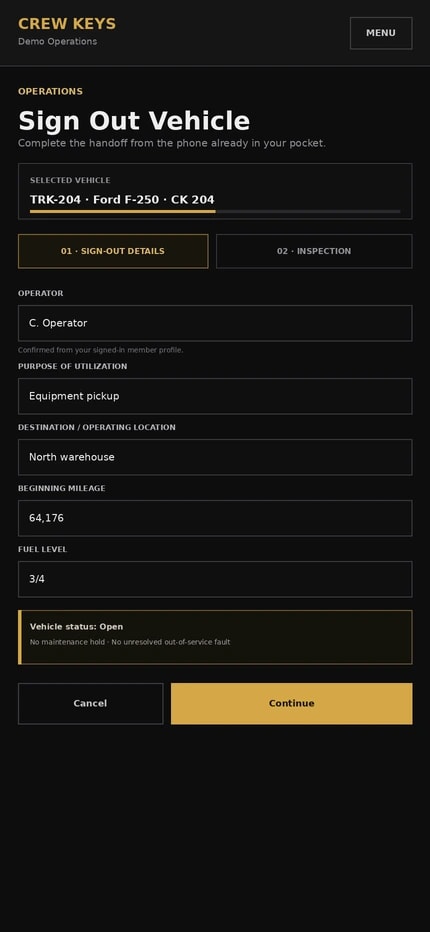
Current responsive product UI · fictional demonstration data
One system, different jobs
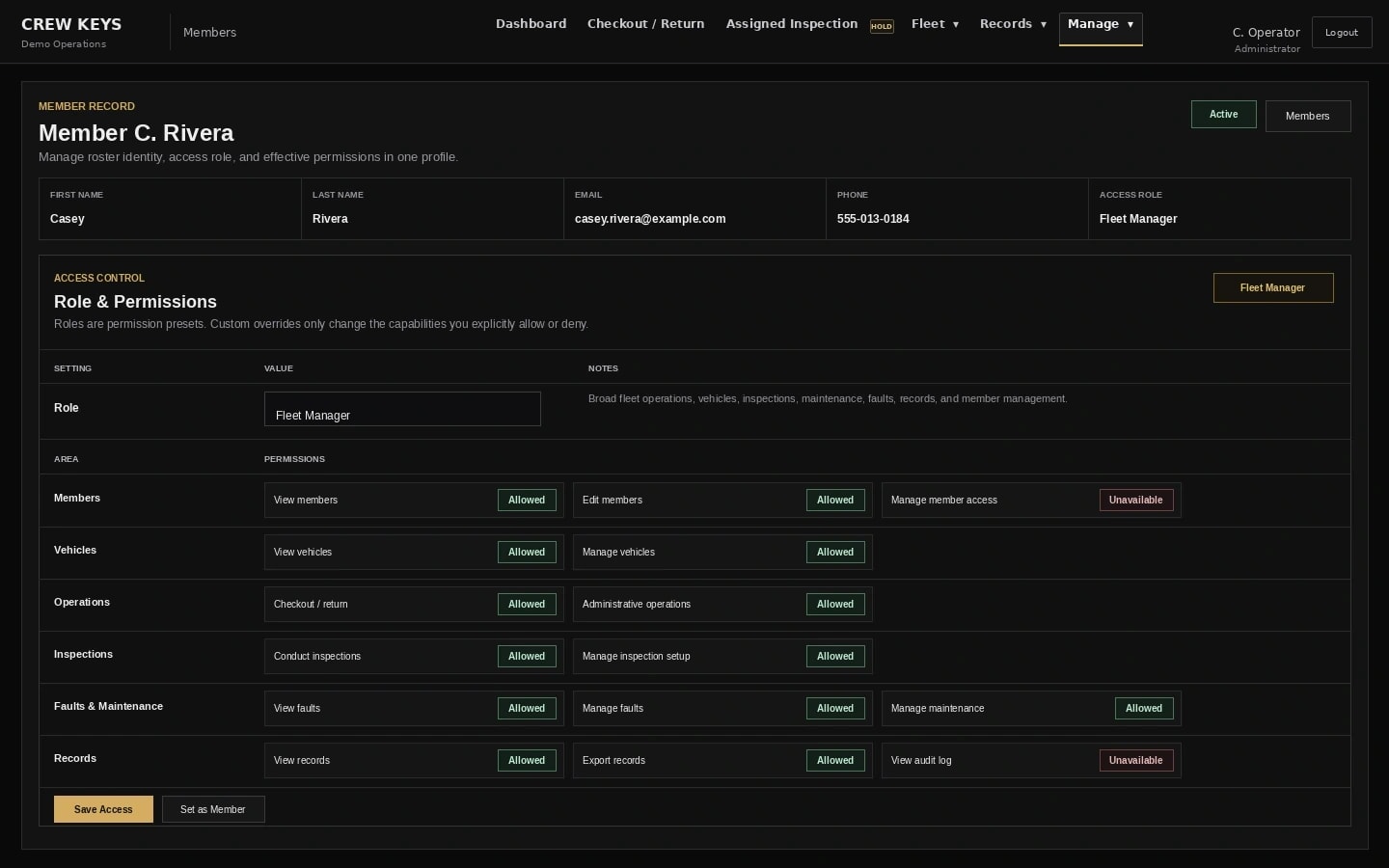
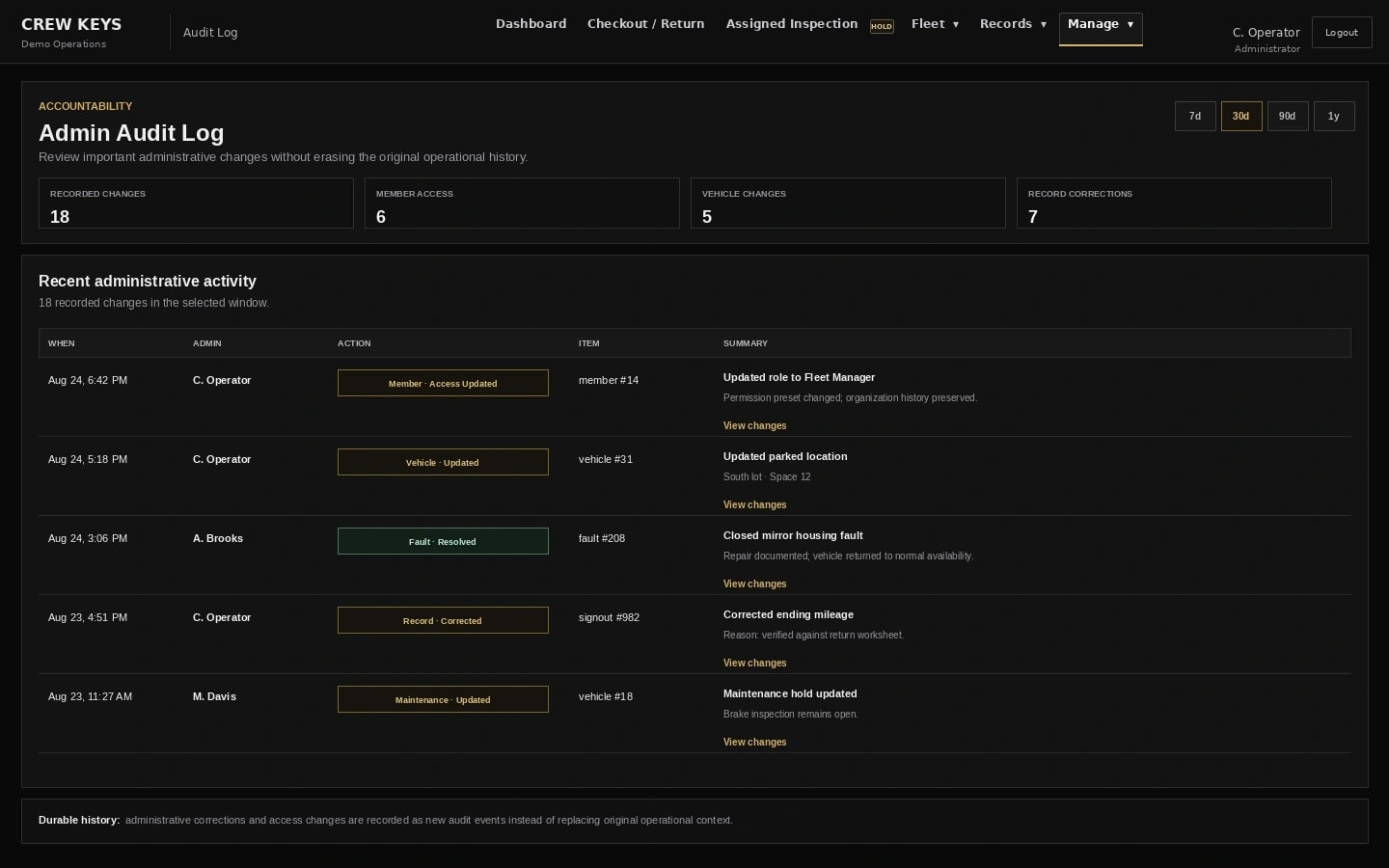
Crew Keys keeps the employee workflow narrow while giving dispatchers and managers a broader record of what is happening across the shared fleet.
A focused path to choose, inspect, take, report on, and return a shared company vehicle without learning a fleet-management suite.
A live board for verifying the right vehicle leaves, watching current custody, and confirming the return without maintaining a separate paper record.
A current view of availability, custody, exceptions, and history without chasing updates from every driver or dispatcher.
Adopt the workflow without rebuilding the fleet
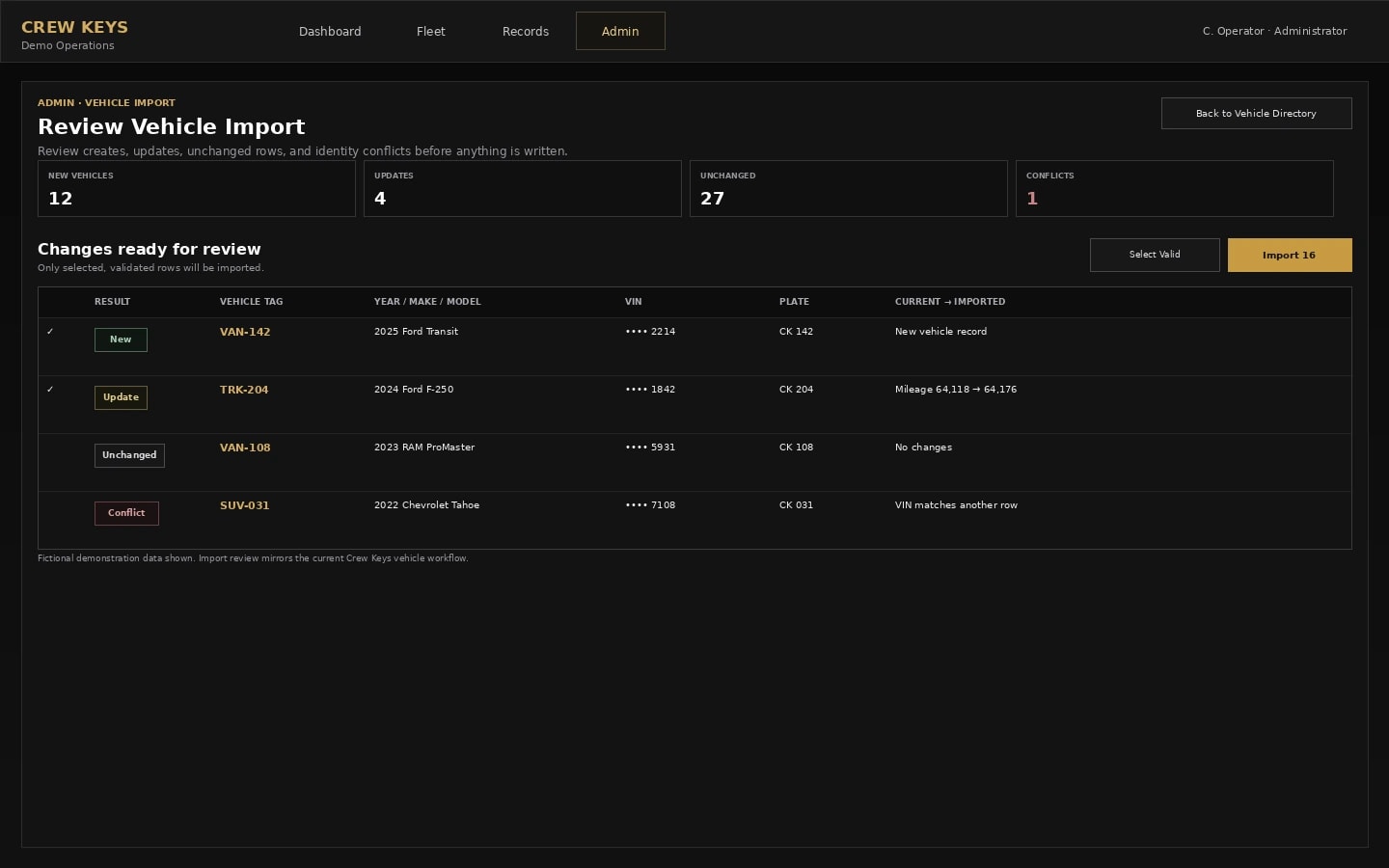
Crew Keys is browser-based and focuses on the shared-vehicle handoff, accountability, and operational record rather than GPS tracking, route planning, or telematics. Bring the vehicles you already manage, including an existing spreadsheet-based fleet list.
Explore the part you care about
Browse the complete feature guide to compare problems and outcomes first, then follow the dedicated workflow pages for specific implementation details.
See what can be used right now.
→Vehicle reservationsPlan future vehicle use.
→Vehicle checkoutRecord the employee handoff.
→Vehicle inspectionsCapture condition at checkout.
→Fault trackingKeep reported problems visible.
→Vehicle returnsClose custody and record mileage.
→MaintenanceConnect service to readiness.
→Free Excel tools for keys, condition differences and inter-site transfers.
→Vehicle sign-out sheetPrintable and Excel forms for actual checkout and return.
→Vehicle booking workbookSpreadsheet planning and overlap checks.
→All fleet resourcesCase studies, guides and other templates.
→Start with the fleet you already manage
Start a full-product trial to manage your own shared vehicles, or explore the fictional product demo before you register. No card required.
Simple, transparent pricing
Start with a 7-day free trial. Compare current public plans, active-vehicle limits, and monthly or annual prices configured by the Crew Keys Site Owner.
Only vehicles marked active count toward plan capacity. Inactive vehicles don't use a plan slot.
Up to 25 active vehicles
For small shared fleets getting off paper sign-out sheets.
Included in this plan
Up to 75 active vehicles
For established shared fleets that need complete Crew Keys operations.
Included in this plan
Up to 150 active vehicles
For larger single-organization fleets.
Included in this plan
Custom vehicle capacity
Multi-organization oversight, assignment, reporting, and custom deployment terms.
Discuss your requirements