
Available
7
Ready now
Product walkthrough
Explore the workflow without creating an account. The walkthrough uses fictional data, but the status language, information structure, and product surfaces mirror Crew Keys.
See what can leave now and why other vehicles cannot.
Available
7
Ready now
Out
3
Checked out
Maintenance
2
Out of service
| Tag | Make Model | Status | Who | Location |
|---|---|---|---|---|
| TRK-204 | Ford F-250 | Out | J. Carter | North Yard |
| VAN-117 | Ford Transit | Pending | M. Lewis | Inspection in progress |
| SUV-031 | Chevrolet Tahoe | Maintenance | — | Brake inspection |
Example only · fictional vehicles and operators
Inside Crew Keys
Current product captures show the tables, statuses, identity fields, and review workflows your team will actually work with. The data is fictional; the interface is Crew Keys.
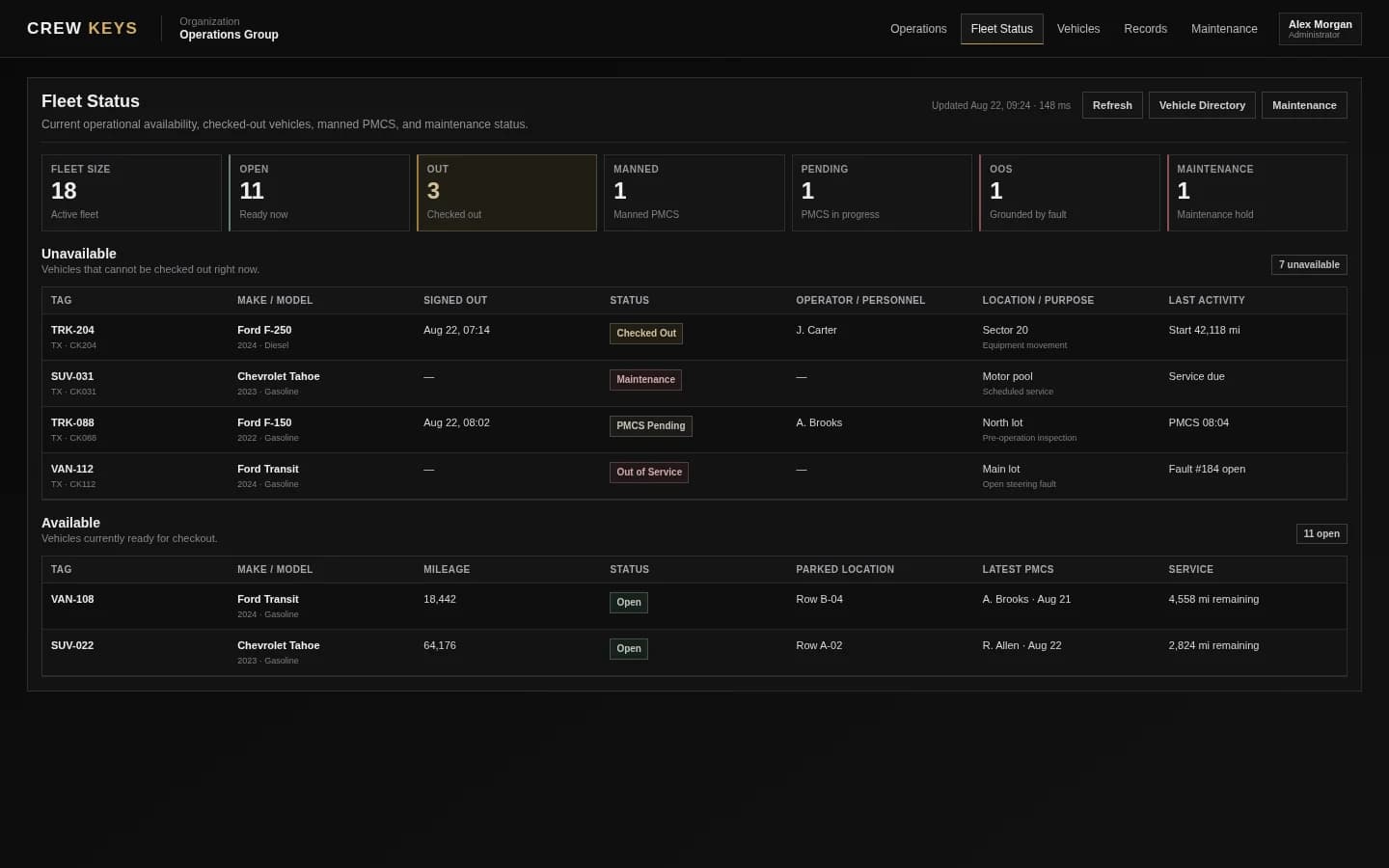
The same workspace language used in the product: available, checked out, inspection pending, out of service, maintenance, operator, location, and service context.
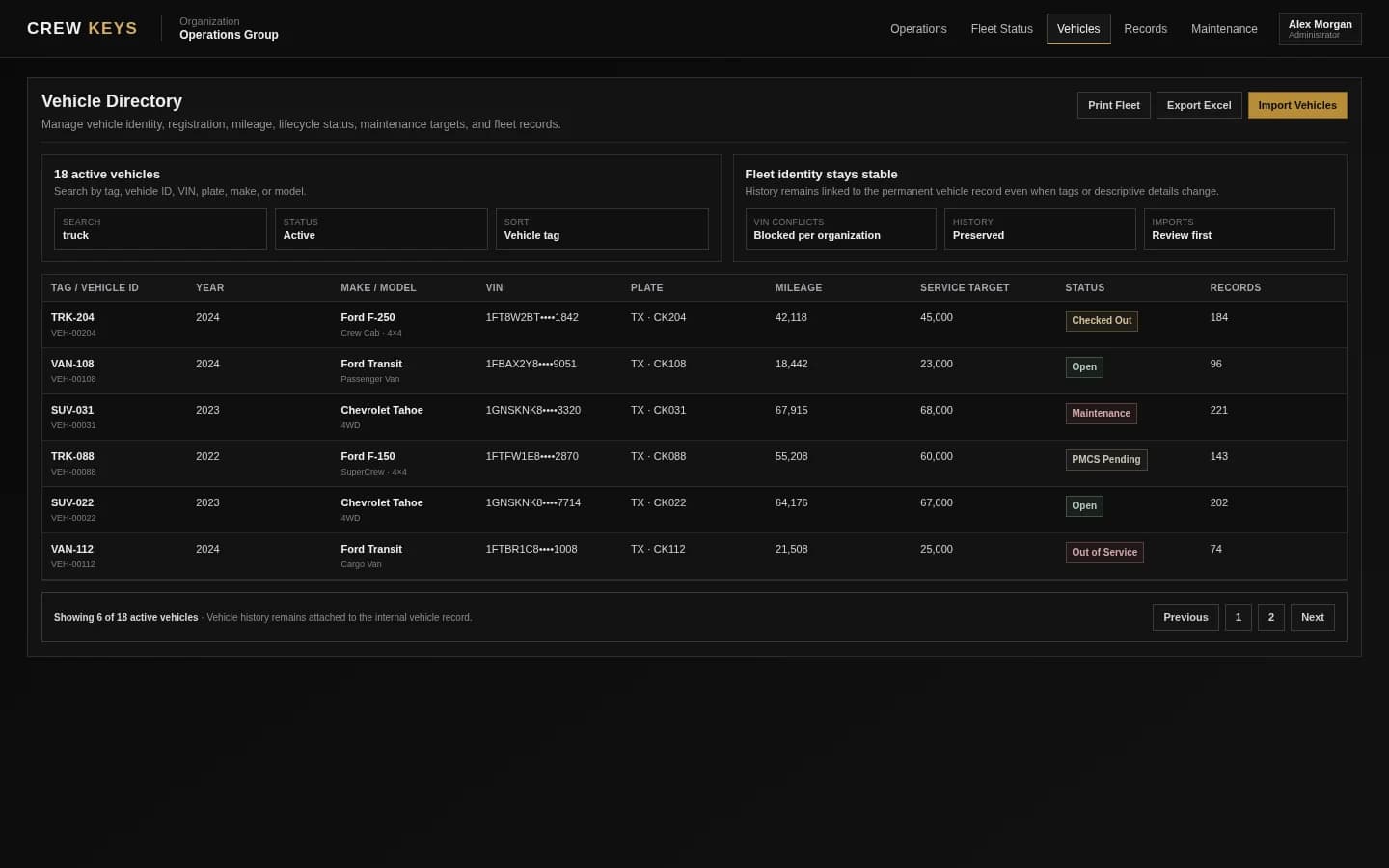
Vehicle details stay attached to the permanent vehicle record so operational history is not dependent on a changing tag label.
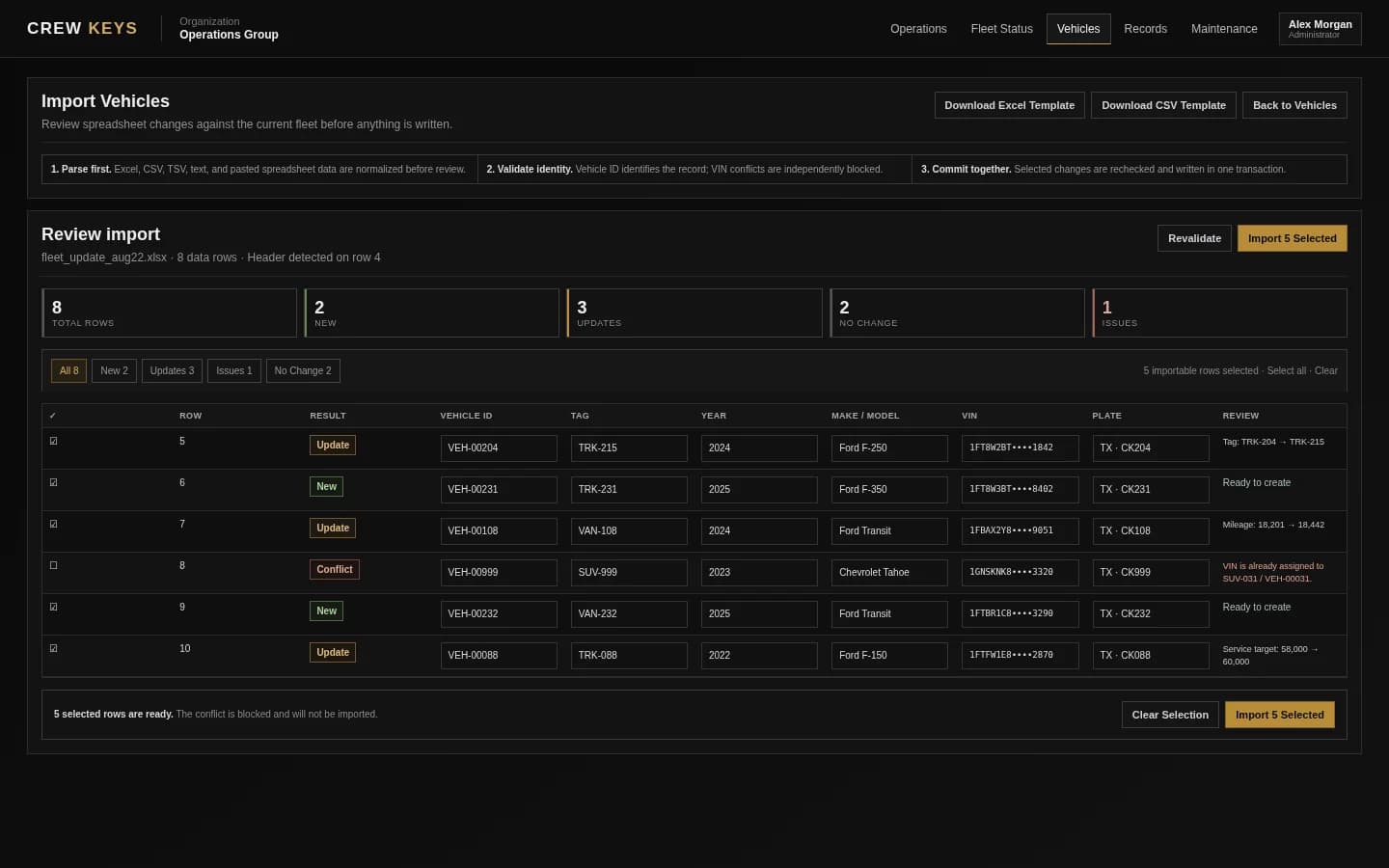
New rows, updates, unchanged rows, and identity conflicts are separated before the selected changes are committed.
Screenshots contain fictional demonstration vehicles and operators. No customer data, customer logos, or testimonials are represented. Live usage totals shown elsewhere on the site are aggregate platform counts only.
Founder-assisted setup
Tell me roughly how many vehicles you manage and how you check them out today. I’ll help you import the fleet, configure the first workflow, and get your trial operating without making you figure out the setup alone.
Try the real workspace
Create an organization, add vehicles and members, configure inspections, and start replacing the paper sign-out workflow.