
Vehicle fault tracking
Vehicle fault tracking that keeps problems visible after the inspection ends.
Crew Keys turns reported vehicle problems into persistent fleet records. Issues can begin during a vehicle inspection, at return, or from a walk-up problem report, then stay tied to the vehicle through maintenance review, repair documentation, and resolution.
Current product UI
See the active fault queue instead of hunting through old inspections.
Fault status, severity, source record, reporter, resolution state, and management actions stay visible in one operational view.
Current Crew Keys UI · fictional demonstration data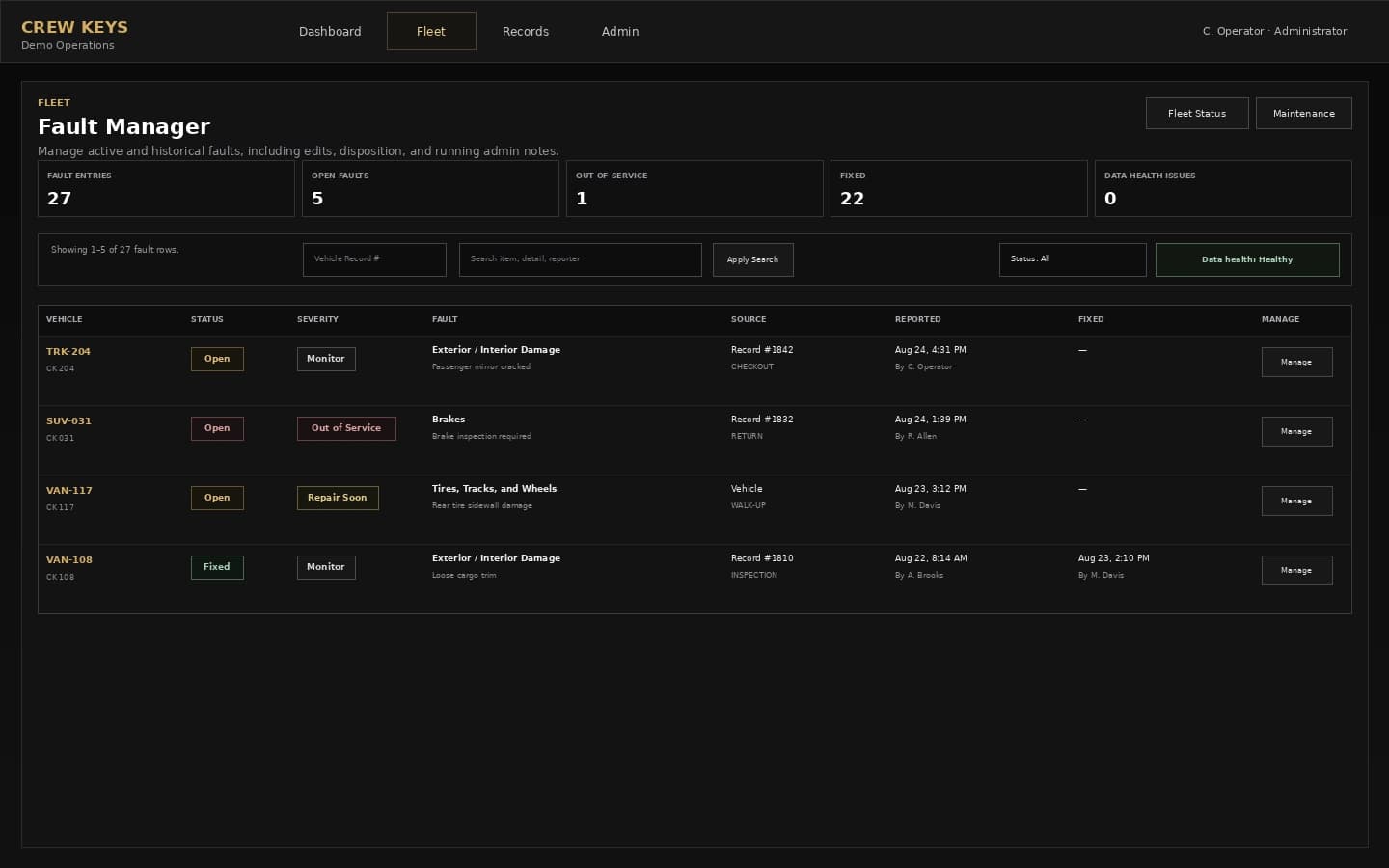
Mobile workflow
A member can report a vehicle problem from the field without opening the manager console.
The mobile reporting path keeps vehicle selection, issue type, condition, and problem detail focused on the task. The resulting fault then becomes visible to the managers responsible for the fleet.
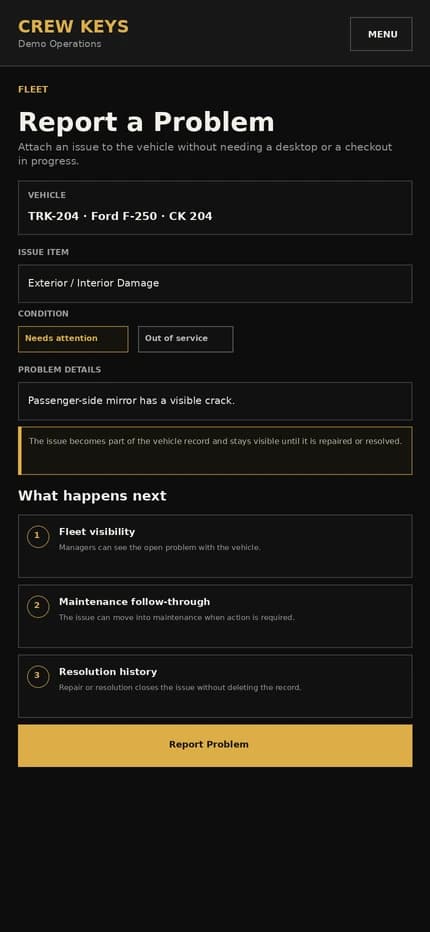
Current responsive Crew Keys UI · fictional demonstration data
What it solves
Keep vehicle issues in one lifecycle instead of three separate lists.
Persistent open faults
Keep unresolved issues visible on the vehicle after the original inspection, checkout, or return record is closed.
Multiple reporting paths
Capture issues during inspections, while a vehicle is out, at return, or without starting a checkout.
Repair and resolution history
Preserve the source, status changes, repair documentation, and resolution instead of overwriting the original report.
Open Vehicle Faults
Inspection findings remain visible until they are repaired or resolved.
| Vehicle | Fault | Status | Source | Reported |
|---|---|---|---|---|
| VAN-117 | Passenger mirror cracked | Open | Inspection | Aug 13 |
| SUV-031 | Brake inspection required | Maintenance | Return | Aug 12 |
Example only · fictional fault data
Workflow
From reported problem to documented resolution.
- 01
Report the issue
An operator or manager records the vehicle problem and relevant detail.
- 02
Carry it into the vehicle fault record
The issue remains visible beyond the source transaction when it still needs action.
- 03
Restrict the vehicle when necessary
Authorized users can place serious problems out of service or route the vehicle into maintenance.
- 04
Resolve with documentation
Record repair or resolution information while retaining the original finding and history.
Vehicle Inspection & Preventive Maintenance
Use the same Issue / No Issue checklist pattern operators see inside Crew Keys.
| Description | Issue | No Issue |
|---|---|---|
| Tires, Tracks, and Wheels | ||
| Exterior / Interior Damage | ||
| Fuel / Oil / Coolant | ||
| Brakes | ||
Example only · fictional inspection data · layout mirrors the operational vehicle checklist
Connected product views
See how a reported problem affects operations.
Faults matter because they can change whether a vehicle should be used and what maintenance action follows.
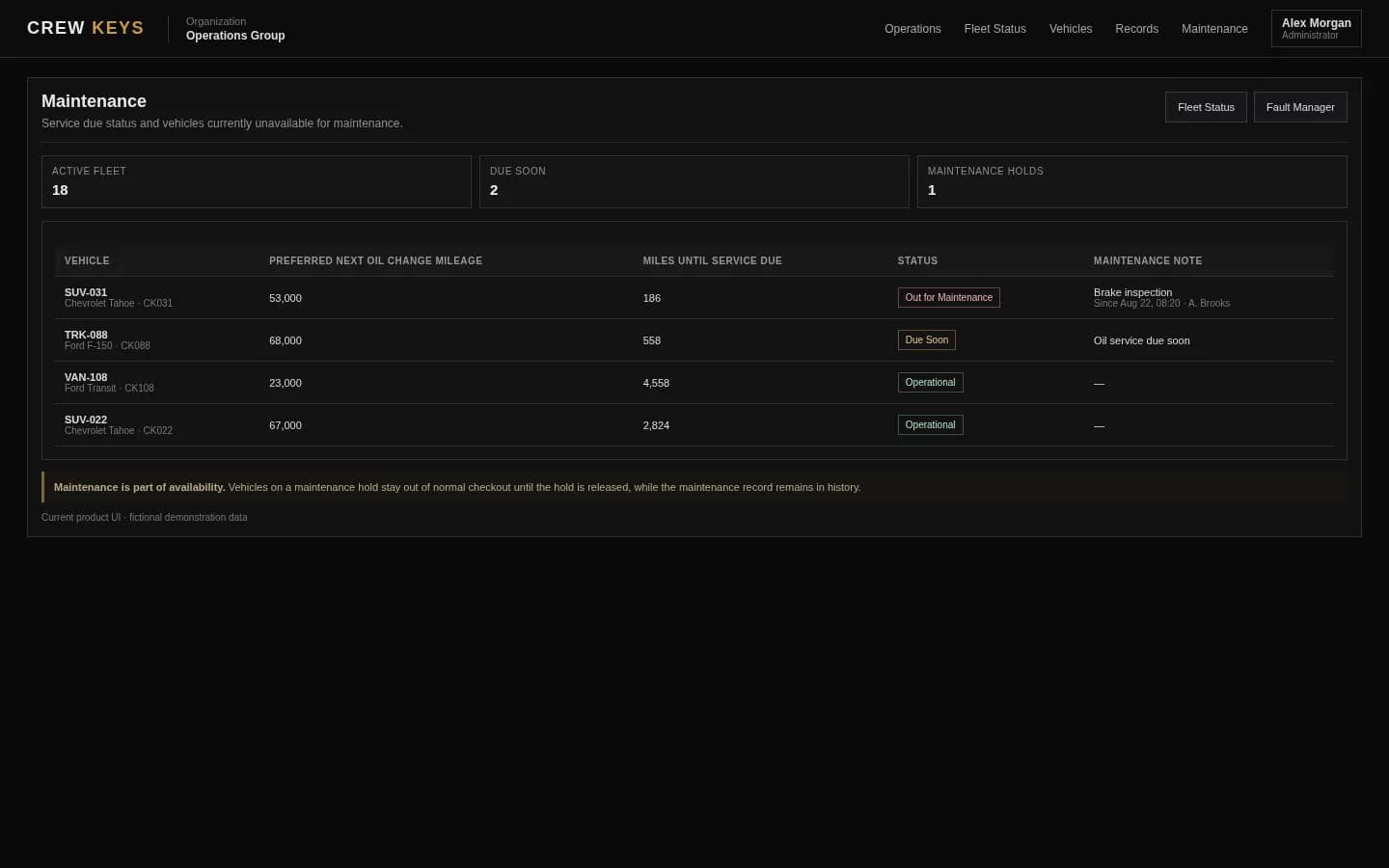
Move a vehicle from a reported issue into documented maintenance action.
See maintenance tracking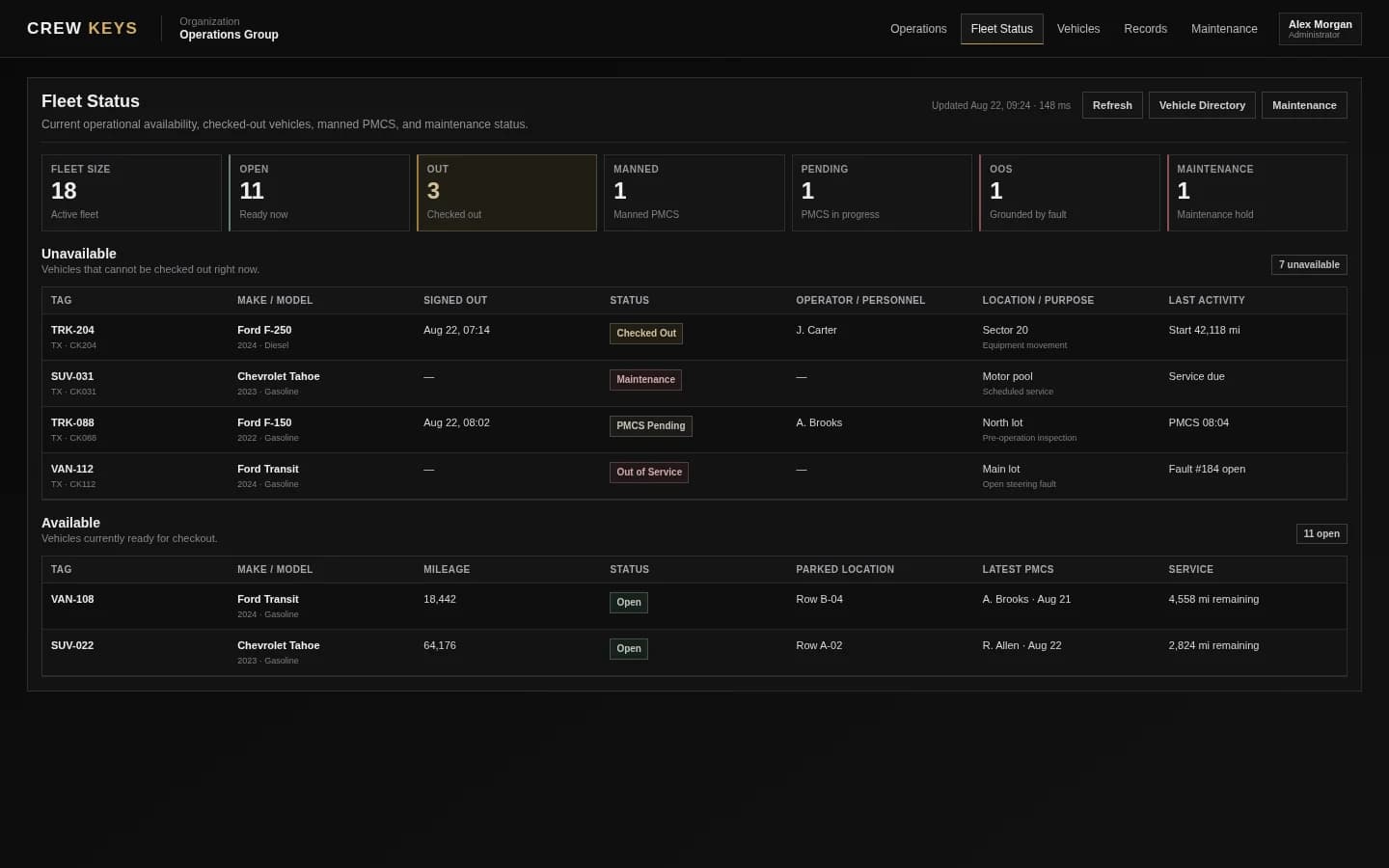
Availability reflects operational restrictions instead of hiding them in a separate list.
See fleet availabilityCurrent Crew Keys UI · fictional demonstration data
Who it fits
For fleets where condition issues affect daily availability.
Shared fleets replacing handwritten defect sheets, maintenance whiteboards, or issue columns in a spreadsheet.
Operations that need drivers to report problems without giving them full fleet-administration access.
Managers who need to understand whether a problem came from inspection, use, return, or a separate walk-up report.
Operational Records
Checkout, inspections, returns, mileage, faults, and preventive maintenance stay attached to history.
| Type | Status | Vehicle | Operator / Inspected By | Started | Returned | Faults |
|---|---|---|---|---|---|---|
| Checkout | Out | TRK-204 | J. Carter | Aug 13, 18:42 | — | 0 |
| Inspection | Complete | VAN-108 | A. Brooks | Aug 13, 15:18 | Aug 13, 15:26 | 1 |
| Checkout | Returned | SUV-022 | R. Allen | Aug 13, 09:03 | Aug 13, 13:47 | 0 |
Example only · fictional records and operators
Questions
Vehicle fault tracking questions.
What is vehicle fault tracking software?
Vehicle fault tracking software records reported vehicle problems, keeps unresolved issues visible, and preserves status, repair, and resolution history for the vehicle.
Can a problem be reported without checking out the vehicle?
Yes. Crew Keys supports reporting a vehicle problem from the fleet workflow without requiring a checkout when the user only needs to document an issue.
Can inspection issues carry forward?
Yes. Qualifying inspection findings can remain open on the vehicle until they are resolved instead of disappearing when the inspection record closes.
Can a fault make a vehicle unavailable?
Authorized users can use fault and maintenance workflows to reflect when a vehicle should not remain available for normal checkout.
Related workflows
Keep exploring Crew Keys.
Capture the condition finding that starts the fault record.
See vehicle inspections Fleet maintenance trackingMove faults into maintenance and repair documentation.
See maintenance tracking Inspection & fault workflow guideSee the complete issue lifecycle.
Follow inspection to repair Fleet vehicle availabilityKeep unusable vehicles out of the available pool.
See fleet availabilityFounder-assisted setup
Want Crew Keys set up for your fleet?
Tell me roughly how many vehicles you manage and how you check them out today. I’ll help you import the fleet, configure the first workflow, and get your trial operating without making you figure out the setup alone.
One shared fleet record
Make every reported vehicle problem traceable.
Connect inspection findings, walk-up reports, out-of-service decisions, maintenance action, repair notes, and resolution to the vehicle record that operators already use.
Create organization