
Fleet vehicle availability
A live vehicle availability board before someone reaches for the keys.
Crew Keys gives shared fleets one live status view for vehicles that are available, checked out, reserved for an inspection, out of service, or in maintenance. Instead of reconciling a whiteboard, key hook, group chat, and spreadsheet, operators can start from the same current vehicle state.
Current product UI
Availability is an operational state, not a manually updated spreadsheet cell.
Checkout, return, inspection, maintenance, and fault actions update the same vehicle state so the fleet board reflects what operators can actually use.
Current Crew Keys UI · fictional demonstration data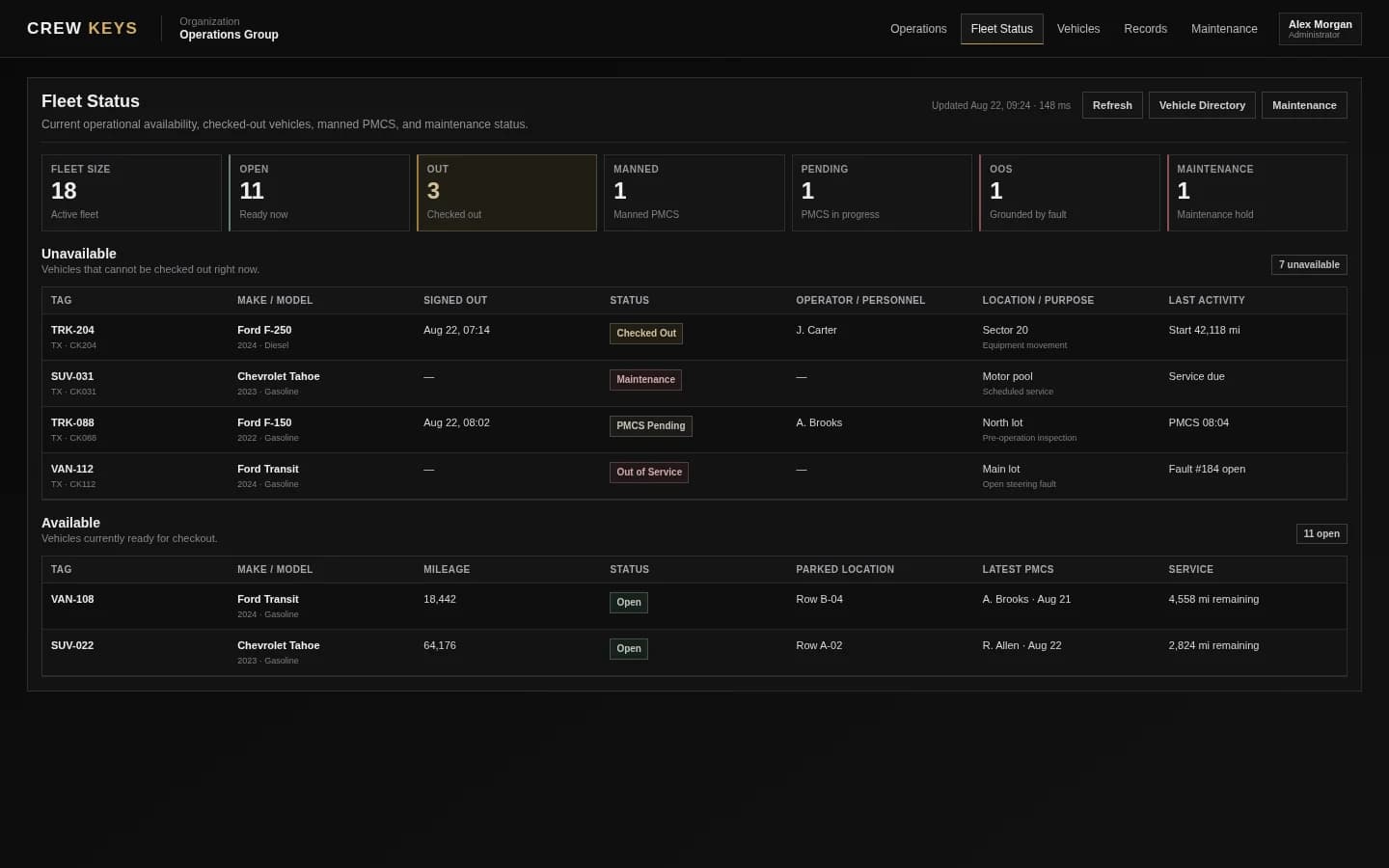
Mobile workflow
Members can check fleet status before they walk to the key board.
The mobile fleet view prioritizes what is ready, what is already out, and the vehicle details a member needs to choose the next vehicle without opening a desktop table.
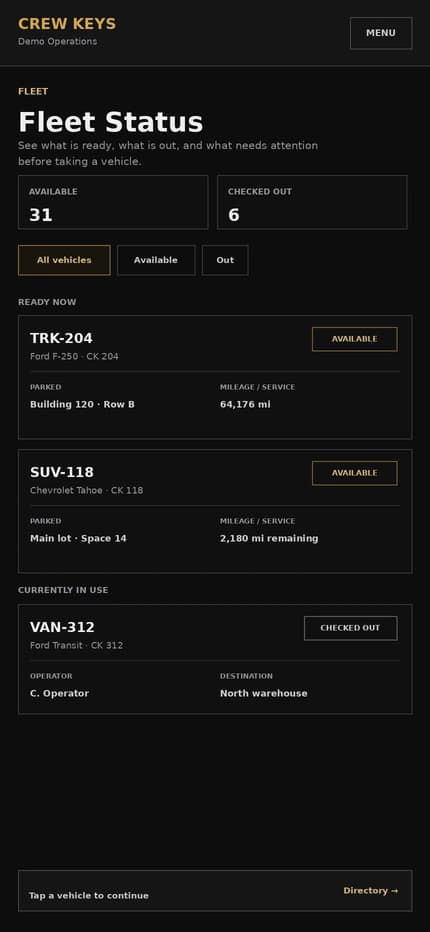
Current responsive Crew Keys UI · fictional demonstration data
What it solves
Replace the “is this vehicle available?” phone call with a shared status view.
One current fleet status
See available, checked-out, inspection-held, maintenance, pending, and out-of-service vehicles in one operational view.
Availability tied to real actions
Vehicle state changes when checkout, return, inspection, maintenance, or fault workflows change—not because someone remembered to edit another list.
Fewer conflicting records
Operators and managers work from the same vehicle status instead of comparing keys, spreadsheets, and handwritten notes.
Workflow
How live vehicle availability stays current.
- 01
Start with the fleet board
Operators can see the current state of shared vehicles before choosing one.
- 02
Reserve or check out a usable vehicle
The operational workflow prevents another user from treating the same vehicle as freely available.
- 03
Reflect maintenance and fault restrictions
Vehicles placed in maintenance or out-of-service status remain visibly unavailable.
- 04
Return the vehicle to service
Check-in records ending mileage, fuel, parked location, and faults before the vehicle becomes available again.
Active Checkout
Operator, trip, mileage, fuel, and vehicle stay on one operational record.
| Vehicle | Operator | Out | Beg Miles | Fuel | Purpose | Destination |
|---|---|---|---|---|---|---|
| TRK-204 Ford F-250 | J. Carter | Aug 13, 18:42 | 64,118 | 3/4 | Equipment run | North Yard |
Example only · fictional checkout data
Connected product views
See what changes the availability board.
Availability is useful because checkout and maintenance actions feed the same live status instead of requiring a second manual update.
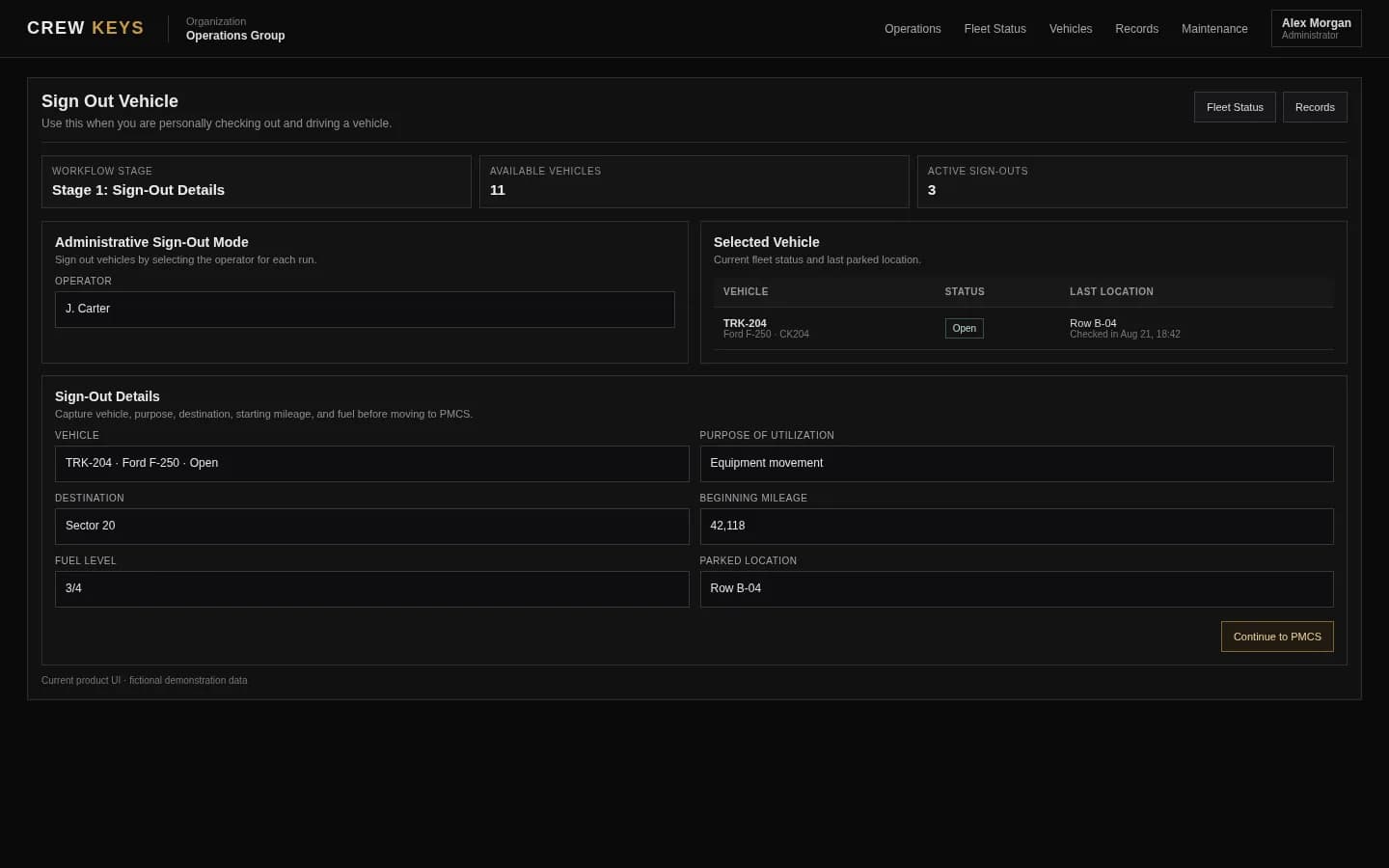
An available vehicle becomes an accountable handoff.
See vehicle checkout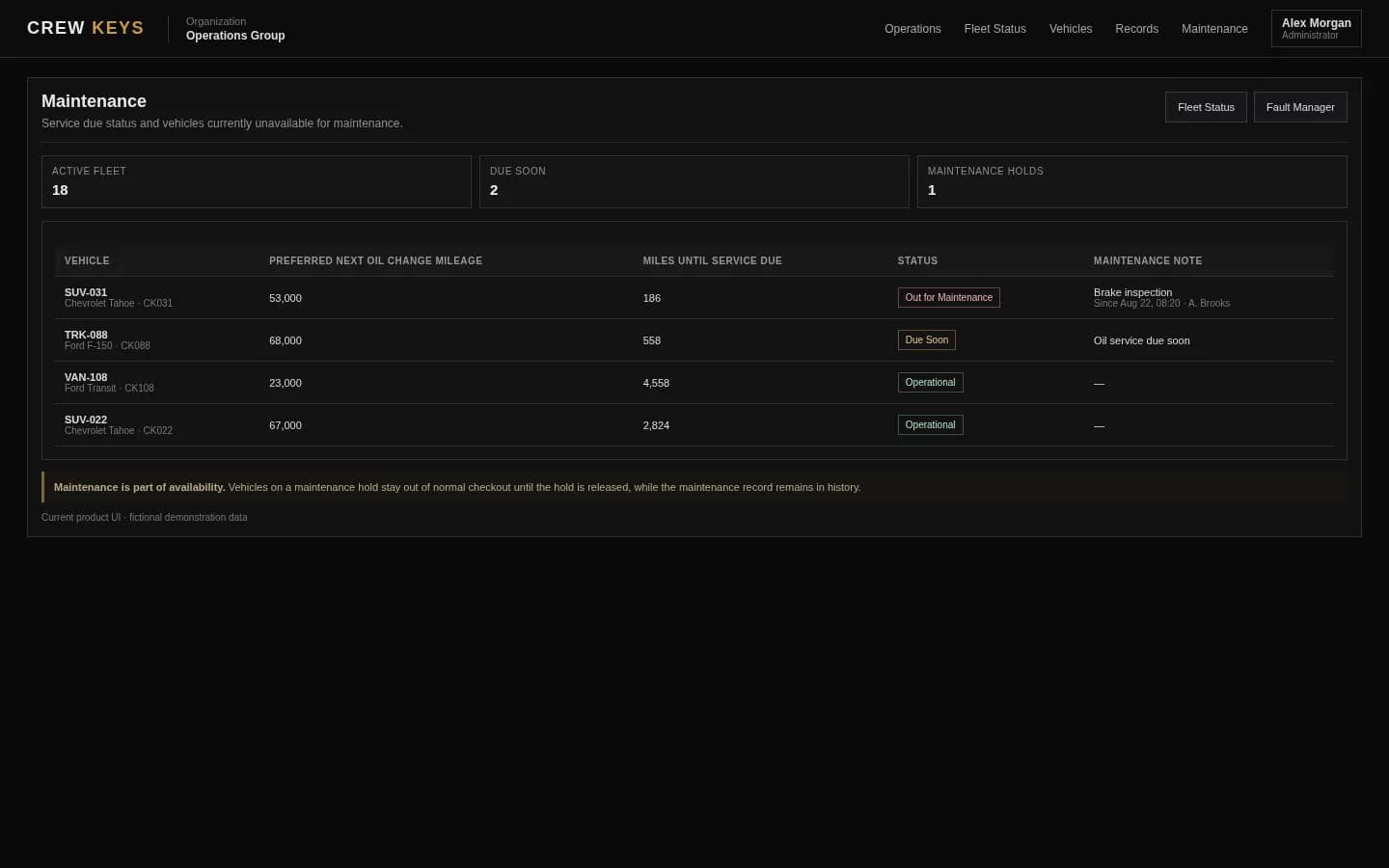
Maintenance holds stay visible on the same fleet state.
See maintenance trackingCurrent Crew Keys UI · fictional demonstration data
Who it fits
Useful anywhere people share a pool of vehicles.
Companies with pooled cars, vans, trucks, or specialty vehicles shared across employees or crews.
Fleet teams replacing whiteboards, key boards, shared spreadsheets, or chat messages used to determine what is available.
Operations that need current status without requiring GPS or telematics hardware on every vehicle.
Completed Return
Ending mileage, fuel, parking location, notes, and faults close the record.
| Vehicle | Returned | End Miles | Fuel | Parked | Faults | Notes |
|---|---|---|---|---|---|---|
| SUV-022 Chevrolet Tahoe | Aug 13, 13:47 | 64,176 | 3/4 | Row B · Space 4 | 0 | No new issues |
Example only · fictional return data
Questions
Fleet vehicle availability questions.
What is a vehicle availability board?
A vehicle availability board is a current status view showing which shared fleet vehicles can be used and which are checked out, awaiting inspection, in maintenance, or out of service. Crew Keys updates the fleet vehicle status board from the workflows that change availability instead of relying on a manually edited spreadsheet.
What is fleet vehicle availability tracking?
Fleet vehicle availability tracking shows which shared vehicles can be used now and which are unavailable because they are checked out, reserved, in maintenance, under inspection, or out of service.
Does Crew Keys need GPS to show availability?
No. Crew Keys derives operational availability from checkout, return, inspection, fault, and maintenance workflows rather than requiring vehicle telematics.
Can maintenance remove a vehicle from the available list?
Yes. When an authorized user places a vehicle in maintenance, the vehicle remains unavailable until the maintenance workflow is completed and the vehicle is returned to service.
Can operators see why a vehicle is unavailable?
Crew Keys can show the operational state and relevant checkout, maintenance, inspection, or fault context available to that user.
Related workflows
Keep exploring Crew Keys.
Turn current availability into a documented vehicle assignment.
Explore fleet dispatch Vehicle checkout softwareTrack who takes the vehicle and what happens before return.
See vehicle checkout Fleet maintenance trackingKeep maintenance state connected to vehicle availability.
See maintenance tracking Shared vehicle managementSee the broader pooled-fleet workflow.
Explore shared fleetsFounder-assisted setup
Want Crew Keys set up for your fleet?
Tell me roughly how many vehicles you manage and how you check them out today. I’ll help you import the fleet, configure the first workflow, and get your trial operating without making you figure out the setup alone.
One shared fleet record
Give every operator the same answer about vehicle availability.
Replace the vehicle availability spreadsheet, whiteboard, and key-board guesswork with one fleet vehicle status board connected to checkout, inspections, maintenance, faults, returns, mileage, and parked location.
Create organization