
Vehicle sign-out sheet template
A printable vehicle sign-out log built for fast daily handoffs.
Download a simple company vehicle sign-out sheet for paper use or a more detailed Excel workbook for repeated digital entry. The printable log keeps the highest-frequency custody fields on one row: vehicle, employee or operator, purpose, mileage, time out, time in, and faults or notes.
Crew Keys example
Keep the manual fallback compact enough to scan at a glance.
The printable PDF uses one row per vehicle movement. The Excel workbook keeps a more detailed digital record with fuel, inspections, mileage calculation, parked location, and return notes.
Printable resource preview · PDF and Excel downloads available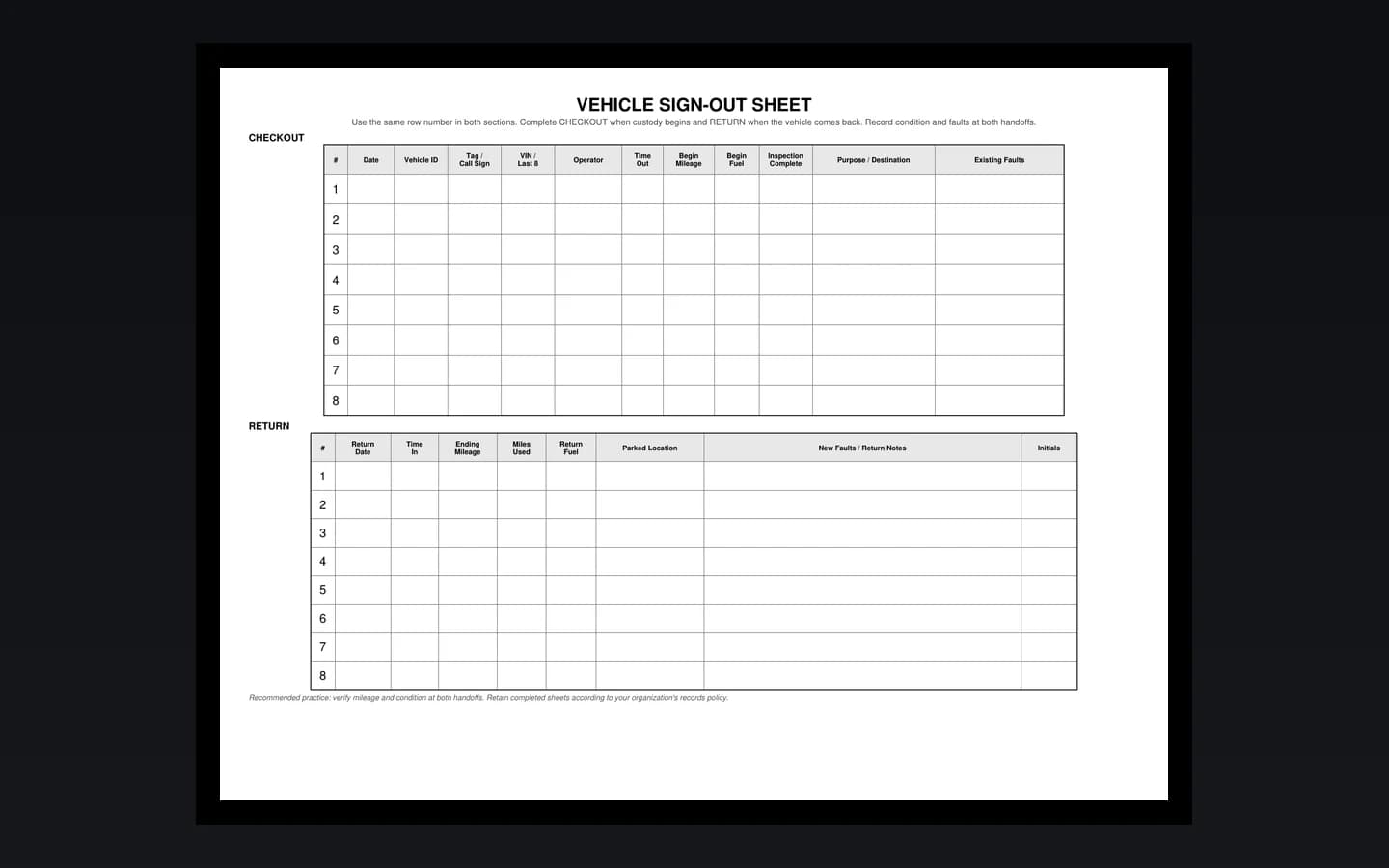
Downloadable template
Choose a printable PDF or a detailed Excel vehicle log.
The PDF is a clean landscape vehicle sign-out sheet designed for handwriting and quick shift-to-shift scanning. The Excel workbook keeps the broader field set for digital use, including fuel, inspection status, calculated mileage, parked location, and return notes.
Printable layout
One row per vehicle movement.
The paper version intentionally stays compact. It captures the custody and mileage handoff without turning every trip into a multi-page form. Organizations that call the same record a fleet vehicle usage log, pool vehicle utilization log, or vehicle key log can use the same one-row format.
| Date | Vehicle | Operator | Purpose / Destination | Start Miles | Time Out | End Miles | Time In | Faults / Notes |
|---|---|---|---|---|---|---|---|---|
Manual fallback only. Crew Keys keeps these handoff details connected to live vehicle status and history.
Core fields
What should a simple vehicle sign-out sheet include?
For a high-volume paper log, prioritize fields that answer who has the vehicle, why it left, how long it was out, how far it traveled, and whether anything changed.
| Field | Why it matters |
|---|---|
| Date | Keeps each vehicle movement tied to the correct operating day. |
| Vehicle | Identifies the exact vehicle, unit number, tag, or call sign being issued. |
| Operator | Creates a clear custody record for the employee or driver taking the vehicle. |
| Purpose / destination | Records why the vehicle left and where it was expected to operate. |
| Start miles | Establishes the beginning odometer value for usage and mileage reconciliation. |
| Time out | Shows when responsibility for the vehicle changed hands. |
| End miles | Records the ending odometer value when the vehicle comes back. |
| Time in | Closes the vehicle custody window. |
| Faults / notes | Captures exceptions, condition changes, or follow-up information without overcrowding the log. |
Common terminology
The same basic record goes by several names.
Organizations may call this a vehicle sign-out sheet, key log, checkout form, usage log, or motor pool sign-out sheet. The underlying purpose is the same: preserve vehicle custody and return accountability.
Common failure point
A vehicle key log can record custody without showing current availability.
A row that says a vehicle left at 0700 does not automatically tell the next employee whether the vehicle is still out, awaiting inspection, grounded by a fault, or in maintenance. That is where a static company vehicle sign-out sheet usually starts needing a second whiteboard, text thread, or vehicle availability spreadsheet.
See how Crew Keys handles live fleet status →Continue reading
Related Crew Keys workflows and resources.
Replace the paper vehicle key log with live custody, availability, inspections, faults, and history.
See the digital record Vehicle checkout softwareConnect employee vehicle checkout, inspections, mileage, faults, return, and availability in one workflow.
See vehicle checkout Motor pool management softwareMove a motor pool vehicle sign-out process into a current shared-fleet record.
Explore motor pool operationsFrom template to workflow
When the log becomes difficult to reconcile, move the same handoff into a live record.
Crew Keys keeps employee vehicle checkout connected to current availability, inspections, faults, maintenance, mileage, returns, and vehicle history without requiring GPS hardware or an electronic key cabinet.