
Replace the fleet spreadsheet
Replace a vehicle checkout spreadsheet without losing the simplicity people liked about it.
Crew Keys replaces paper vehicle logs, checkout spreadsheets, key binders, and disconnected maintenance tabs with one shared operational record. Teams still get a straightforward list of vehicles and transactions, but availability, inspections, faults, returns, and maintenance update from the workflow instead of manual spreadsheet reconciliation.
Current product UI
Keep the familiar recordkeeping goal and remove the spreadsheet coordination problem.
Crew Keys preserves the fields teams care about while adding live state, validation, role-based access, inspection history, faults, and reliable checkout-to-return continuity.
Current Crew Keys UI · fictional demonstration data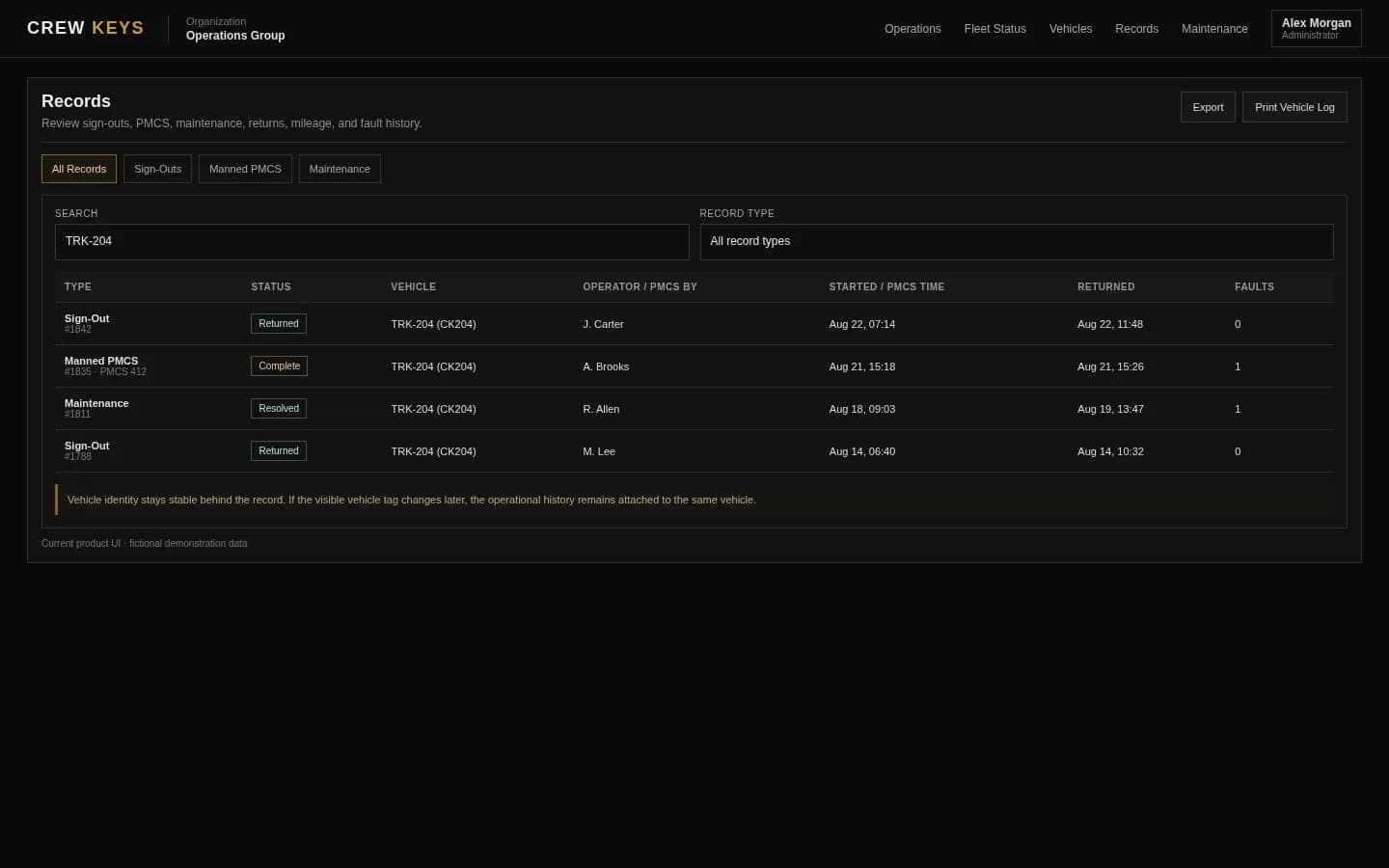
What it solves
Move beyond a shared file without buying a system that is harder than the spreadsheet.
No manual availability column
Vehicle state comes from checkout, return, maintenance, inspection, and fault actions instead of someone typing Available or Out into a cell.
One record per workflow
Operator, vehicle, mileage, purpose, destination, inspection, return, and faults stay connected.
Searchable history without file cleanup
Review records by vehicle, person, date, and operational context without copying rows between monthly spreadsheets.
Operational Records
Checkout, inspections, returns, mileage, faults, and preventive maintenance stay attached to history.
| Type | Status | Vehicle | Operator / Inspected By | Started | Returned | Faults |
|---|---|---|---|---|---|---|
| Checkout | Out | TRK-204 | J. Carter | Aug 13, 18:42 | — | 0 |
| Inspection | Complete | VAN-108 | A. Brooks | Aug 13, 15:18 | Aug 13, 15:26 | 1 |
| Checkout | Returned | SUV-022 | R. Allen | Aug 13, 09:03 | Aug 13, 13:47 | 0 |
Example only · fictional records and operators
Workflow
What changes when the spreadsheet becomes an operational workflow.
- 01
Import or add the fleet
Start with the vehicles your organization already manages, including spreadsheet import when useful.
- 02
Use checkout instead of editing a row
Operators select a vehicle and record the details required for custody and use.
- 03
Capture inspection and problems in the same flow
Condition findings stay connected instead of living on another tab or paper form.
- 04
Return the vehicle and close the record
Ending mileage, fuel, parked location, and faults update the vehicle and preserve the completed history.
Active Checkout
Operator, trip, mileage, fuel, and vehicle stay on one operational record.
| Vehicle | Operator | Out | Beg Miles | Fuel | Purpose | Destination |
|---|---|---|---|---|---|---|
| TRK-204 Ford F-250 | J. Carter | Aug 13, 18:42 | 64,118 | 3/4 | Equipment run | North Yard |
Example only · fictional checkout data
Connected product views
See what replaces the spreadsheet workflow.
Import the fleet you already manage, then let live vehicle state replace the manual coordination normally handled in spreadsheet columns.
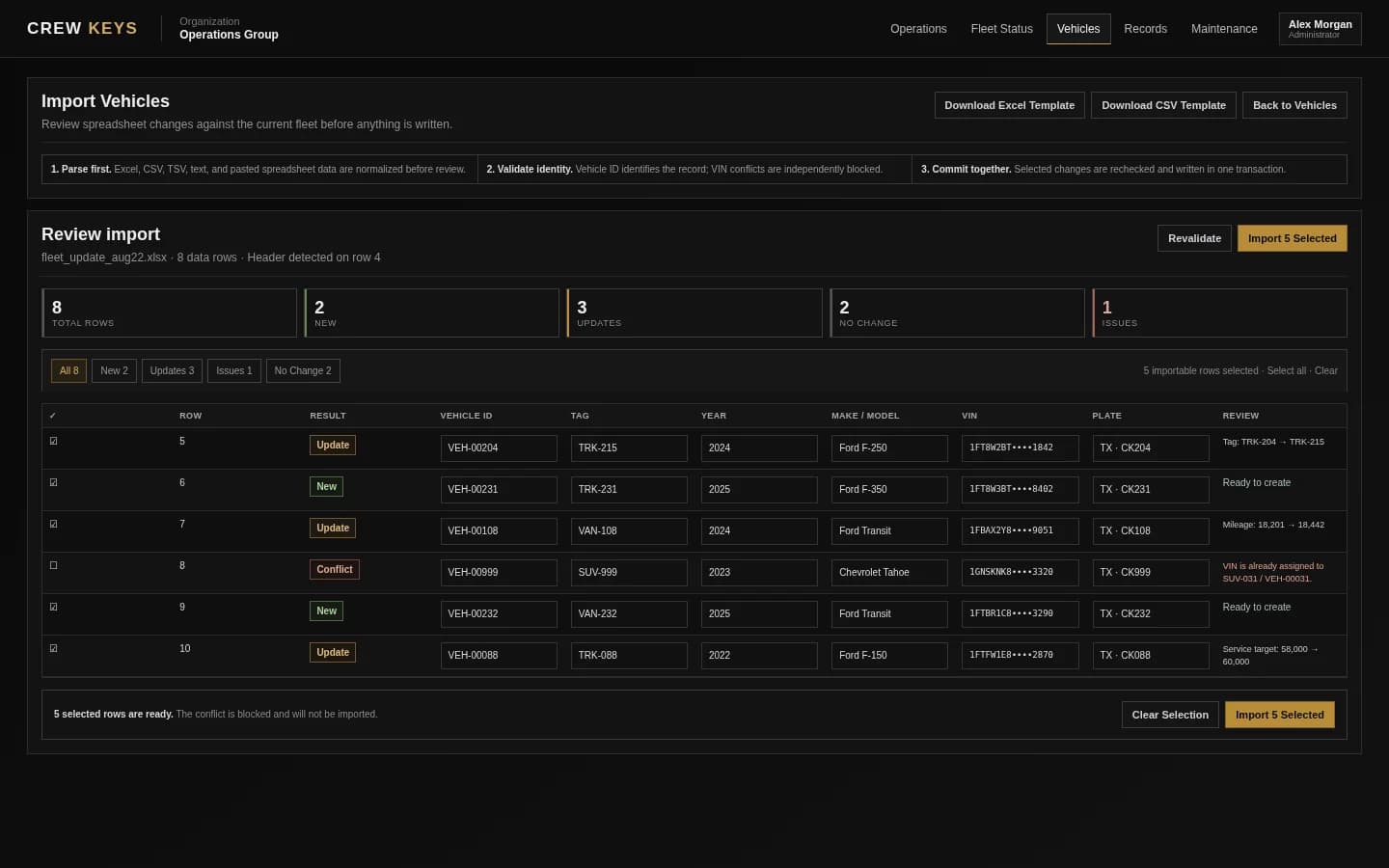
Bring an existing vehicle list in with review before changes are committed.
See the import guide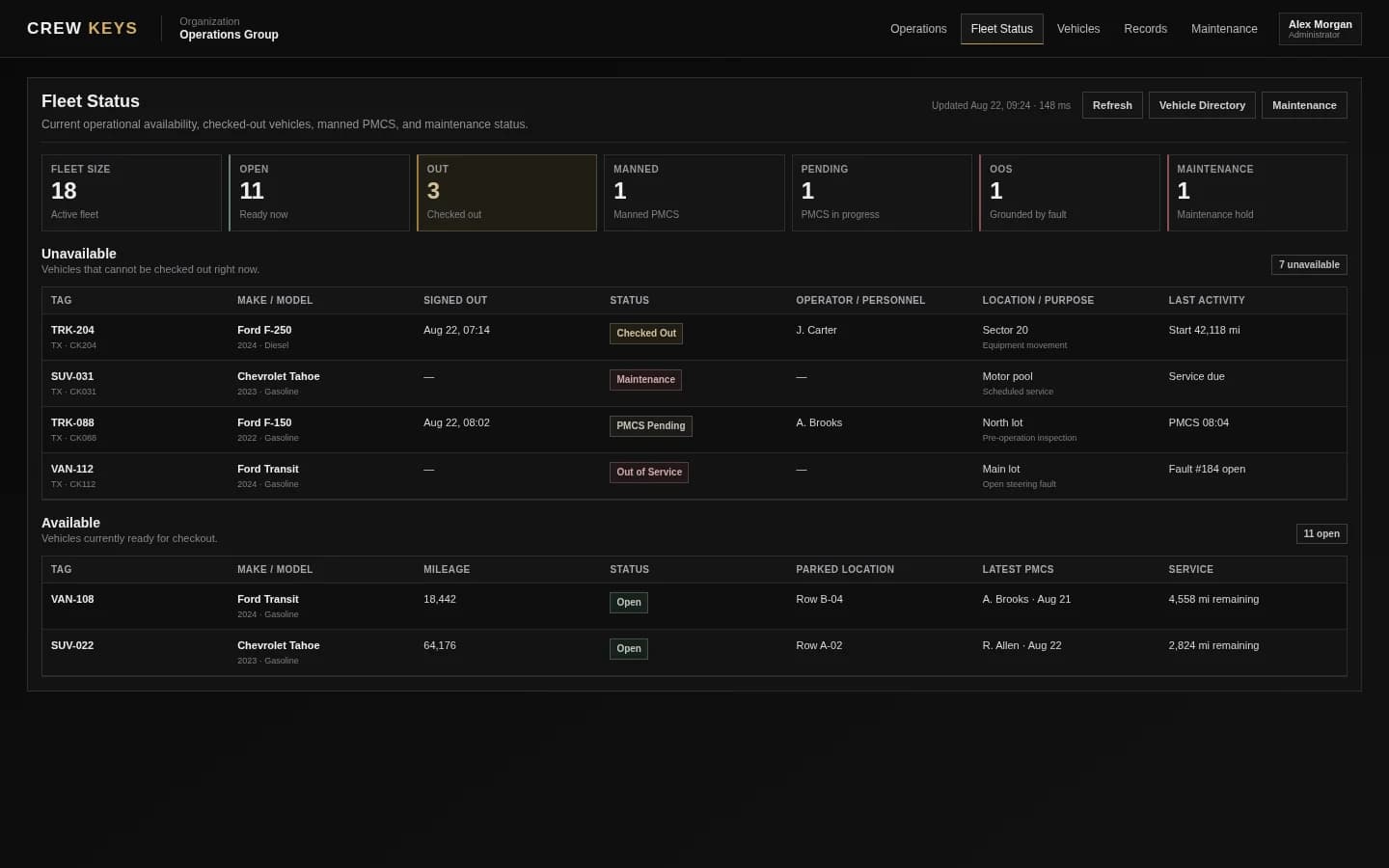
Use live operational state instead of asking someone to keep a status column current.
See live availabilityCurrent Crew Keys UI · fictional demonstration data
Who it fits
For teams that have outgrown paper or Excel but still want a simple fleet process.
Organizations using Excel, Google Sheets, paper logs, binders, clipboards, or whiteboards for shared vehicle checkout.
Fleet teams that spend time correcting stale availability, missing return mileage, or conflicting vehicle records.
Managers who want a commercial web workflow without requiring GPS hardware or a large fleet-management implementation.
Questions
Vehicle checkout spreadsheet replacement questions.
Why replace a vehicle checkout spreadsheet?
Spreadsheets work well as lists but become difficult when multiple people must update availability, custody, inspection findings, faults, returns, and maintenance at the same time.
Can Crew Keys import existing vehicle spreadsheet data?
Crew Keys includes a vehicle import workflow that can review new vehicles, updates, validation issues, and identity conflicts before changes are committed.
Can I still export records?
Crew Keys includes export and printable record workflows so moving away from a spreadsheet does not mean losing access to your data.
Is this only for large fleets?
No. Crew Keys is intended to give small and midsize shared fleets a structured workflow without the overhead of a large telematics or enterprise fleet platform.
Related workflows
Keep exploring Crew Keys.
Replace the manual out/in log with a durable web record.
See the digital record Vehicle sign-out sheet templateCompare the manual fields with the digital workflow.
Get the sign-out template Vehicle spreadsheet import guideBring an existing vehicle list into Crew Keys safely.
See the import guide Fleet vehicle availabilityRemove the manually maintained availability column.
See fleet availabilityFounder-assisted setup
Want Crew Keys set up for your fleet?
Tell me roughly how many vehicles you manage and how you check them out today. I’ll help you import the fleet, configure the first workflow, and get your trial operating without making you figure out the setup alone.
One shared fleet record
Replace the paper log and spreadsheet with one shared fleet record.
Keep vehicle checkout, mileage, inspections, faults, returns, maintenance, and searchable history together instead of reconciling separate sheets after the fact.
Create organization