
Small fleet problem · Issue reporting
Employees report vehicle problems by text. How do you keep track of them?
A driver texts about a strange brake noise. The supervisor sees it between other messages. Tomorrow, someone else gets the same truck. The missing step is not reporting; it is creating a record that survives the conversation.
A familiar Tuesday morning
The report was made. Nobody owned the next step.
At 7:40 a.m. an employee sends: “Truck 104 squeals when braking.” The supervisor replies “Thanks, I'll check.” By lunch the message is under scheduling questions and customer updates. There is no vehicle-specific open issue, no follow-up date, and no evidence that somebody inspected the concern.
On Wednesday, another operator receives the keys. They may never see the warning. Even a conscientious supervisor cannot reliably manage unresolved defects from a scrolling chat history.
Safety note: Potential brake, steering, tire or other serious safety defects need prompt assessment under your organization's vehicle safety procedures. Logging an issue is not permission to keep using a potentially unsafe vehicle.
The minimum useful record
Capture six details before the message disappears.
Don't require employees to write essays. The report only needs enough information for the right person to find, assess and follow through on the problem.
- Vehicle ID
- Truck 104—not simply "the pickup."Prevents mixed-up reports
- Observed symptom
- Brake squeal when slowing. Preserve the observation, not an invented diagnosis.Gives the reviewer a starting point
- When reported
- Date and time the concern was communicated.Preserves the timeline
- Responsible reviewer
- A supervisor or maintenance contact who must decide the next action.Creates ownership
- Next review due
- A date appropriate to the concern and organization safety policy.Exposes missed follow-up
- Current state
- Open, under assessment, waiting for repair, or resolved—with evidence.Separates acknowledgement from repair
Give drivers a simple reporting rule
A short message is enough—if someone converts it into a tracked issue.
Employees should not need to open a complicated form to raise a concern. Give them a clear reporting destination and ask for the information that helps the supervisor find the vehicle and assess the report. The manager then owns the formal record and follow-up.
A practical message employees can use
Vehicle: [unit number] · Observed: [what happened, without guessing the cause] · When: [time] · Current location: [parking area] · Safe to continue? [stop and seek supervisor direction if uncertain].
Photos can help when appropriate, but never ask a driver to take one while operating a vehicle. For potential safety defects, follow the organization's immediate reporting and vehicle-removal procedures rather than waiting for a spreadsheet reminder.
The reporting channel can be text, a call or an inspection. The reliable record is the issue assigned to a vehicle, with an owner and a status somebody reviews. If an issue is recorded twice, preserve the original observations before deciding whether the reports refer to the same defect.
Free Excel workbook
Start with a fault tracker that updates the follow-up picture automatically.
Use the downloadable workbook as a practical first step. Enter vehicles on one tab, record defects on another, and log inspections or repairs in an activity register. The dashboard calculates unresolved issues, overdue follow-ups, missing due dates and repair spending from the same records.
The operational tabs start blank, with a separate fictional example and 200 entry rows per register. Its formulas check issue IDs and pull mileage into the maintenance planner. It does not send reminders, control vehicle access or synchronize across staff computers.
Connected workbook tabs
Excel formulas update issue aging, repair costs, overdue follow-ups and maintenance warnings from your records.
Where small fleets usually stumble
Don't treat a reply, a repair request and a completed repair as the same thing.
“Received” means the report was heard. “Assigned” means somebody is responsible for reviewing it. “In progress” means an investigation or repair is underway. “Resolved” should mean the action has been recorded and your organization's closeout requirements have been met. A conversation can contain all four phrases without providing a reliable audit trail.
If multiple drivers mention the same symptom, preserve their observations and assess whether they relate to one fault. Don't automatically merge unrelated complaints simply because they involve the same vehicle.
Continue reading
Related Crew Keys workflows and resources.
From template to workflow
When more than one person needs to report issues, give everyone the same record.
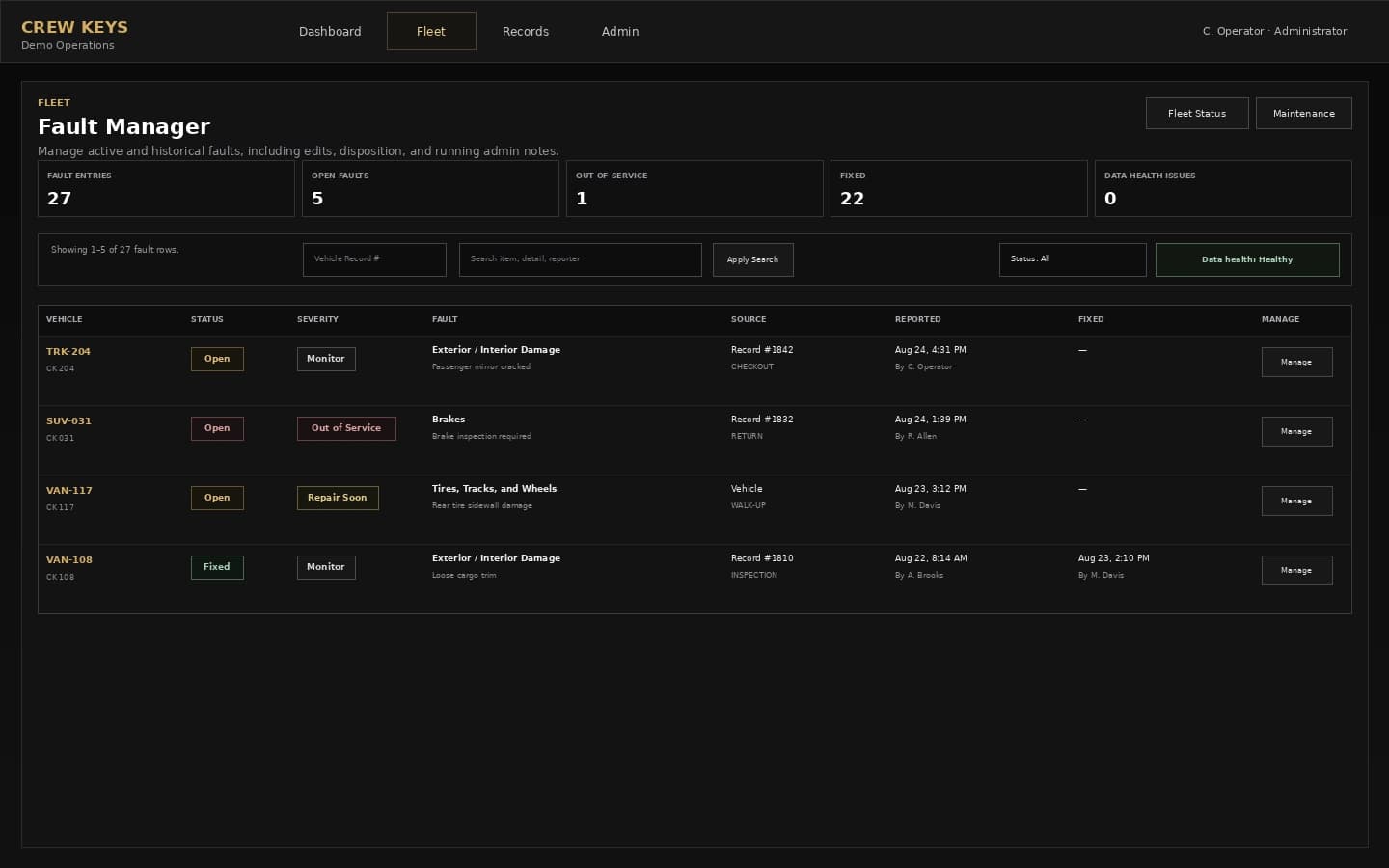
The free Excel workbook is a single-file starting point. Crew Keys connects operator reports, inspections and persistent vehicle fault records in a shared organization workspace.